5 Tech Life Hacks to Help You Stay Connected and Efficient

In modern life, digital devices serve as the central hub for our professional responsibilities, household management, and daily relationships. From the moment we silence our morning alarms, we use phones, tablets, and computers to coordinate schedules, manage complex communications, and stay connected with colleagues and family across vast distances. Yet as our reliance on these digital tools grows, so does the potential for technological overwhelm.
Without deliberate operational habits, digital systems frequently mutate from helpful conveniences into significant sources of distraction, mental fatigue, and disorganization. Regaining control does not require abandoning digital connectivity; rather, it demands intentional systems. By mastering five foundational tech life hacks—leveraging productivity apps, automating repetitive tasks, structuring your digital life, utilizing cloud services, and committing to digital wellness—you can transform your technology into an asset that enhances your efficiency rather than draining your focus.
Key takeaways
- Productivity apps streamline your workflow by organizing tasks and milestones into visible, prioritized tracking systems across your devices.
- Automating routine, repetitive tasks reclaims valuable hours and cognitive energy for complex, high-value problem-solving.
- Systematic file management, logical folder naming, and weekly maintenance prevent digital clutter from slowing your daily momentum.
- Cloud storage services ensure universal file access, seamless synchronization, and robust off-site backups when secured with two-factor authentication.
- Establishing firm boundaries around screen time and setting aside tech-free periods protects your mental health and prevents digital burnout.
Streamlining your workflow with dedicated productivity apps
Productivity applications are engineered to centralize task tracking, structure long-term projects, and eliminate the mental friction of managing daily responsibilities. Rather than keeping mental tallies or scribbling fragmented notes across scraps of paper, these applications function across phones, tablets, and desktop computers. This cross-device accessibility guarantees that your tracking system remains synchronized wherever work happens.
Because productivity tools come in varied formats—ranging from simple checklist managers to comprehensive digital notebooks—selecting the right platform requires matching the tool's interface to how your brain processes work. Once you choose a tool, integrating it into your daily routine is vital. Dedicate a fixed time each morning or evening to review milestones, mark finished items, and rearrange priorities by importance and urgency so your energy remains directed toward what matters most.
| Application | Core focus | Primary mechanism | Best operational fit |
|---|---|---|---|
| Trello | Visual task tracking | Movable cards across sequential stages | Stage-based workflows and agile progress monitoring |
| Asana | Project management | Timelines, assigned tasks, and progress reports | Collaborative team projects and milestone mapping |
| Evernote | Information capture | Centralized notes, drafts, and research archives | Long-term knowledge storage and project research |
Trello

- Core model: Visual digital board
- Key feature: Drag-and-drop workflow stages
- Primary benefit: Instant visual overview of project progress
Trello relies on a visual collaboration framework that organizes tasks, ideas, and deliverables on a flexible digital board. Users create cards for specific assignments and advance them across customized columns representing sequential workflow phases, such as planning, execution, and completion. This visual layout offers an immediate, high-level perspective on project bottlenecks and current progress, making it particularly effective for visual thinkers and iterative projects.
Asana

- Core model: Structured project management
- Key feature: Detailed milestone and progress reports
- Primary benefit: Clear team accountability and timeline tracking
Asana functions as a dedicated project management environment tailored for coordinating complex initiatives across teams. It empowers users to build detailed project timelines, assign specific tasks to individual team members, set dependent deadlines, and review comprehensive progress reports. By organizing interdependent assignments within a unified ecosystem, it reduces confusion regarding ownership and project schedules.
Evernote

- Core model: Digital repository and notebook
- Key feature: Multi-format information capture
- Primary benefit: Centralized retrieval of research, notes, and to-do lists
Evernote acts as an expansive digital archive designed to capture, structure, and retrieve ideas, notes, meeting transcripts, and to-do lists. It excels as an all-in-one information repository where users can store research materials, draft project outlines, and index unstructured data. Its multi-device synchronization ensures that critical reference items collected on a desktop are readily retrievable on a mobile device during meetings.
Automating repetitive daily tasks to preserve mental bandwidth
Repetitive administrative duties represent an insidious drain on your daily productive energy. Manual operations such as sending recurring emails, logging appointment dates, copying contact records between tools, and distributing updates consume substantial portions of the workday. While individually minor, these manual actions continuously interrupt deep focus, pulling your attention away from strategic objectives and complex problem-solving.
Without deliberate management, digital resources can easily turn into persistent sources of distraction, disorder, and fatigue.
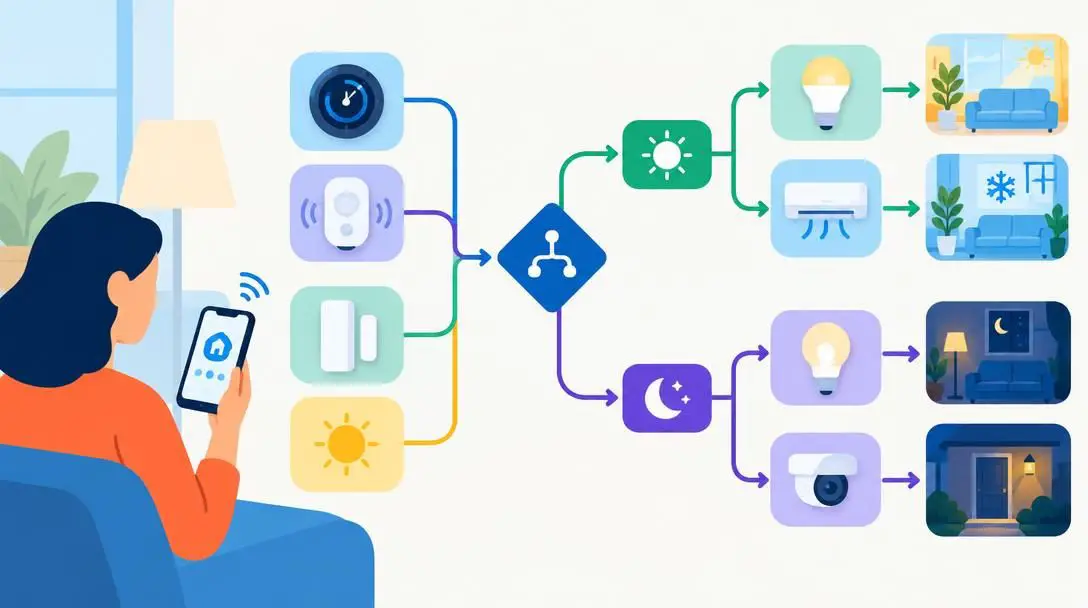
Specialized automation services resolve this friction by operating invisibly in the background. Modern platforms function on conditional triggers: when a specific action occurs in one platform, the automation service automatically executes a corresponding action in another, eliminating the need for hands-on human intervention.
Zapier

- Service type: Web application integration platform
- Trigger style: Multi-app automated conditional events
- Best use: Professional and enterprise workflow automation
Zapier bridges disparate web applications, enabling automated workflows across tools that do not natively communicate with one another. When an event takes place in a chosen trigger app—such as receiving a customer form submission—Zapier automatically transmits the data to initiate an action in a destination tool, such as generating a spreadsheet row or notifying a chat channel.

IFTTT
- Service type: Free conditional web service
- Trigger style: Applet-based conditional rules
- Best use: Consumer applications, mobile shortcuts, and smart services
IFTTT (If This Then That) provides a free, consumer-friendly web service based on straightforward conditional logic. By creating or enabling ready-made applets, users can bridge personal mobile applications, cloud accounts, and digital utilities. It simplifies daily digital management by executing actions such as backing up social posts or synchronizing notifications between consumer services.
Microsoft Power Automate
- Service type: Cloud-based enterprise automation platform
- Trigger style: Deep system and software process flows
- Best use: Organizational operations and corporate environments
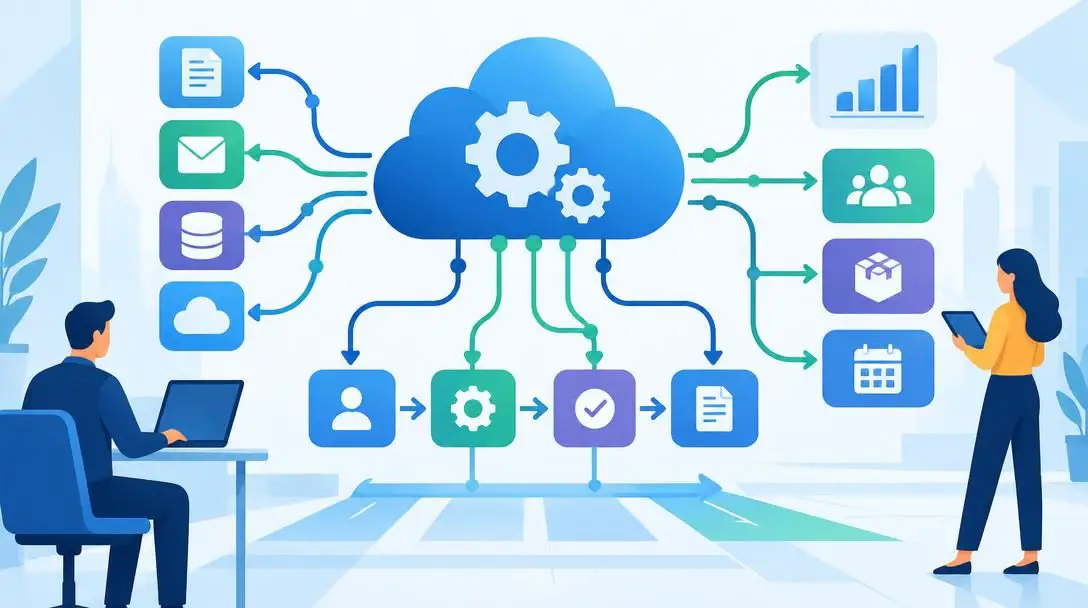
Microsoft Power Automate is an advanced cloud-based automation platform designed to streamline complex business processes across modern productivity suites and enterprise infrastructure. It offers robust connectivity options for corporate networks, automated document approvals, and data synchronization across broad operational ecosystems.
Structuring your digital life to eliminate operational friction
With massive volumes of information arriving daily through communications, project handoffs, and system downloads, digital environments quickly degenerate into chaos without proactive maintenance. Disorganized local drives, desktop screens crowded with miscellaneous documents, and buried email chains create cognitive friction that slows down even simple tasks. Taking a structured approach to your digital assets restores clarity and efficiency.
Digital organization begins with creating a transparent, predictable file architecture. Establish standard naming conventions that allow you to identify a file's content, project association, and status without opening the document. Group individual files into broad primary directories containing logical, clean subfolders arranged by category, client, project, or date.
Equally critical is ongoing maintenance. Without routine housekeeping, even the most meticulous folder hierarchies will eventually collapse under the weight of accumulated screenshots, duplicate drafts, and legacy files. Establish a dedicated weekly review period to organize incoming documents and permanently delete unnecessary files to keep your storage clean and navigable.
Leveraging cloud services for universal access and stability
Relying exclusively on local physical storage leaves your daily workflow fragile and geographically constrained. Hardware failures, lost laptops, or switching workstations can suddenly sever your access to vital materials. Cloud storage services eliminate these vulnerabilities by storing your data across secure remote infrastructure, ensuring that your documents, working files, and archives remain accessible from any device, anywhere in the world.
Choosing the right cloud infrastructure depends largely on the operating systems you use and your daily collaboration demands. Regardless of the specific platform you adopt, security must remain your primary operational focus. Always safeguard your cloud accounts with strong, unique passwords and mandatory two-factor authentication to protect personal and business assets against unauthorized access.
Google Drive

- Platform category: Integrated cloud storage and productivity suite
- Core capability: Real-time document editing and multi-user collaboration
- Device reach: Universal web, mobile, and desktop access
Google Drive delivers comprehensive cloud storage tightly integrated with collaborative document editing applications. It allows distributed teams to draft, revise, and comment on spreadsheets, documents, and presentations simultaneously in real time. Its expansive ecosystem makes it a flexible solution for shared workplace repositories and group collaboration.
Dropbox
- Platform category: Dedicated file-hosting and synchronization service
- Core capability: Cross-platform folder synchronization and secure sharing
- Device reach: Universal desktop client and mobile applications
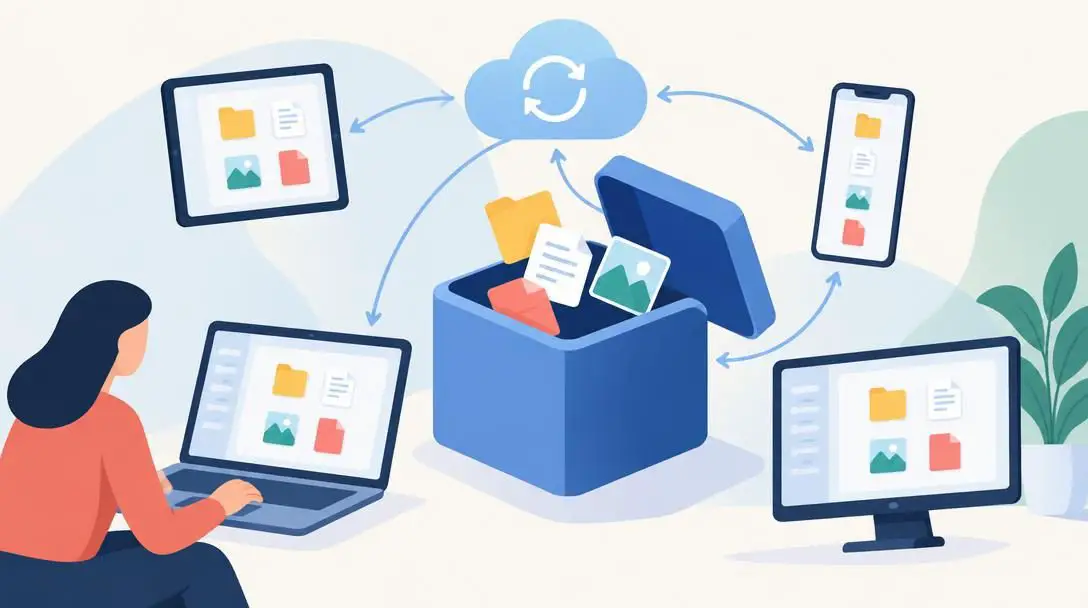
Dropbox provides straightforward, cross-platform file synchronization and simplified file-sharing tools. Designed to mirror local computer directories with cloud backups seamlessly, it offers reliable folder syncing, robust file-recovery capabilities, and clean external sharing links across varied operating systems.

iCloud
- Platform category: Native ecosystem cloud infrastructure
- Core capability: Seamless device backups and system synchronization
- Device reach: Deep native integration across Apple hardware
iCloud functions as the foundational synchronization and backup service across Apple's hardware lineup. It quietly synchronizes device system settings, photos, app data, and files across mobile devices and personal computers, offering transparent continuous backup capabilities with minimal manual configuration required.
OneDrive
- Platform category: Enterprise and operating system cloud storage
- Core capability: Native operating system backups and office integration
- Device reach: Built directly into Windows environments and mobile tools
OneDrive links natively with Windows operating systems and common enterprise productivity suites. It delivers seamless desktop backup integration, automated synchronization for local document folders, and robust file permissions tailored for modern corporate networks and individual remote workflows.
Cultivating everyday digital wellness to prevent burnout
Digital wellness is the conscious practice of maintaining a healthy balance between your technology consumption and your mental and physical health. The modern standard of perpetual connectivity creates an illusion that you must always be available to answer notifications and process alerts. Left unchecked, this constant digital exposure fragments your attention span, degrades your sleep quality, and induces chronic digital fatigue.
Practicing digital wellness does not mean disconnecting from the modern world; it means creating deliberate boundaries that keep technology from encroaching on your life. Institute strict cutoff times in the evening when devices are placed out of reach, allowing your mind to rest and disengage. Incorporate short tech-free breaks throughout the working day to practice mindfulness and refocus your attention on your immediate physical surroundings.
Prioritizing self-care requires treating tech-free activities—such as outdoor exercise, uninterrupted reading, and meaningful in-person conversations—with the same respect you give professional meetings. By setting clear boundaries around your device usage, you cultivate sustainable digital habits that preserve mental clarity and long-term productivity.
A step-by-step implementation guide to building your system
Attempting to revolutionize all your digital habits simultaneously often causes frustration and abandoned efforts. Building an effective, streamlined digital system requires steady, progressive implementation:
- Audit your current routine: Spend two or three days observing your habits without judgment. Document which applications you open most frequently, where unorganized files collect on your hard drive, which repetitive administrative duties consume your time, and where screen time quietly accumulates.
- Select single core tools: Avoid the trap of adopting multiple competing systems at once. Select a single productivity application (such as Trello, Asana, or Evernote) and one cloud storage service (such as Google Drive, Dropbox, iCloud, or OneDrive) that fits your current hardware and daily needs.
- Set up consistent naming rules: Establish a clean directory structure with intuitive primary folders and logical subfolders. Commit to an explicit naming pattern that incorporates project names, dates, or descriptive labels, and relocate your active documents into this new structure.
- Target one repetitive task for automation: Identify a single manual task you perform every day—such as forwarding attachments, transferring calendar events, or cross-posting announcements. Use Zapier, IFTTT, or Microsoft Power Automate to build your first reliable automated flow.
- Establish a daily technology cutoff: Define a firm evening hour when screens are powered down or placed into another room. Protect this boundary strictly to allow for physical recovery, exercise, reading, or family time.
- Lock down your accounts: Review your digital access credentials. Assign complex, unique passwords to your cloud services and management platforms, and activate two-factor authentication on every critical account.
Common digital management pitfalls to avoid
Even with good intentions, users often introduce unnecessary complications when modernizing their workflows. Watch out for these common missteps:
- Over-complicating system architecture: Designing a directory hierarchy with seven nested layers of subfolders or building multi-stage automation flows for simple tasks introduces maintenance burdens. Keep workflows simple and lightweight.
- Hoarding redundant software: Running several to-do list applications and note-taking managers simultaneously fragments your tracking systems. Pick one platform for each specific function and stick with it.
- Neglecting scheduled maintenance: Digital systems break down when abandoned. Neglecting to update task boards daily or skipping weekly file purges inevitably leads to renewed digital disarray.
- Compromising on basic security: Relying on weak, recycled passwords or ignoring two-factor authentication leaves personal and business data vulnerable to unauthorized exposure.
- Allowing boundary-free connectivity: Remaining on call twenty-four hours a day erodes focus and fuels chronic burnout. Without clear boundaries, technology controls you rather than serving you.
Frequently asked questions
How do I choose between Trello, Asana, and Evernote?
Base your selection on how you track information. Choose Trello if you prefer moving visual cards across defined stages, Asana if you manage complex timelines with assigned tasks and progress reports, or Evernote if your primary need is centralizing research notes, project drafts, and idea repositories.
What is the easiest way to begin automating tasks?
Start by auditing your day to pinpoint a single repetitive manual action, such as backing up files or sending standardized notifications. Connect the relevant services through a user-friendly automation platform like Zapier, IFTTT, or Microsoft Power Automate, and run that single automated rule reliably before attempting more complex workflows.
How can I keep my cloud storage secure?
Ensure that all cloud storage accounts are locked down with strong, unique passwords that are never reused across different sites. Additionally, activate two-factor authentication on every platform to prevent unauthorized access even if your login credentials are compromised.
What does a healthy digital wellness routine look like?
A sustainable digital wellness routine includes setting clear boundaries for screen time, establishing a firm evening cutoff hour to step away from all devices, taking brief breaks during the workday to practice mindfulness, and dedicating uninterrupted time to physical exercise, reading, or personal relationships.
How often should I organize my digital files?
You should organize and review your digital files on a consistent weekly basis. Dedicating a brief, recurring session each week to clear downloads, categorize loose documents into subfolders, and delete obsolete drafts prevents storage clutter from accumulating into an unmanageable mess.
The bottom line
Optimizing your digital life is an ongoing practice rather than a one-time project. Technology should streamline your responsibilities, remove friction from your day, and connect you with what matters—not overwhelm your schedule or drain your attention. By carefully selecting productivity apps, automating routine manual tasks, keeping your digital files organized, relying on secure cloud storage, and honoring personal wellness boundaries, you can build a stable digital environment that keeps you focused, productive, and balanced.