Protecting Your Privacy and Security in the Age of Computing

In our current digital landscape, the personal information of everyday citizens has emerged as one of the most valuable commodities in the global economy. Every search query entered into a browser, every physical journey tracked by satellite navigation, and every keystroke tapped into a mobile device holds immense value for commercial aggregators and cybercriminals alike. Protecting individual privacy and security in the modern age of computing requires a grounded understanding of how automated monitoring functions, where consumer devices remain vulnerable, and what concrete measures are necessary to safeguard private records before an intrusion happens.
Securing computing systems is no longer a matter of passive caution. Because consumer platforms and connected devices continuously exchange data across external networks, users must take active ownership of their privacy permissions, operational habits, and defensive software installations. By examining the commercial drivers behind data harvesting and the tactics used by remote adversaries, individuals can build a resilient digital defense that preserves their autonomy and keeps sensitive financial records out of hostile hands.
Key takeaways
- Digital crime has transitioned from localized physical theft to automated, anonymous attacks launched from across the globe.
- Major online platforms and search engines harvest extensive browsing histories and search queries primarily to sustain targeted advertising ecosystems.
- Deceptive emails and fraudulent links frequently deploy stealthy keyloggers to record user keystrokes and extract banking credentials.
- Restricting background location tracking exclusively to essential navigation utilities prevents non-essential mobile applications from compiling detailed travel profiles.
- A multi-layered personal defense combines dedicated security suites with structured password management and two-factor authentication.
The Evolution of Theft and Tracking: From Dumpsters to Automated Exploits
When evaluating privacy and security in modern computing, users must confront how fundamentally the threat landscape has transformed. Over modern networks, malicious actors utilize specialized software to collect personal information within seconds. This automated threat environment represents a radical shift from historical identity theft methods, which required considerable physical exertion and carried significant localized risk for the perpetrator.
Before the internet era, thieves were forced to go to extreme physical lengths to acquire private records. Criminals routinely sorted through household trash bins to uncover discarded financial statements, tax filings, or utility invoices. Because of the manual labor and physical exposure required, identity theft was comparatively rare. An alert homeowner could identify and stop an intruder simply by walking outside while the thief was digging through the trash, enabling immediate apprehension by local law enforcement.
In contemporary computing, physical proximity is completely absent from criminal operations. Modern cyber thieves work almost entirely anonymously from thousands of miles away, siphoning records without alerting household members. Once compromised, stolen personal data can lead to catastrophic consequences, including the depletion of personal savings, severe credit rating damage, and prolonged reputational harm that takes years to correct.
Modern thieves are almost entirely anonymous and can operate from the opposite end of the world while taking your information.
Why Commercial Platforms and Criminals Want Your Data
The early architecture of the internet did not force users to agree to continuous personal tracking. A standard user session involved navigating to a specific website, reviewing static content, exchanging basic electronic mail, and terminating the connection without generating a permanent behavioral dossier. Contemporary digital ecosystems operate under starkly different commercial incentives where every interaction is quantified.
Modern online services face substantial operational costs, requiring massive server infrastructures and engineering investments to support millions of concurrent users. Because there are structural limits to how much direct subscription revenue can be gathered across the web, browsing data has become the primary currency of online business. Platforms harvest interaction data to fuel targeted advertising, selling access to granular consumer segments. However, as public awareness of comprehensive tracking grows, many individuals are discovering the sheer extent of social monitoring, prompting some to step away from certain platforms entirely.
Beyond legitimate advertising platforms, criminal organizations pursue personal records for illicit financial gain. Malicious syndicates continuously deploy scanning scripts across consumer internet channels, seeking unpatched vulnerabilities and exposed credentials. Their ultimate goal is to obtain Social Security numbers, bypass private banking portals, hijack legitimate identities, and execute fraudulent transactions at the victim's expense.
The Mechanics of Modern Digital Incursions
The targets of computing breaches have shifted significantly across decades of network history. Early digital incursions did not aim to raid personal checking accounts or intercept retail consumer purchases. Instead, early intrusions focused on discovering military access codes and penetrating restricted government networks as matters of national defense. Over time, state institutions developed sophisticated, automated defensive perimeters to shield sensitive public infrastructure.

Consumer devices—including personal desktop towers, laptops, and smartphones—rarely ship with enterprise-grade defensive shields active by default. Hostile entities exploit this defensive gap by relying on social engineering tactics, including fraudulent communications that mimic trusted institutions, financial portals, or service providers. Unsuspecting users who click on these deceptive materials risk silently installing malicious programs in the background.
Among the most dangerous tools deployed in these schemes is the keylogger. A keylogger is a specialized software utility that records every keystroke made on a physical keyboard or touchscreen. Operating silently without generating obvious performance warnings, keyloggers capture usernames, master passwords, credit card numbers, and security questions. Once harvested, these records are transmitted back to remote command servers, giving adversaries unobstructed access to sensitive accounts.
Major Digital Platforms and Their Data Practices
Everyday internet platforms and communication tools process extraordinary volumes of user telemetry. Understanding the explicit data requirements and default tracking settings of each major service is the first step toward regaining privacy.
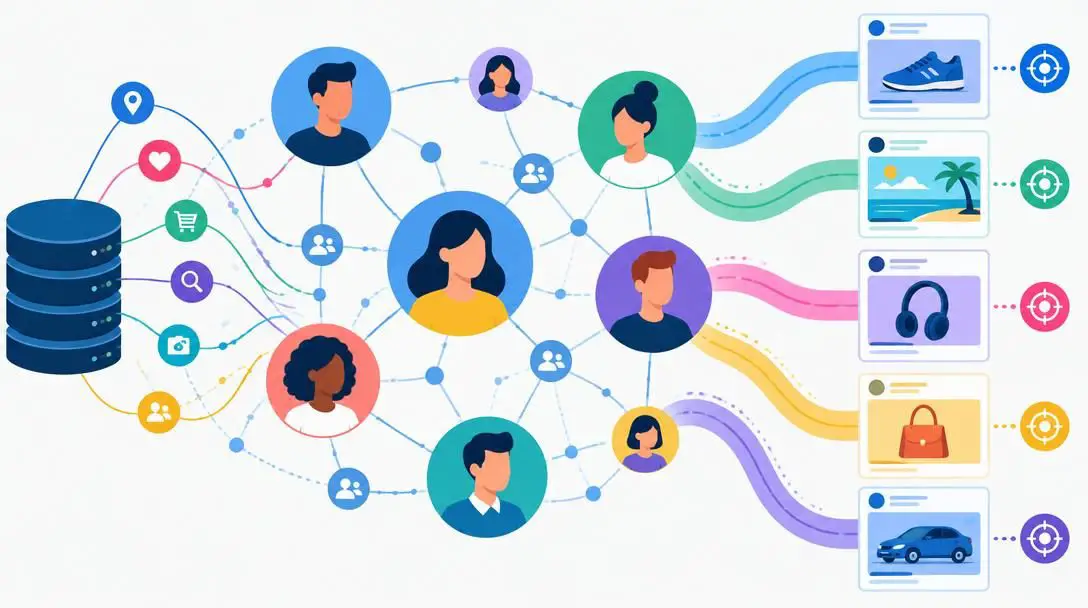
- Primary Function: Social media network and content platform
- Core Revenue Model: Targeted advertising fueled by user data
- Required Access: Tracking web browsing history across partner sites
Facebook operates as a massive global social media network whose primary commercial foundation relies on detailed behavioral tracking. To utilize the platform, members agree to terms that permit the monitoring of browsing actions across affiliated sites and third-party web pages hosting its integrated plugins. This cross-site tracking builds detailed behavioral dossiers used to position targeted advertisements directly into personal feeds. Retaining control requires manual adjustments inside user account preferences or a conscious decision to leave the service entirely.
Google Maps


- Primary Function: Dedicated geographic navigation and routing utility
- Core Data Requirement: Continuous, real-time geographical coordinates
- Functional Purpose: Directional guidance and live traffic monitoring
Google Maps provides turn-by-turn routing and transit guidance by drawing continuously on a device's satellite positioning systems. Unlike non-essential consumer applications that request location access purely for background demographic profiling, Google Maps requires active geographical coordinates to generate live traffic updates, calculate alternate routes, and deliver immediate turn prompts. While sharing location is functionally mandatory to navigate, users can restrict this permission so coordinates are shared only while actively running the utility.
Waze
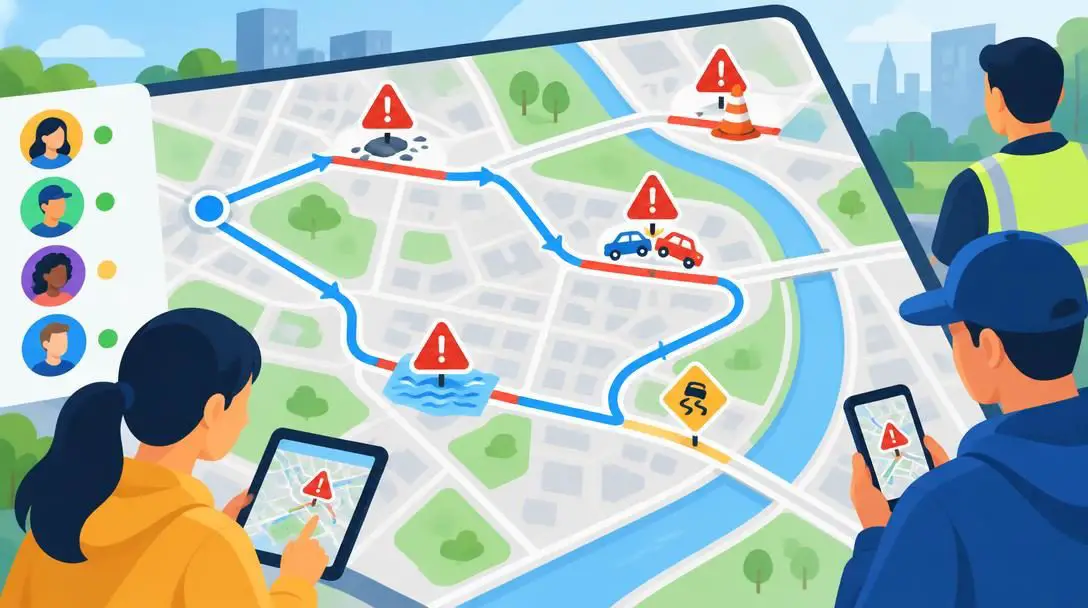
- Primary Function: Community-driven traffic and road navigation tool
- Core Data Requirement: Active satellite positioning data
- Functional Purpose: Live road hazard reporting and route guidance
Waze functions as an interactive, community-driven transit tool that relies on real-time driver coordinates to identify road hazards, speed traps, and emerging traffic bottlenecks. Because its routing algorithms rely on continuous speed and positioning metrics transmitted by surrounding drivers, active satellite tracking is an essential operational requirement. Users deliberately grant location access because the platform's primary service cannot function without ongoing geographic awareness.
- Primary Function: Global search engine and web services ecosystem
- Default Behavior: Continuous query retention and search history logging
- Integrated Tools: Built-in password manager for secure credential storage
Google serves as an expansive web search portal and services hub that catalogs global queries while integrating account management tools. By default, baseline configurations record search terms, visited URLs, and time-stamped activity across linked services. Users can leverage Google's built-in password manager to create and organize complex credentials, but maintaining personal privacy requires opening the account dashboard to halt persistent query retention and purge historical search records.
Bing

- Primary Function: Web indexing and desktop/mobile search engine
- Default Behavior: Retains search terms and interaction history
- Privacy Controls: Native settings dashboard to halt search logging
Bing provides search indexing and content discovery across desktop and mobile devices. In standard deployments, the search engine logs query strings, search frequency, and downstream link clicks to refine algorithmic outputs and support marketing models. Users seeking to reduce their search footprint must navigate Bing's dedicated settings interface to turn off automated search logging and clear existing query logs.
Dedicated Cybersecurity and Antivirus Software
Preventing unauthorized code execution requires active defensive shields capable of inspecting traffic, flagging deceptive sites, and eliminating intrusive keyloggers. The table below outlines how leading dedicated security tools defend consumer hardware.

| Security Suite | Primary Threat Focus | Key Defensive Capabilities | Protection Method |
|---|---|---|---|
| Bitdefender | Viruses, keyloggers, and malicious scripts | Scans incoming web links and flags fraudulent communications | Real-time incoming payload interception |
| McAfee | System incursions and identity theft tools | Monitors email streams and detects suspicious software behavior | Operating system traffic inspection |
| ESET | Evolving cyberattacks and infected attachments | Multi-layered detection and phishing interface blocking | Proactive threat neutralization |
Bitdefender

- Primary Threat Focus: Viruses, keyloggers, and malicious scripts
- Key Defensive Capabilities: Scans incoming web links and flags fraudulent communications
- Protection Method: Real-time incoming payload interception
Bitdefender is a specialized defensive software suite built to safeguard personal computers and portable devices from complex inbound hazards. The program constantly monitors web traffic, analyzing links in real time to alert users to spoofed web pages and deceptive communications. By stopping malicious payloads before they unpack, Bitdefender prevents stealthy keyloggers and file-encrypting viruses from gaining a foothold on personal hardware.
McAfee

- Primary Threat Focus: System incursions and identity theft tools
- Key Defensive Capabilities: Monitors email streams and detects suspicious software behavior
- Protection Method: Operating system traffic inspection
McAfee delivers commercial antivirus defenses engineered to inspect operating system activities and block external incursions. Its defensive engines actively scan inbound email streams, evaluate web links, and monitor installed programs for erratic behavioral signatures. This level of system inspection prevents unauthorized programs from establishing persistence or capturing keyboard inputs for identity theft syndicates.
ESET

- Primary Threat Focus: Evolving cyberattacks and infected attachments
- Key Defensive Capabilities: Multi-layered detection and phishing interface blocking
- Protection Method: Proactive threat neutralization
ESET utilizes a multi-layered detection architecture engineered to shield computing platforms against zero-day exploits and malicious network activity. The software proactively identifies infected file attachments, neutralizes deceptive phishing portals, and blocks malicious script execution. By constantly evaluating system processes, ESET ensures hidden tracking tools and credential-harvesting keyloggers are isolated before sensitive data leaves the host machine.
Step-by-Step Procedures for Reclaiming Digital Privacy
Reclaiming digital privacy requires disciplined configuration across all digital touchpoints. By reviewing device configurations and limiting unnecessary background permissions, users can significantly curtail the volume of telemetry shared with commercial databases.
- Review the privacy configurations on every application, online account, and web portal you use, setting profile data sharing to the absolute minimum necessary.
- Deactivate background location tracking across general mobile utilities, restricting location access exclusively to dedicated navigation tools like Google Maps or Waze.
- Audit your device storage to uninstall applications that are no longer actively used, preventing dormant software from harvesting diagnostic and behavioral data.
- Adjust native account settings within primary search engines, including Google and Bing, to stop persistent query retention and purge accumulated search histories.
Concrete Strategies for Robust Device Security
While privacy configurations restrict legal data aggregation, software defenses protect systems from unauthorized criminal breaches. Hardening consumer hardware against hostile intrusions requires deploying defensive software and enforcing disciplined credential hygiene.
- Install and maintain dedicated security software, such as Bitdefender, McAfee, or ESET, to actively inspect web links, monitor email streams, and neutralize stealthy keyloggers.
- Update account passwords regularly, utilizing dedicated tools such as Google's built-in password manager to generate and store complex, unique credential combinations.
- Turn on two-factor authentication across all sensitive banking, communication, and utility accounts to require a secondary confirmation step for access.
- Inspect web addresses and email senders carefully before typing login credentials, ensuring you do not enter confidential passwords into fraudulent interfaces.
Critical Security Mistakes to Avoid
Many individuals unknowingly compromise their systems through habitual oversights and poor digital maintenance. Eliminating the following routines is critical for maintaining an effective defensive posture:
- Failing to audit application permissions, which allows non-essential programs to quietly monitor your real-time location.
- Keeping unused software on your cell phones and computers, leaving behind dormant access points that continue tracking your digital footprint.
- Reusing the exact same passwords across different websites, meaning a single platform breach exposes all associated online accounts.
- Clicking unverified links embedded in suspicious emails, allowing stealthy keyloggers to install without triggering system alerts.
- Neglecting to activate two-factor authentication, which leaves personal profiles vulnerable to single-credential brute-force attacks.
Frequently asked questions
Why do non-navigation apps request real-time location access?
Many mobile applications request location permissions to compile physical movement profiles for targeted advertising and commercial data broker resale. Unlike navigation utilities like Google Maps or Waze, these applications do not require location data to perform their basic tasks, making it advisable to revoke those permissions.
How does a keylogger infect a computer?
Keyloggers typically infiltrate consumer devices via social engineering schemes, such as deceptive email links or malicious attachments. When an unsuspecting user clicks on an unverified link or downloads infected files, the keylogger silently installs in the operating system background without showing obvious warnings.
Can search engines track you if you do not have an account?
Yes. Search engines track visitors through IP addresses, device fingerprints, and browser cookies even when users are not logged into an active account. Disabling query retention and adjusting native browser privacy settings are essential steps to limit persistent tracking.
Why is two-factor authentication considered so critical?
Two-factor authentication adds an independent secondary verification step, such as an authentication code sent to a personal device. Even if an adversary captures your password using a keylogger or database breach, they cannot access your account without that secondary physical factor.
What is the difference between Bitdefender, McAfee, and ESET?
All three provide robust defensive shields against malware and keyloggers, but they feature distinct architectural strengths. Bitdefender emphasizes real-time payload interception, McAfee specializes in operating system traffic and email inspection, and ESET utilizes proactive multi-layered detection to block emerging phishing interfaces.
The Bottom Line
The transition from localized, physical document theft to automated, worldwide digital tracking has made privacy and security an ongoing personal responsibility. Commercial entities continue to refine complex data harvesting operations to fuel advertising models, while criminal syndicates leverage keyloggers and deceptive links to target personal savings and consumer identities. Fortunately, individual users are not powerless against these threats.
By conducting regular permission audits, revoking unnecessary location privileges, deploying reliable security suites like Bitdefender, McAfee, or ESET, and enforcing strict password management paired with two-factor authentication, you can build a resilient digital perimeter. Proactive vigilance ensures that you retain control over your personal records, financial integrity, and computing devices in an increasingly networked world.