5 Best Project Management Apps for Team Collaboration

Effective team collaboration forms the backbone of any thriving enterprise or creative initiative. When projects expand in size, complexity, and participant count, coordinating every moving part through disconnected emails, ad hoc chat rooms, and scattered spreadsheets quickly reveals its limitations. Without dedicated systems in place, tasks slip through the cracks, accountability erodes, and critical deadlines pass unnoticed.
Modern project management applications solve this systemic coordination challenge by consolidating tasks, communication, and shared assets into a unified workspace. By organizing assignments clearly, establishing transparent timelines, and integrating communication directly into individual deliverables, these platforms empower teams to work synchronously and asynchronously with precision. Whether your team is co-located in a single office or distributed across multiple time zones, choosing the proper platform is an essential strategic step toward sustained operational momentum.
Key takeaways
- Dedicated project management tools replace fragmented email chains and chat rooms by embedding discussions and files directly within task items.
- Platforms differ significantly in pricing structures, offering either per-user monthly rates or flat-fee models for unlimited users.
- Visual boards, traditional spreadsheets, and centralized discussion hubs cater to distinctly different organizational workflows and project scopes.
- Successful implementation relies on establishing clear team-wide usage standards, testing mobile capabilities, and rolling out the software gradually.
The Core Mechanics of Collaborative Workspaces
Project management is crucial for the success of any team. When a team operates without a systematic structure, assignments can get lost, priorities blur, and overall operations suffer. Without a proper plan, things can quickly get out of control, tasks can become delayed, and deadlines missed. The main goal of project management is to coordinate resources, clarify roles, align timelines, and ensure that deliverables are completed efficiently.
Collaboration lies at the core of project management. Even the best plan fails if team members do not communicate effectively. Collaboration involves sharing resources, exchanging feedback, updating teammates on progress, and solving roadblocks together. When projects grow in scope or when teams are distributed across different locations, relying solely on manual methods like unstructured email threads, spreadsheets, or verbal chats becomes unsustainable.
Dedicated software platforms solve coordination problems by creating a single, centralized workspace where tasks, conversations, and documents reside together. At their core, these tools organize work hierarchically. High-level initiatives are broken down into individual projects. Within these projects, users create distinct tasks or cards representing specific work items. Team members assign these tasks to specific individuals, set deadlines, and attach relevant instructions or documents. As work moves forward, team members change the status of each item to show real-time progress.
Keeping conversations attached directly to the relevant task provides clear context and eliminates the chaos of searching through external inboxes.
Rather than discussing a deliverable in an external inbox or private chat where others cannot see it, members use task commenting, file sharing, and project discussions. Keeping conversations attached to the relevant task provides clear context. Anyone looking at the task can see its full history, review attached assets, and read discussions without searching through multiple communication channels. Furthermore, mobile applications make it easy to work on the go, allowing users to check updates, reply to questions, and track ongoing progress outside of standard office settings.
At a Glance: Top Project Management Applications
Every platform balances functionality, interface design, and pricing differently. The table below outlines how the leading tools compare across key collaboration characteristics, specialized features, and cost structures.
| Application | Pricing Model | Key Features | Mobile App |
|---|---|---|---|
| Asana | Free tier (up to 15 projects); Premium at $9.99/user/month | Timelines, custom fields, advanced reporting | Yes |
| Trello | Free basic tier; Business version at $9.99/user/month | Visual boards, custom fields, templates, advanced reporting | Yes |
| Monday.com | $17/user/month | Time tracking, billing, advanced reporting | Yes |
| Basecamp | Flat fee of $99/month (unlimited users and projects) | Centralized project hubs, message boards, file storage | Yes |
| Smartsheet | $14/user/month | Spreadsheet grid, advanced automation, resource management | Yes |
The 5 Best Project Management Apps for Team Collaboration
With so many apps in the market, it can be challenging to choose the one that meets your requirements. The following five tools represent popular, capable options that address varying operational needs, budget styles, and collaboration preferences.
Asana

- Pricing: Free tier up to 15 projects; Premium at $9.99 per user per month
- Core Strengths: Clean and modern interface, balanced functionality
- Key Capabilities: Timelines, custom fields, advanced reporting
Asana is widely recognized for offering a balance between robust functionality and an accessible user experience. The platform features a clean and modern interface that is user-friendly, allowing teams to navigate their workloads without an overwhelming visual learning curve. High-level company objectives can be organized into projects, milestones, and granular action items assigned to individual contributors.
Asana includes many collaboration features such as task commenting, file sharing, and project discussions, which make it easy for team members to collaborate effectively. These integrated communication tools help teams coordinate assignments without losing context. Asana also has a mobile app that makes it easy to work on the go.
In terms of investment, Asana provides a free version that allows team members to create up to 15 projects. For teams needing more power, the premium version is priced at $9.99 per user per month, with additional features such as timelines, custom fields, and advanced reporting that give supervisors deeper visibility into progress.
Trello

- Pricing: Free basic tier; Business version at $9.99 per user per month
- Core Strengths: Visual Kanban card-and-board architecture
- Key Capabilities: Custom fields, templates, advanced reporting
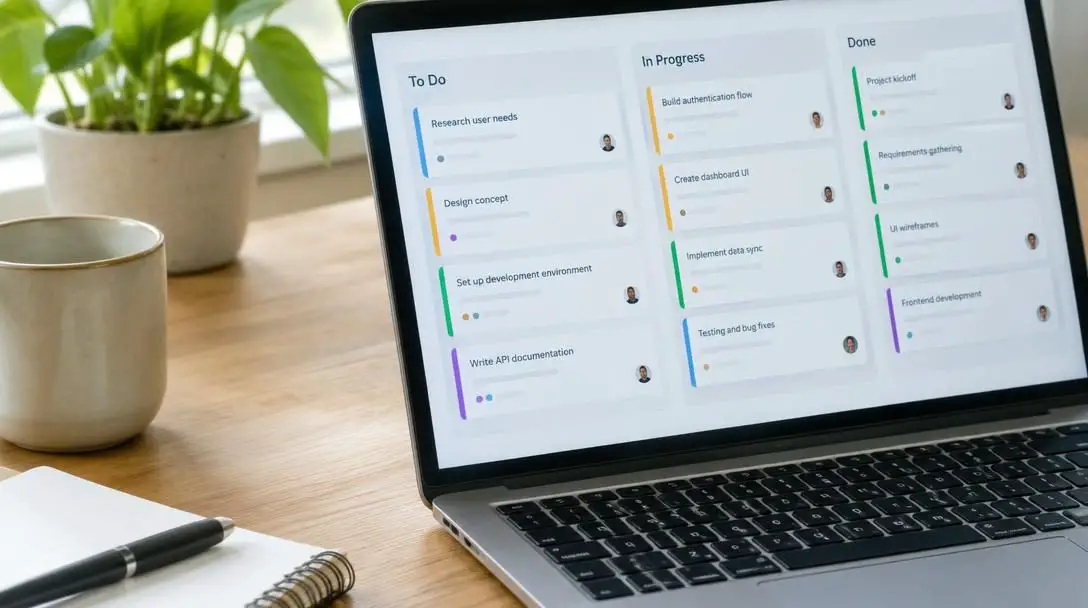
Trello is known for its visual approach to project management, built to make progress instantly apparent at a single glance. The system uses boards, lists, and cards to help teams organize their tasks. In a typical workflow, a board houses multiple lists representing stages of work, such as items to do, items in progress, and completed tasks.
Individual tasks exist on cards that can be dragged and dropped from one list to another as work moves forward. Trello also has collaboration features such as task commenting and file sharing, allowing users to keep instructions, checklists, and discussions directly on the cards themselves. Anyone joining a board can immediately understand which phase a task occupies simply by noting its column.
The basic version of Trello is free, which serves well for individuals and simple team workflows. The business version is priced at $9.99 per user per month, unlocking additional features such as custom fields, templates, and advanced reporting for teams requiring deeper structural consistency across boards.
Monday.com

- Pricing: $17 per user per month
- Core Strengths: Highly intuitive interface, cross-departmental utility
- Key Capabilities: Time tracking, billing, advanced reporting
Monday.com is built around an intuitive and modern interface designed to provide flexibility and broad utility across varied operational departments. The software is easy to use and includes many collaboration features, such as task commenting, file sharing, and project discussions. These tools allow team members to discuss ongoing work directly within their task rows, keeping relevant assets and updates organized alongside statuses and deadlines.
The platform also features a mobile app that makes it easy to work on the go, ensuring that distributed or traveling team members remain connected to the team's live boards. Monday.com is priced at $17 per user per month. This tier provides access to operational tools such as time tracking, billing, and advanced reporting, making it particularly helpful for teams that need to monitor billable hours worked and maintain strict administrative oversight.
Basecamp

- Pricing: Flat fee of $99 per month for unlimited users and projects
- Core Strengths: Calm, simplified interface without complex charting
- Key Capabilities: Centralized message boards, document storage, task lists
Basecamp is known for its simplicity. Rather than overwhelming users with excessive configurations, dense sub-menus, or complex charting tools, it focuses on providing a clean, calm working environment. It features a straightforward interface that is easy to use, ensuring that team members can pick it up quickly without deep technical onboarding or prolonged administrative training.
The platform includes several collaboration features such as project discussions, file sharing, and task commenting. These tools keep all relevant documents, announcements, and feedback centralized within each specific project hub. Basecamp also includes a dedicated mobile app that makes it easy to work on the go.

Basecamp uses a distinct, predictable pricing model: it is priced at a flat rate of $99 per month, which includes unlimited projects and unlimited users. There are no additional charges for adding team members, making it an economically compelling option for expanding groups that want to avoid escalating per-seat costs.
Smartsheet
- Pricing: $14 per user per month
- Core Strengths: Spreadsheet-style data management with project capabilities
- Key Capabilities: Advanced automation, resource management, workflow automation
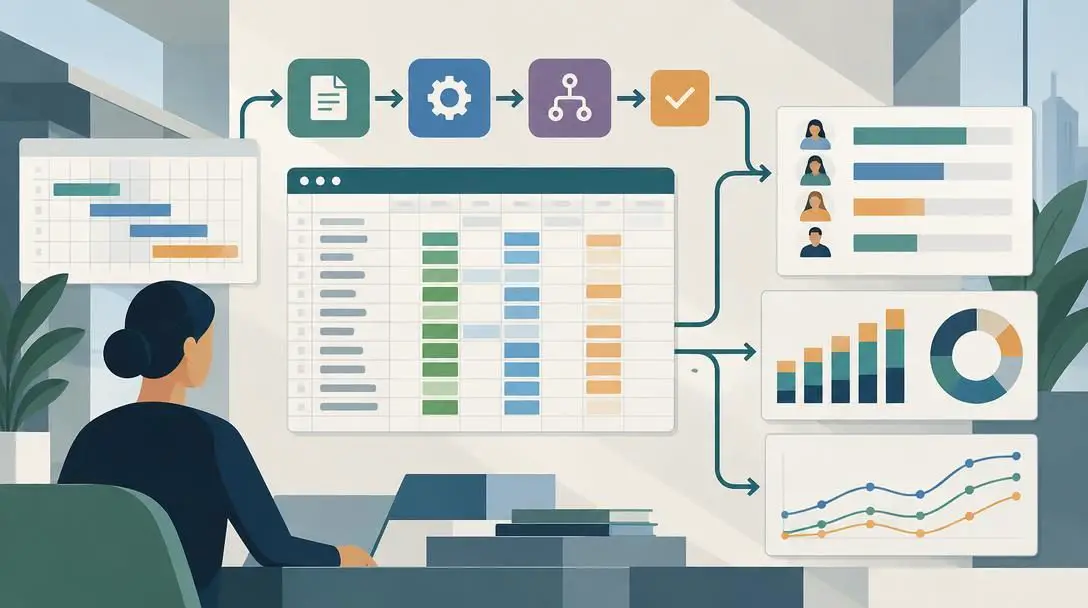
Smartsheet is designed for businesses that need to manage complex, data-heavy projects. It merges the familiar grid format of traditional spreadsheets with powerful project coordination capabilities, giving users a workspace that feels recognizable yet functions with relational depth. Because it is built to handle deep data and intricate planning, Smartsheet includes comprehensive collaboration features such as task commenting, file sharing, and project discussions.
Team members can focus on granular line items while still having conversations right alongside the data. Smartsheet also has a mobile app that makes it easy to work on the go, keeping field personnel and office staff aligned on identical sheets in real time.
Smartsheet is priced at $14 per user per month. This pricing unlocks additional enterprise features such as advanced automation, resource management, and workflow automation, making it ideal for organizations running multifaceted operations that require automated handoffs and precise allocation of personnel.
Practical Steps for Selecting and Implementing an App
Adopting project management software requires more than just picking an app; it requires a practical plan to ensure your team actually uses the tool effectively. Following a structured rollout reduces confusion and maximizes software adoption across departments.
- Identify your team's specific requirements: Review how your team currently handles work. Determine if you require visual card arrangements, traditional spreadsheet rows, or integrated time tracking and billing before reviewing tools.
- Test the core collaboration features: Have a small group of users test how file sharing, task commenting, and project discussions work in real-world scenarios. Ensure these features feel intuitive for everyday communication.
- Evaluate the mobile capabilities: If your team works remotely or travels, download the platform's mobile app. Confirm that task updates, communication, and notifications function smoothly on mobile devices.
- Calculate the complete cost structure: Review whether per-user pricing (such as Asana, Trello, Monday.com, or Smartsheet) or flat-fee pricing (such as Basecamp) best matches your long-term team size and budget.
- Set clear standards for use: Decide as a team how the platform will be used. Establish expectations for where tasks are logged, how comments should be formatted, and where files are stored so everyone works consistently.
- Roll out the tool gradually: Start by moving a single project or a single department into the new app. Once the workflow is established and initial questions are answered, transition the rest of the team's projects.
Common Collaboration Mistakes to Avoid
Even with top-tier project management tools, teams can encounter hurdles if they use them improperly. Avoiding these common mistakes can save time and frustration:
- Fragmenting communication across multiple channels: A major purpose of project management apps is centralizing project discussions and task commenting. If team members continue discussing task updates through outside channels, project context gets scattered and the tool loses its effectiveness.
- Ignoring mobile access: When team members are away from their desks, delays can occur if they do not use the available mobile apps to respond to time-sensitive comments or review shared files.
- Choosing complexity over practical needs: Selecting a software solution that is too complex for your team's everyday work can lead to low adoption rates. Match the tool's interface to your team's comfort level.
- Neglecting role and permission planning: As teams grow, failing to structure projects and user access properly can lead to cluttered boards and misplaced deliverables. Keep your workspace organized from the start.
- Failing to budget for team growth: When considering per-user monthly plans, teams sometimes forget to calculate how costs will change as new members join. Compare per-user models with flat-rate models to understand how scaling will affect expenses.
Frequently asked questions
Which project management app is best for visual organizers?
Trello is built specifically for visual project management, organizing deliverables into boards, lists, and drag-and-drop cards that represent phases such as to-do, in progress, and completed.
What is the difference between per-user and flat-fee pricing?
Per-user pricing models (used by Asana at $9.99, Trello at $9.99, Monday.com at $17, and Smartsheet at $14 per user per month) charge an ongoing rate for every member added. Flat-fee models, such as Basecamp's $99 per month rate, charge a single price for unlimited projects and unlimited users regardless of team size.
Can project management applications handle billing and time tracking?
Yes. Monday.com specifically includes built-in time tracking, billing, and advanced reporting features on its $17 per user per month tier, allowing teams to track operational hours without third-party integrations.
Which tool is best for complex data and automation?
Smartsheet is designed for complex projects, offering a spreadsheet-style grid format alongside advanced automation, workflow automation, and resource management features for $14 per user per month.
Do all major project management platforms have mobile apps?
Yes. Asana, Trello, Monday.com, Basecamp, and Smartsheet all offer mobile apps that allow team members to track progress, exchange task comments, and upload files while away from their desks.
The bottom line
Every organization operates under distinct operational constraints, and the software chosen to support team collaboration should reflect day-to-day workflow realities. When assessing software options, map your current bottlenecks directly against the capabilities of each tool. Basecamp's flat fee of $99 per month offers budget predictability for growing teams that value simplicity, while Trello provides an accessible, visual card-and-board workflow with an entry-level free tier.
Organizations requiring structured tracking across diverse initiatives benefit from Asana's modern interface, 15-project free tier, and $9.99 premium plan. If administrative visibility, time tracking, and billing are primary requirements, Monday.com's $17 per user per month plan provides comprehensive operational tools. Meanwhile, Smartsheet's $14 per user per month tier supplies deep data handling, resource management, and workflow automation for multifaceted projects. By testing trials, evaluating team habits, and standardizing everyday communication inside task items, your organization can establish lasting accountability and complete deliverables with consistent momentum.