How ergonomic are gaming chairs really?
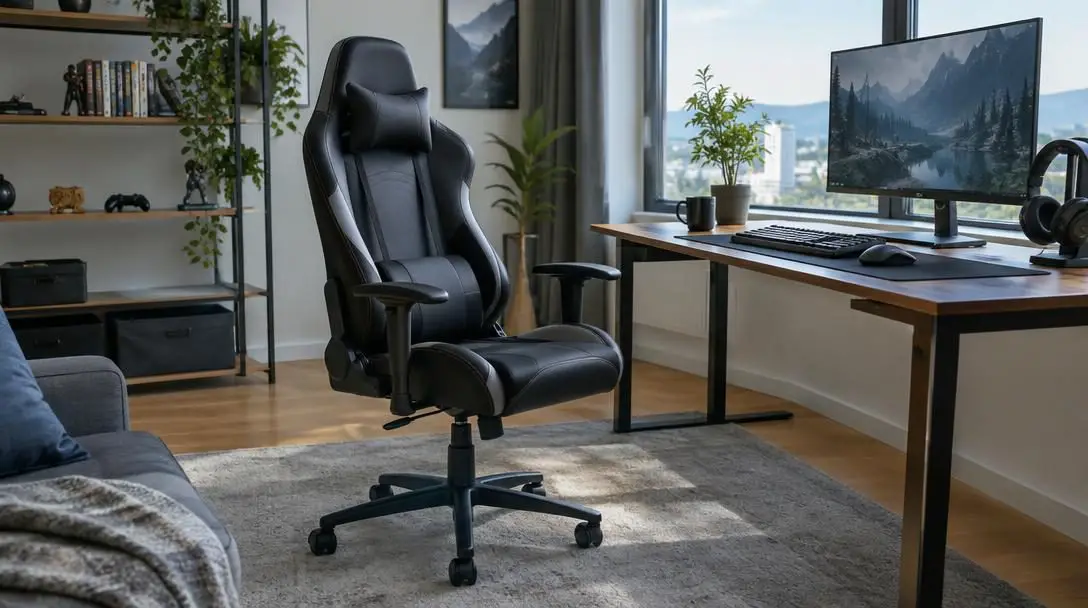
In modern computer setups, seating plays a direct role in everyday comfort, physical wellness, and long-term performance. Anyone spending hours in front of a screen inevitably faces a familiar dilemma: choosing between an aggressive, vibrant gaming chair and a refined, dedicated ergonomic office chair. Both categories are widely promoted as high-performance tools engineered to combat the fatigue of extended desk sessions, yet they approach physical support from fundamentally opposite perspectives.
While gaming chairs originated to immerse players in virtual environments and complement flashy gaming stations, ergonomic office chairs evolved out of clinical research into human biomechanics and workplace health. Understanding how these structural philosophies translate into actual physical support reveals whether gaming chairs can genuinely safeguard your spine or if their racing-inspired silhouettes prioritize form over function.
Key takeaways
- Gaming chairs prioritize immersion and a fixed posture using bucket seats, high backrests, and detachable support cushions.
- True ergonomic office chairs rely on integrated, multi-point adjustability designed to facilitate natural movement throughout the day.
- Racing bucket designs feature side bolsters and raised seat lips that look striking but can restrict blood flow and limit mobility for larger users.
- Research confirms lumbar support reduces lower back pain, but built-in adjustable systems provide far more precise spinal alignment than loose exterior pillows.
Divergent origins: Motorsports styling versus biomechanical science
To understand the structural limits of gaming chairs, one must examine where their blueprint began. Gaming chairs did not originate in medical laboratories or ergonomic design studios; they emerged directly from the world of motorsports and driving simulators. Manufacturers adopted the exact geometry of high-performance racing vehicle cockpits, complete with towering backrests, side bolsters, and aggressive styling. These design elements were originally engineered to keep race car drivers anchored in place against lateral gravitational forces on tight corners.
When adapted for gaming spaces, these chairs were intended to enhance immersion during racing titles and complement high-energy battlestations. Because competitive gamers and livestreamers spend grueling stretches sitting at desks, brands gradually introduced ergonomic accommodations—such as lumbar pillows and reclining hinges—to keep players seated comfortably. Over the past decade, internet culture, streaming networks, and professional esports tournaments cemented the bucket seat as the defining visual symbol of modern computer setups.
Ergonomic office chairs, by contrast, developed along an entirely different evolutionary path grounded in the study of human physiology and workplace biomechanics. Rather than engineering a chair to look fast or keep an occupant locked in a single driving position, ergonomic furniture specialists design around the natural variability of the human body. Clinical research demonstrates that human bodies vary widely across dimensions and that remaining completely stationary for prolonged periods causes muscle fatigue, spinal compression, and joint stiffness. Consequently, a dedicated ergonomic chair is engineered not as a fixed cradle, but as a dynamic support apparatus focused strictly on posture correction and physical health.
While gaming chairs are built to cradle you in a fixed, focused posture, true ergonomic chairs are engineered to adapt to your body and encourage natural movement throughout the day.
How gaming chairs and ergonomic chairs support the body
The practical difference between these two seating styles becomes evident when analyzing how they mechanically interact with the human spine, pelvis, and limbs during hours of continuous computer use.
The structural mechanics of a gaming chair
Gaming chairs operate around an upright, cradling architecture. Their defining characteristic is the bucket seat profile, which integrates rigid winged side bolsters on the backrest and raised lips along the front and sides of the seat pan. In a moving automobile, these contours hold the torso and thighs firmly in place; at an office desk, they establish a continuous, locked-in forward orientation. To accommodate competitive play where a gamer must maintain an uninterrupted view of a high-refresh-rate monitor, gaming chairs typically feature a tall back with an integrated or fixed headrest.
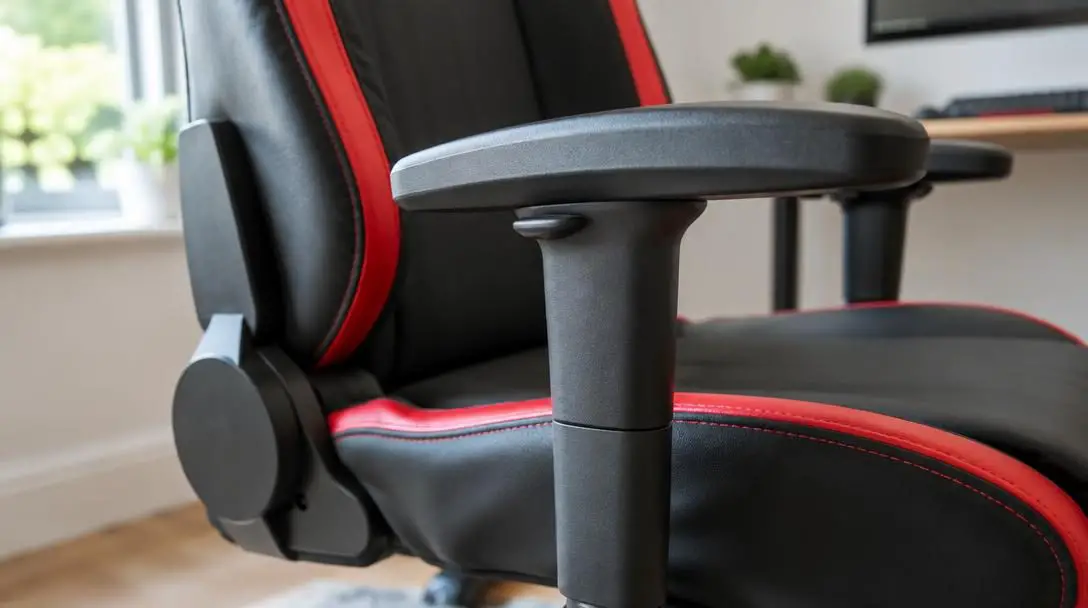
Lower-back care in gaming chairs is predominantly managed through detachable cushions. Because research proves that proper lumbar support significantly reduces lower back pain, manufacturers supply external foam pads that strap across the lower section of the backrest. Gaming chairs also feature deep recline mechanisms, enabling users to tilt the backrest unusually far backward to relax between matches or stream video content.
The dynamic mechanics of an ergonomic office chair
Ergonomic chairs abandon rigid side contours in favor of fluid adjustability. Because every user presents unique ergonomic requirements, a dedicated task chair is built to conform to the individual rather than forcing the individual to conform to the chair. Instead of relying on loose accessory pillows, a true ergonomic chair integrates built-in lumbar support directly into the internal framework of its backrest. Many models allow users to modify both the vertical height of this support and the exact amount of forward pressure it applies against the lumbar curve.
Lower-body ergonomics are similarly refined. Dedicated ergonomic chairs feature pneumatic seat-height cylinders paired with adjustable seat-depth sliders. Altering the depth of the seat pan ensures that the thighs are fully supported without placing mechanical pressure against the popliteal region—the delicate area directly behind the knees where blood circulation and nerves can easily become constricted. For upper-body relief, ergonomic chairs utilize multi-directional padded armrests that adjust in height, width, and angle, allowing forearms to rest parallel to the desk surface while the shoulder girdle remains entirely relaxed. Crucially, their tilt tension and recline mechanisms are calibrated for active sitting, subtly flexing to support micro-movements as you shift tasks.
Feature-by-feature comparison: Adjustability, design, and value
When evaluated across everyday functional categories, the contrast between racing-inspired gaming chairs and task-oriented ergonomic seating becomes stark. Each design choice carries distinct implications for posture, circulation, and long-term utility.
| Feature | Gaming Chairs | Ergonomic Office Chairs |
|---|---|---|
| Primary Design Philosophy | Motorsports immersion, aesthetic flair, and cradled containment | Biomechanical health, pressure redistribution, and posture support |
| Seat Pan Construction | Bucket profile with raised side wings and forward lips | Open-edge, contoured waterfall seat pans |
| Lumbar System | Detachable exterior strap-on pillows | Integrated, multi-axis adjustable lumbar mechanisms |
| Adjustability Range | Moderate (height, basic armrests, deep recline) | High (seat depth, tilt tension, back angle, 3D/4D arms) |
| Postural Movement | Encourages static, locked-in forward positioning | Promotes active sitting and dynamic posture adjustments |
| Task Versatility | Optimized for fixed-screen viewing | Adapts to multi-screen setups, reading, and paperwork |
A major consideration when budgeting for seating is the relationship between visual styling and genuine ergonomic value. Gaming chairs regularly feature striking multi-color synthetic upholstery, contrast stitching, and branded motifs inspired by racing liveries. These visual accents add notable manufacturing cost without contributing anything to spinal support or comfort. Ergonomic chairs bypass decorative flourishes in favor of functional materials, investing production costs into precision engineering, tilt mechanisms, and breathable tensioned mesh.
The construction of the seat pan is another critical differentiator. The raised lateral wings of a gaming bucket seat provide zero ergonomic benefit at a stationary desk; instead, they restrict natural leg movement, prevent crossing one leg or shifting posture, and can compress the hips and thighs of broader individuals. Dedicated ergonomic chairs employ wide, open-profile seat pans—often with a sloping "waterfall" front edge—that promote healthy vascular circulation down the legs and comfortably accommodate varied body sizes.
Step-by-step calibration: How to set up your chair for maximum support
Regardless of whether you choose an ergonomic office chair or a gaming chair, improper calibration will undermine the physical benefits of your furniture. Follow this systematic setup routine to configure your desk seating for optimal posture and circulation:
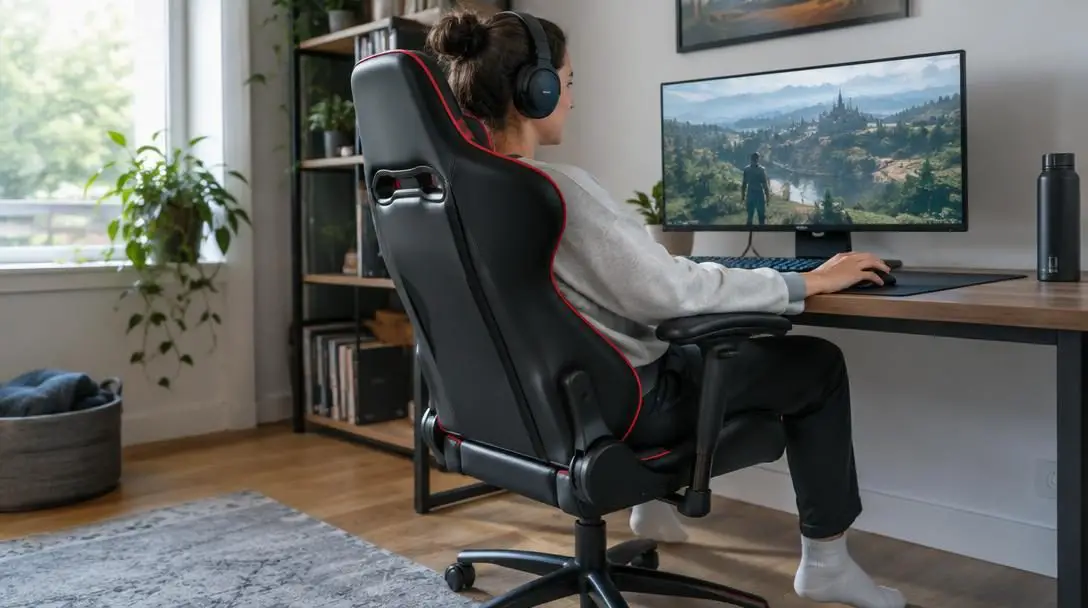
- Adjust the seat height: Raise or lower the hydraulic lift until your feet rest completely flat against the floor. Check that your knees are bent at an angle where they sit slightly lower than your hips, which reduces strain across your lower lumbar vertebrae and encourages pelvic stability.
- Set the seat depth: If your chair includes an adjustable seat slider, position the seat pan so your back is firmly supported against the backrest while maintaining a small gap—roughly two to three fingers wide—between the front edge of the seat and the back of your knees. This prevents pressure on your popliteal arteries.
- Position the lumbar support: If using a gaming chair with a detachable cushion, strap the pillow directly into the inward natural curve of your lower back. If using an ergonomic chair, raise or lower the internal lumbar mechanism and dial in the tension until it provides firm, comfortable pressure against your spine.
- Configure the padded armrests: Adjust your armrest height and length until your forearms rest lightly parallel to the floor with your shoulders completely relaxed. Your elbows should bend at approximately ninety degrees, preventing you from shrugging your shoulders upward or slouching forward.
- Calibrate tilt tension and recline: Set your backrest angle to an upright or gentle recline suitable for your work. Tighten or loosen the tilt tension knob so the chair offers solid resistance when leaning back, while still allowing you to move naturally without fighting the backrest.
- Align your monitor and line of sight: Sit back into your calibrated position and check that your eyes naturally meet the top third of your display. Aligning your screen eliminates the need to crane your neck forward, allowing a fixed headrest or open neck support to stabilize your cervical spine effectively.
Common mistakes to avoid with desk seating
Achieving pain-free computing requires avoiding several widespread errors regarding chair selection, setup, and daily sitting behavior:
- Prioritizing aesthetics over adjustability: Investing extra money into aggressive racing stripes, embroidery, or branded colorways under the belief that premium looks signify better support is a frequent miscalculation. Visual enhancements do not translate to musculoskeletal comfort.
- Ignoring personal body dimensions: Purchasing a heavily bolstered gaming chair without checking the internal width of the seat can lead to pinching along the outer hips. Always compare your hip width against the flat surface area between the raised bolsters.
- Assuming fixed headrests suit all workflows: A tall, stationary headrest keeps your neck steady when you are glued to a single monitor. However, if your daily workflow involves glancing between dual screens, notebooks, and desk documents, a fixed racing back can impede fluid upper-body rotation.
- Discarding detachable support cushions: Some gaming chair owners remove the included lumbar and head pillows because they slide or look cumbersome. Because gaming backrests lack built-in contours, removing these cushions strips away the primary lumbar support proven to relieve lower back pain.
- Sitting completely static all day: Believing that an expensive chair protects you from the harms of sitting motionless is a dangerous misconception. Even in the most sophisticated ergonomic seat, remaining static for six straight hours causes fatigue; you must actively change positions and recline throughout the day.
- Working with ungrounded feet: Leaving your chair set too high—causing your heels to lift or forcing you to tuck your feet underneath the base—disrupts spinal alignment and concentrates pressure along the backs of your thighs.
Making the right choice: Matching seating to your workflow
Deciding between a gaming chair and an ergonomic office chair ultimately depends on how your daily activities, physical needs, and workspace interact. There is no single universal solution, but clear usage patterns highlight the ideal choice for each environment.
If your desk time is dedicated almost exclusively to recreational gaming, media consumption, or streaming where you remain anchored in front of a central display, a gaming chair offers distinct appeal. Its deep reclining capabilities make it comfortable for kicking back between matches, its tall back cradles the head, and its bold visuals fit modern creative spaces. Provided you diligently position the lumbar cushion and choose a frame wide enough for your body, a gaming chair can provide adequate comfort for marathon play sessions.
Conversely, if your desk functions as a multifaceted workstation where you spend long hours coding, writing, handling administrative tasks, or alternating between physical documents and multiple screens, a dedicated ergonomic office chair is the superior investment. The precise adjustability of seat depth, integrated lumbar pressure, and dynamic tilt mechanisms directly target workplace strain. For broader individuals or anyone already experiencing persistent neck or lower back stiffness, the open seat pan and dynamic posture support of an ergonomic chair deliver indispensable physiological benefits.
Frequently asked questions
Are gaming chairs bad for your back?
Gaming chairs are not inherently bad for your back, but their level of support depends heavily on using the included detachable lumbar pillow. Because the backrest itself is generally flat between the racing bolsters, failing to use the lumbar cushion can lead to poor posture and lower back fatigue.
Why do gaming chairs have bucket seats with side wings?
The bucket design originated in motorsports, where lateral wings keep drivers securely positioned against high-speed turning forces. In a stationary desk environment, these wings serve no functional ergonomic purpose and are included primarily for automotive aesthetics and visual immersion.
Can a gaming chair help with lower back pain?
Yes, provided the detachable lumbar cushion is positioned correctly in the natural curve of your lower back. Clinical research shows that supporting the inward lumbar arch reduces back pain, though an ergonomic chair with adjustable, built-in lumbar support offers more precise relief.
Do ergonomic office chairs recline as much as gaming chairs?
While gaming chairs are famous for reclining flat like a car seat, high-quality ergonomic office chairs also provide generous recline angles. More importantly, ergonomic chairs feature calibrated tilt-tension controls engineered to support active movement and posture changes while you recline.
Why are bucket seats often uncomfortable for larger users?
Bucket seats have rigid, raised metal-reinforced edges along the seat pan and backrest. If a user's hips, thighs, or shoulders are broader than the space between these wings, the raised edges press directly into the body, causing circulatory restriction and discomfort.
The bottom line
Gaming chairs are far from useless; they provide substantially better posture support, recline control, and neck stability than standard kitchen chairs or budget office furniture. However, when measured against true ergonomic principles, they are constrained by their motorsports heritage. Their racing bucket profiles, rigid side bolsters, and reliance on external pillows make them an aesthetic choice that includes ergonomic properties, rather than a health-first seating solution.
If your priority is high-energy aesthetic design, a locked-in upright posture for competitive gaming, and deep recline for relaxation, a properly fitted gaming chair can serve you well. But if your goal is long-term musculoskeletal health, versatile daily comfort across varied desk tasks, and personalized support tailored to your unique anatomy, an authentic ergonomic office chair remains the gold standard for extended computer use.