
5 Things You Need To Know Before You Build Your Own PC
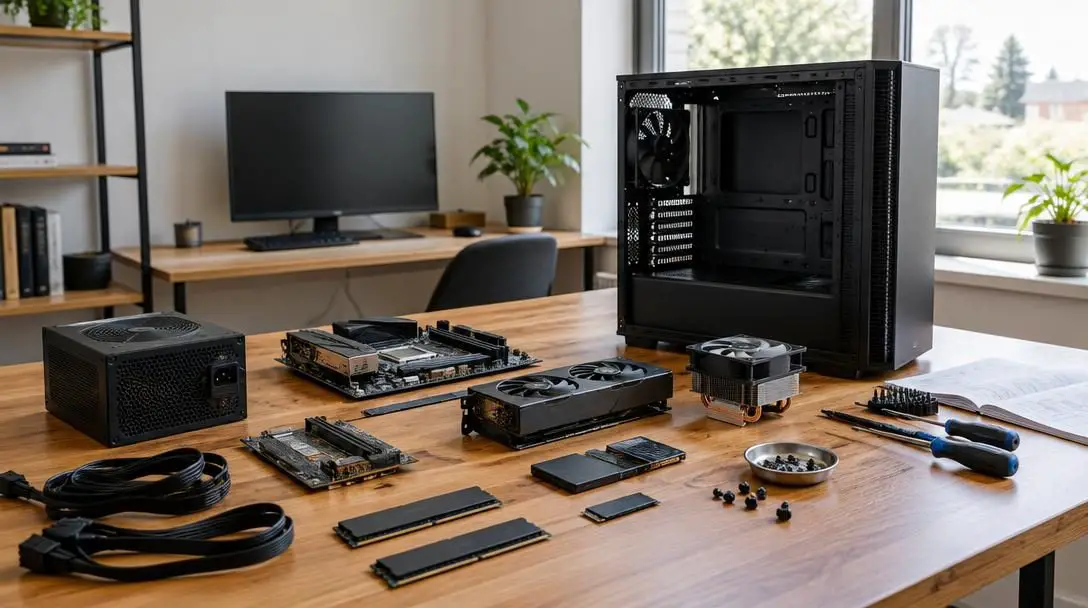
While retail stores offer plenty of prebuilt desktops, few experiences match the sheer satisfaction of assembling a custom computer from scratch. Enthusiasts often compare browsing hardware catalogs to being a kid in a candy store, handpicking every specification, aesthetic detail, and cooling channel to build a system tailored exactly to their needs. Putting those carefully chosen components together delivers an unmatched sense of ownership and technical pride that off-the-shelf machines simply cannot replicate.
However, diving into the world of custom hardware without a clear strategy can quickly derail an exciting project into an expensive headache. Putting together a PC requires far more than grabbing parts off a shelf and snapping them in place; unexpected expenses, physical incompatibilities, and erratic component supply chains can stall your project indefinitely. Taking the time to master five core fundamentals before spending a single dollar ensures your custom rig comes together smoothly, on time, and within your actual living space.
Key takeaways
- Tracking market price swings is essential, whether you purchase hardware piecemeal over several months or save up to buy everything at once.
- Verifying physical and electronic compatibility between components must take priority over chasing discounted prices.
- Memory requirements vary widely by workload, with 16GB serving as the entry point for modern gaming and 32GB offering the ideal sweet spot for smooth performance.
- Supply fluctuations and retail shortages can leave builds unfinished for months, as demonstrated by the severe graphics card shortage of 2021.
- Evaluating desk space, chassis footprint, and dual-monitor arrangements beforehand prevents discovering too late that your setup cannot fit your room.
Five core considerations before buying components
Before entering your credit card details on component retail sites, you need to understand the variables that dictate whether a build succeeds or falters. Keeping these five factors at the forefront of your research will protect your wallet, eliminate assembly roadblocks, and guarantee your finished machine fits your day-to-day workflow.
1. Managing costs and volatile market shifts
Building a custom machine requires an adaptable financial strategy. Builders generally fall into one of two camps: those who buy parts one at a time as their budget permits, gradually assembling the computer over weeks or months, and those who save diligently to purchase every component in a single order. Both approaches are completely viable, but either method demands that you anticipate the entire scope of hardware expenses rather than focusing solely on flagship parts.
The single most important financial skill for a PC builder is monitoring how prices change over time. Hardware prices fluctuate continuously based on retail supply levels, seasonal demand patterns, and manufacturer production schedules. Tracking component pricing across multiple retailers helps you spot downward pricing trends, allowing you to buy parts when discounts emerge rather than paying temporary retail markups.
2. Ensuring strict hardware compatibility
Even though modern hardware adheres to broad industry form factors, components from different manufacturers do not always cooperate. For newcomers, buying incompatible parts represents the single most common and frustrating mistake. An inexperienced builder might spot a discounted motherboard or processor and buy it immediately because the price looks great on paper, only to discover later that the parts cannot physically or electronically interface.
Component compatibility must take priority over a bargain price tag.
Trying to recover your funds by reselling mismatched parts on secondary markets rarely works out well. Once you factor in return shipping fees, restocking charges, or secondary-market price reductions, you almost always end up in the red. Thoroughly checking that your components communicate seamlessly avoids unnecessary financial loss before the assembly process even begins.
3. Calculating your true memory requirements
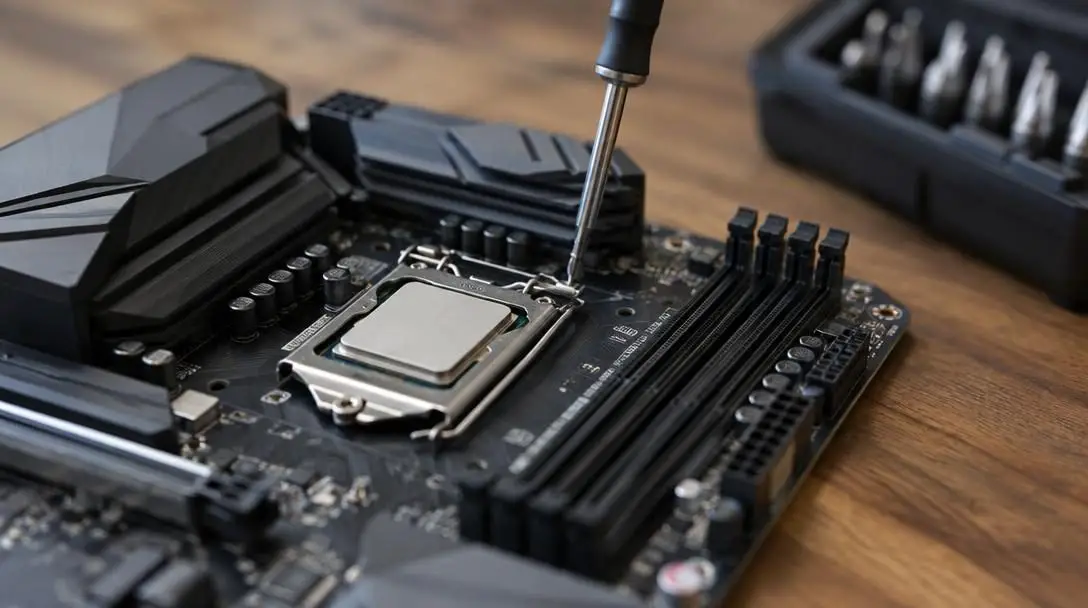
Random access memory, or RAM, dictates your system's capacity to handle active data and run simultaneous processes without slowing down. Because the vast majority of custom PC builders aim to run modern video games, selecting the right memory configuration is vital to system performance. Generally, larger memory capacities allow your operating system to juggle demanding software smoothly, but overspending on memory you never utilize wastes valuable budget funds.
Everyday consumer hardware provides a helpful benchmark for memory tiers. Standard consumer laptops frequently ship with 4GB on the ultra-budget end and 8GB as a baseline for routine tasks like web browsing and office productivity. When you move up to 16GB, you enter true gaming territory, which provides sufficient capacity to run modern titles comfortably. Stepping up to 32GB establishes the sweet spot for modern enthusiasts, offering seamless multitasking, background application handling, and high-performance gaming without fear of memory bottlenecks. While configurations of 64GB or higher exist, they are primarily reserved for enterprise workstations, massive data crunching, and intense creative production, often driving system costs up by thousands of dollars.
| RAM capacity | Primary use case | Performance profile |
|---|---|---|
| 4GB | Basic computing | Low-end baseline found in budget laptops; unsuitable for modern gaming |
| 8GB | Everyday productivity | Common standard for routine web browsing, office tasks, and light media playback |
| 16GB | Mainstream gaming | Entry-level threshold for modern gaming; runs current titles comfortably |
| 32GB | High-performance gaming | Optimal enthusiast sweet spot; handles demanding games and multitasking smoothly |
| 64GB or more | Professional workstations | Specialized tier for massive datasets and heavy creative tasks; can cost thousands |
4. Navigating hardware availability and supply shortages
Market volatility affects physical inventory just as aggressively as it impacts retail pricing. If your build plan relies on a single scarce part to function, an out-of-stock notification can leave your entire project sitting in boxes for months. Supply levels remain closely intertwined with broader economic cycles; while strong economic conditions generally boost manufacturing output, unexpected surges in demand can strip retail shelves bare in days.
The prolonged graphics card crisis of 2021 serves as a historic reminder for hardware builders. During that period, an unprecedented GPU shortage left countless enthusiasts waiting months on end just to acquire a graphics card at a reasonable price to finish their computers. Recognizing that high-demand components can vanish unexpectedly allows you to time your purchases wisely and avoid buying companion components that cannot be tested within return windows.
5. Accounting for monitors and physical room layout
Many builders reach the checkout phase with a fully compatible parts list, only to realize they have not planned where the assembled computer will live. Novice builders frequently underestimate the sheer physical dimensions and weight of a finished desktop tower. Placing a full-sized chassis onto an undersized desk can consume critical workspace or restrict legroom if placed beneath the table.
Monitor selection complicates room planning even further. Enthusiasts who invest the time and money required to build a custom computer usually prefer a setup with at least two monitors to take full advantage of their system's graphics capabilities. A dual-display configuration demands a substantial amount of horizontal desk space. Sorting out your room layout, desk dimensions, and display mounting before purchasing components prevents spatial surprises later.
How custom PC components connect and work together
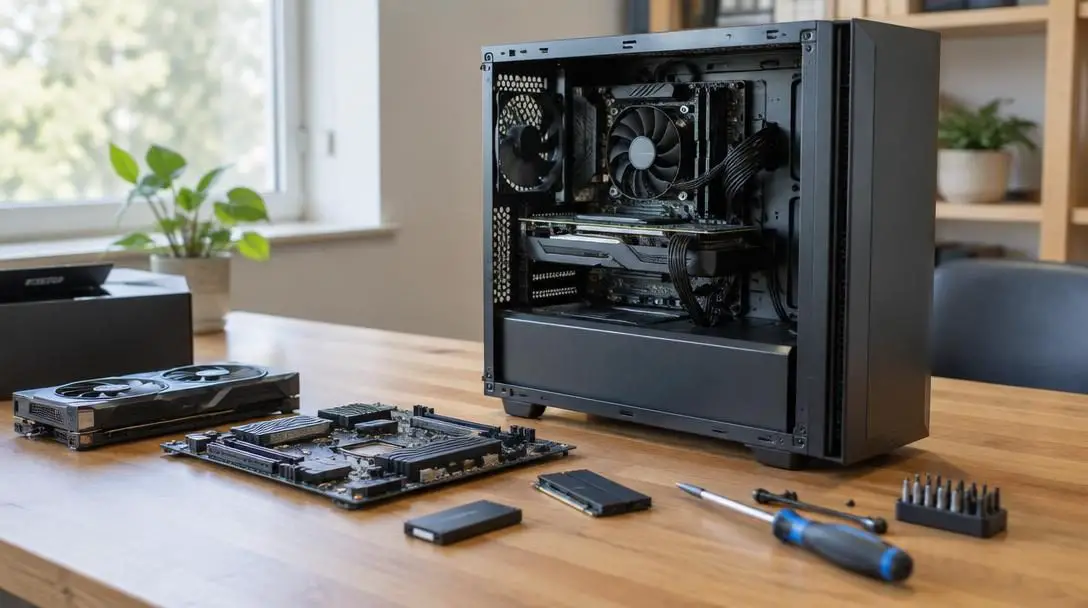
Custom computers operate as modular ecosystems where each component performs a specialized role while relying on centralized pathways to communicate. Understanding how these hardware pieces interface helps demystify the assembly process:
- The Motherboard: Functions as the main central circuit board and nervous system, hosting dedicated slots and sockets where your processor, RAM sticks, graphics card, and storage units plug in.
- The Processor and Cooler: The central processing unit installs into a designated socket on the motherboard and requires a thermal heatsink or cooler mounted on top to dissipate heat.
- The Power Supply Unit: Converts household alternating current into regulated direct current, routing designated power cables to the motherboard, processor, storage drives, and graphics card.
- The Tower Chassis: Provides the structural frame that houses and protects internal electronics while routing airflow through engineered intake and exhaust pathways.
Step-by-step strategy for planning your build
Following an orderly workflow prevents rushed decisions and keeps your build timeline on schedule from initial research to first boot:
- Evaluate your desk area and room layout to establish clear dimensional boundaries for your PC tower and monitor arrangement.
- Establish your overall financial plan, determining whether you will buy components individually over time or save to purchase the entire system at once.
- Target your core hardware specifications around your intended workloads, focusing on 16GB to 32GB of RAM if modern gaming is your primary focus.
- Verify the physical dimensions and electronic compatibility of every selected component before placing any retail orders.
- Monitor component pricing across vendors to capitalize on seasonal sales and retail discounts when prices decline.
- Check stock availability for critical items like graphics cards to prevent non-refundable hardware from sitting idle while waiting on backordered parts.
- Clear an open, well-illuminated workstation to unpack, organize, and assemble your hardware methodically once everything arrives.
Common pitfalls first-time builders face
Assembling a custom rig is exciting, but common oversights can lead to wasted funds and unnecessary frustration. Watch out for these frequent mistakes:
- Buying discounted hardware impulsively during flash sales without confirming that it matches the rest of your build list.
- Overallocating your budget to 64GB of RAM or more when your everyday gaming workloads only demand 16GB or 32GB.
- Ignoring market pricing histories, resulting in paying steep markups during periods of temporary hardware inflation.
- Failing to check case dimensions, resulting in an oversized chassis that overcrowds your desk or blocks vital legroom.
- Underestimating display footprints, only to find that your planned dual-monitor arrangement overhangs your desk.
- Ordering secondary components piecemeal without confirming that high-demand parts like graphics cards are available in stock.
Peripherals, software, and what to prepare next
Once you have accounted for your core hardware, memory configuration, budget, and desk dimensions, you must prepare the operational ecosystem surrounding your PC tower. A powerful desktop chassis is useless without reliable peripherals. Your planning should incorporate dedicated input devices, specifically an ergonomic keyboard and a responsive mouse, alongside audio hardware such as desktop speakers or a gaming headset. These accessories take up physical space, so ensure your desk layout accommodates them comfortably alongside your screens.
Additionally, remember that assembling the hardware is only half the journey; you must install an operating system to bring the computer to life. Make sure you have prepared installation media on an external flash drive before you power on your completed build for the first time. Organizing your operating system, hardware drivers, and critical software tools in advance ensures that your initial boot experience is rewarding, stable, and completely seamless.
Frequently asked questions
Is it cheaper to build a custom PC or buy a prebuilt computer?
Building your own computer often allows you to secure higher-quality parts and customize every specification, but market conditions dictate whether it is strictly cheaper. Component price fluctuations, shipping fees, and supply shortages can occasionally make prebuilt systems competitive, though building gives you control over upgradeability and component quality.
How much RAM do I really need for gaming?
For modern gaming, 16GB of RAM is the standard baseline to run contemporary titles comfortably. Stepping up to 32GB provides the optimal sweet spot for high-performance gaming, preventing bottlenecks when running demanding titles alongside background applications.
Why is buying PC parts one at a time risky?
Purchasing components over weeks or months can leave you vulnerable if a critical part goes out of stock or becomes overpriced, like during the 2021 GPU shortage. Furthermore, parts sitting in boxes cannot be tested to confirm they work before standard retail return windows expire.
What should I do if I buy an incompatible computer part?
You can try returning the item to the retailer, though restocking and return shipping fees may apply. Reselling mismatched components on secondary markets is possible, but you will almost always lose money due to shipping costs, platform fees, and depreciation.
How much desk space do I need for a custom PC?
You must account for the footprint of your tower chassis along with your peripheral layout and displays. Because many custom PC builders prefer a dual-monitor setup, you need an expansive desk surface that provides adequate width for both screens, your tower, and your mouse and keyboard.
The bottom line
Building your own computer remains one of the most rewarding projects any technology enthusiast can tackle. By approaching your build with clear knowledge of market volatility, component compatibility, realistic RAM needs, hardware inventory cycles, and physical space limits, you eliminate the guesswork that trips up beginners. Take the time to measure your space, monitor price shifts, and double-check part compatibility before ordering, and you will enjoy a seamless assembly process culminating in a high-performing custom rig built to your exact standards.





