The Future of Web Development: Key Trends and Technologies to Watch

Web development was once viewed as a narrow, niche discipline confined to specialized computer laboratories, but over recent decades it has transformed into one of the most vital, fastest-growing occupations on the planet. Driven by the aggressive expansion of digital infrastructure across virtually every commercial and public sector, thousands of new engineers enter the field every year. At the same time, school-age students actively aspire to build modern digital platforms, drawn by the prospect of strong earnings, creative autonomy, and direct global reach. The field has journeyed far beyond the early eras of flat, text-heavy pages to create complex, interactive ecosystems that orchestrate global trade, community interactions, and instantaneous multimedia distribution.
Today, web engineering stands at a monumental convergence point: merging the lightweight accessibility and universal availability of standard internet browsers with the raw processing speed, structural depth, and spatial capabilities traditionally reserved for native software applications. Modern engineering teams no longer construct isolated documents; they build responsive environments that adapt seamlessly to handheld smartphones, high-resolution desktop workstation displays, and immersive wearable headsets. As the architectural barriers separating local software from distributed networks continue to dissolve, understanding the technological trends steering this discipline has become critical for developers, system architects, and commercial leaders alike.
Key takeaways
- Web development has evolved from static academic document sharing into dynamic platforms driven by spatial computing, automated intelligence, and app-like browser interfaces.
- Progressive Web Applications allow businesses to deliver native app performance directly inside browsers without forcing users to visit an app store or download installation files.
- Spatial hardware like the Apple Vision Pro is pushing web engineering into three dimensions through immersive virtual reality and practical augmented reality preview models.
- Artificial intelligence is streamlining engineering workflows through instant HTML generation while powering deep personalization and automated customer care.
The evolution from static text to interactive platforms
To understand the current transformation of digital platforms, it helps to examine how the web arrived at this critical juncture. In its earliest iterations, the internet served primarily as an academic and governmental file-sharing network. Early developers worked within rigid boundaries, producing basic markup files that presented completely static text and simple hyperlinks. Page styling was rudimentary, data transmission was throttled by narrow network connections, and dynamic two-way user engagement did not exist. A user could view published materials, but communicating data back to servers in real time remained an elusive concept.
As consumer computing expanded throughout the late 1990s and early 2000s, modern scripting languages, modular stylesheets, and server-side processing turned the internet into an interactive medium. Websites began remembering user preferences, handling secure financial transactions, and refreshing visual elements without forcing complete screen reloads. This technological shift enabled modern e-commerce storefronts, scalable cloud platforms, and global social networks that could accommodate hundreds of millions of simultaneous users. Web engineering ceased to be an exercise in electronic publishing; it became the structural foundation for modern commercial enterprise.
Soon after, the rapid rise of smartphones forced another tectonic shift toward responsive design principles. Engineers could no longer focus solely on standardized desktop monitors with predictable mouse-and-keyboard navigation inputs. Instead, they had to build resilient interfaces capable of adapting dynamically to diverse display resolutions, variable aspect ratios, and touch-driven inputs. Today, the boundary separating installed computer programs from standard websites has largely vanished, paving the way for convergence across platforms and operating environments.
The future of web development belongs to seamless convergence—bridging the gap between lightweight browser accessibility and high-performance native experiences.
Core technologies reshaping the digital landscape
Modern engineering relies on several pioneering architectures that prioritize execution speed, spatial depth, and automated workflows. As user expectations rise, developers are transitioning toward technologies that minimize client-side latency while delivering richer graphical experiences. The following five technologies stand at the forefront of the modern web:
Virtual and Augmented Reality

- Origins: Late 1950s in military, academic, and scientific applications
- Hardware focus: Apple Vision Pro spatial computing ecosystem
- Commercial utility: Interactive 3D furniture previews and restaurant menu visualization
While the initial concepts behind virtual reality emerged in the late 1950s within specialized military, academic, and scientific research facilities, consumer browsers long lacked the graphical pipelines necessary to render realistic three-dimensional scenes. For decades, rendering immersive 3D graphics required dedicated desktop software engines connected directly to specialized graphics cards. In recent years, advances in web-based graphics processing and standardized browser graphics protocols have enabled browsers to generate fluid, photorealistic 3D environments without external plugins or third-party executable files.
A major catalyst for this shift is spatial computing hardware like the Apple Vision Pro, which lets users open browser windows in physical space and read real-time feeds without a traditional monitor. Rather than being confined to a physical glass screen, web applications can now occupy physical volume, allowing users to arrange multiple interfaces around their room or interact with volumetric models through natural eye tracking and finger gestures.

Alongside complete virtual immersion, augmented reality (AR) has become an essential commercial asset on mobile devices. Rather than replacing physical surroundings entirely, AR overlays digital renderings onto the user's real environment through mobile camera viewfinders. This enables shoppers to see how a new sofa fits inside their living room prior to delivery, or allows restaurant patrons to preview a dish on their table before ordering. Platforms that ignore these spatial capabilities risk falling behind user expectations as spatial computing devices gain wider market penetration.
Progressive Web Applications

- Core benefit: App-like speed without app store downloads
- Notable adopter: Starbucks ordering portal
- Operational model: Browser-level background asset caching
For years, conventional wisdom urged businesses to develop dedicated native applications for smartphone operating systems. Organizations poured vast financial and engineering resources into maintaining duplicate codebases for mobile platforms, only to confront high user resistance at the point of installation. Users across all demographics—from 18-year-old digital natives to 80-year-old seniors—frequently express frustration with the demand to download dedicated apps for occasional transactions, localized interactions, or single purchases.
Progressive Web Applications (PWAs) resolve this friction by operating as standard websites that look, respond, and function like installed native programs. Built around background service worker scripts that manage asset caching independently of network status, PWAs load instantly even when network signals falter. They can send push notifications, access local device hardware where permitted, and store offline application state seamlessly.
Enterprise organizations like Starbucks leverage PWAs to let customers explore menus, customize beverage orders, and complete digital transactions straight from mobile browsers, avoiding installation barriers entirely. By delivering responsive animations and offline resilience through standard browser engines, PWAs combine the reach of the open web with the tactile responsiveness of native software.
Accelerated Mobile Pages

- Primary objective: Elimination of page bloat for instant rendering
- Search impact: Higher retention and search engine optimization gains
- Target hardware: Mobile handsets with limited processing bandwidth
While desktop computers have the monitor real estate, constant broadband connections, and processing headroom to handle deep navigation headers, bulky scripts, and multiple tracking libraries, mobile handsets need lean layouts. The open web has frequently suffered from page bloat, where unoptimized asset downloads cause sluggish scrolling, long layout calculation delays, and jarring visual shifts. On cellular networks with variable signal strength, heavy web pages frequently stall before presenting meaningful content.
Accelerated Mobile Pages (AMPs) strip away unnecessary styling and delayed scripts, prioritizing raw, high-demand content. By enforcing lightweight markup rules, loading third-party scripts asynchronously, and pre-rendering resources before user interaction, AMP-compliant architectures deliver ultra-low latency rendering. Because search engines favor quick page loads, AMP frameworks dramatically boost search engine optimization while preserving visitor retention. When an enterprise website loads slowly or causes misclicks due to erratic visual rendering, frustrated consumers leave and visit competing platforms instead.
Artificial Intelligence and Machine Learning
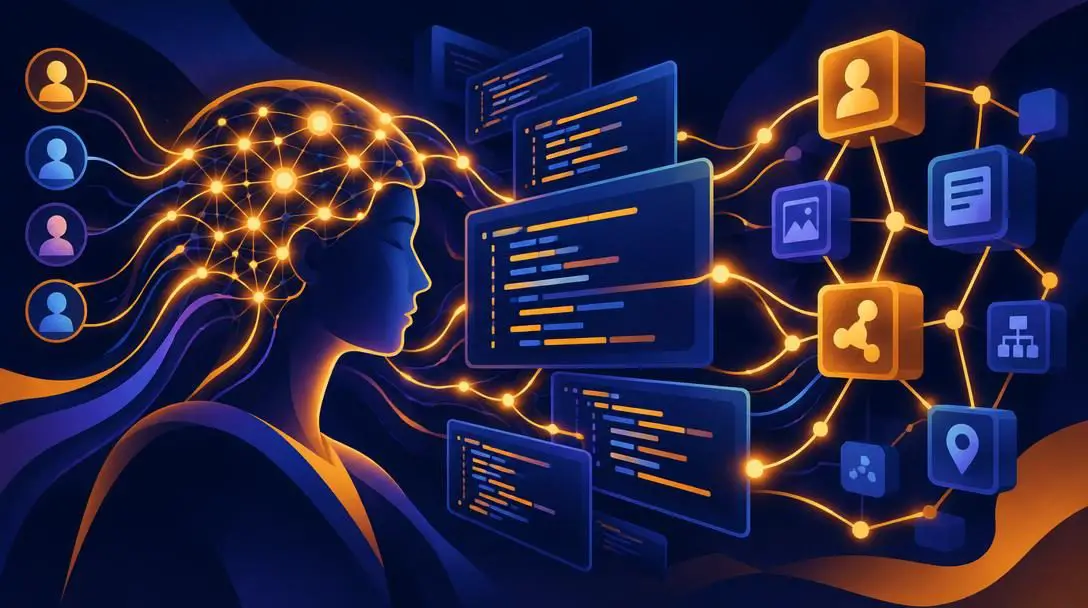
- Primary applications: Automated HTML code generation and hyper-personalization
- E-commerce showcase: Amazon predictive product recommendation algorithms
- Editorial footprint: Fast content drafting that occasionally requires stylistic refinement
Artificial intelligence has quickly evolved from an experimental curiosity into a foundational development tool across the entire software engineering lifecycle. Modern engineering teams routinely rely on machine learning utilities to generate functional HTML code, identify critical security loopholes, and optimize performance bottlenecks in fractions of the time human teams require. Routine interface coding, boilerplate configuration setups, and repetitive database queries can now be initialized through conversational machine models, allowing engineers to dedicate more mental energy to software architecture and data integrity.

On consumer-facing storefronts, machine learning engines power the deep personalization seen on platforms like Amazon. Algorithms examine past user browsing habits, anticipate buyer intent, evaluate purchase histories, and dynamically update interface layouts to feature products matched to individual tastes. This level of dynamic customization ensures that no two visitors encounter identical interface hierarchies, significantly maximizing conversion rates and user engagement.
Automated Customer Service Systems

- Core technology: Natural language processing tied to business databases
- Primary objective: 24/7 instant handling of routine operational inquiries
- Escalation role: Freeing human agents to resolve complex, sensitive disputes
Under legacy support models, companies paid customer care representatives to staff chat queues around the clock, often leaving human workers idle during quiet night hours or completely overwhelmed during peak shopping periods. Wait times soared during unexpected traffic surges, frustrating consumers who required immediate assistance for basic operational information.
Today, intelligent automated chat assistants powered by natural language processing manage routine questions instantly. Connected directly to central business databases, these systems provide store hours, return policies, shipment tracking details, and status links without human delay. Automating tier-one questions ensures human customer support teams can dedicate their attention, empathy, and problem-solving skills to nuanced, emotionally charged customer disputes that automated models cannot adequately solve.
Comparing next-generation web technologies
Every engineering methodology provides distinct advantages depending on whether a project requires spatial immersion, offline transactional capabilities, low-bandwidth text transmission, automated data processing, or around-the-clock conversational assistance. Selecting the appropriate technological stack requires balancing infrastructure complexity against operational requirements.
The following table illustrates how these emerging technologies compare across technical execution, primary user benefits, and common commercial applications:
| Technology | Primary Technical Method | Core User Benefit | Common Business Use |
|---|---|---|---|
| Virtual & Augmented Reality | Spatial sensors and browser graphic pipelines | Photorealistic 3D interaction | Product visualization and furniture sizing |
| Progressive Web Applications | Background service workers and asset caching | Instant, app-like browser usage | Frictionless mobile ordering (e.g., Starbucks) |
| Accelerated Mobile Pages | Restricted markup and asynchronous script loads | Ultra-low latency rendering | Mobile search optimization and publishing |
| Artificial Intelligence & ML | Pre-trained neural models and data scrapers | Tailored recommendations and fast code | Personalized retail shopping feeds (e.g., Amazon) |
| Automated Support Systems | Natural language processing algorithms | Instant answers at all hours | Routine front-line business inquiries |
A practical framework for modernizing web architecture
Transitioning older websites to support these modern standards requires a step-by-step implementation process. Rushing into complex structural migrations without evaluating user needs or existing performance bottlenecks can lead to wasted capital and fragmented user experiences. Development teams should follow a structured progression to ensure stable deployment:
- Audit mobile performance: Run current pages through mobile diagnostic tools to uncover render-blocking scripts, unoptimized graphic files, and layout shifts that degrade mobile experiences. Establish baseline performance metrics before writing any replacement code.
- Evaluate Progressive Web Application viability: Pinpoint critical transaction flows—such as menus, cart checkouts, or user profiles—that benefit from cached, app-like browser handling. Integrate service worker scripts to store recurring static assets locally on client devices.
- Identify AR and VR opportunities: Determine whether three-dimensional asset rendering will assist sales; home improvement retailers, clothing brands, and food purveyors should create 3D spatial previews to help prospective buyers inspect physical proportions.
- Integrate automated intelligence into code pipelines: Adopt AI code-assist utilities to automate routine markup and boilerplate script generation, redirecting senior engineering hours toward system architecture, access security, and edge-case testing.
- Deploy an automated customer care assistant: Connect a natural language chat interface to primary help docs to resolve simple inquiries, establishing clear escalation pathways to human staff whenever an interaction requires subjective judgment or personal dispute management.
Frequently asked questions
What makes a Progressive Web Application different from a traditional mobile app?
A Progressive Web Application operates straight out of a web browser using background service scripts to cache assets, providing the speed, layout, and responsiveness of an installed mobile application without requiring installation through an app store.
How does the Apple Vision Pro influence modern web development?
The Apple Vision Pro introduces spatial computing, allowing users to project floating web windows into their actual surroundings, which requires developers to design sites that render cleanly in three-dimensional environments.
Why are businesses moving away from dedicated mobile apps for basic purchases?
Consumers across all age groups experience app fatigue and frequently abandon purchases when forced to install a dedicated native app just to browse a menu or place an occasional order.
Can automated AI customer chat systems replace human customer service workers entirely?
No. Automated chats are designed to address repetitive, high-volume questions like store hours and delivery lookups, freeing human representatives to handle complicated, nuanced disputes that require empathy.
How does artificial intelligence speed up modern web development teams?
AI tools can rapidly write functional HTML code, debug syntax errors, and automate repetitive interface building blocks, allowing developers to allocate more time to system security and performance optimizations.
The bottom line
The web is no longer a collection of static, flat documents bound to a desktop computer monitor. Driven by immersive spatial computing, streamlined browser-based applications, and deep machine intelligence, the boundaries between the browser and native operating systems are disappearing. Web engineering has expanded from a mechanical layout trade into a multidimensional discipline that dictates how societies interact, shop, communicate, and work. Organizations that embrace frictionless access, spatial visualization, and responsive mobile architecture will define the next generation of digital experiences, while those anchored to slow, legacy architectures risk rapid obsolescence.