
5 Best Focus-Boosting Apps for Noise-Canceling

Modern professionals, remote workers, and students face an ongoing battle against acoustic distractions. Whether working from home amidst household chores, tolerating nearby construction rumbling, or negotiating the chatter of lively coffee shops and loud neighbors, intrusive sounds fracture attention and deplete cognitive energy. The contemporary work landscape frequently blurs the boundaries between private focus and public bustle, leaving individuals exposed to disruptive auditory interruptions that derail complex thought.
Sound plays a foundational role in human neurological processing. When an unexpected noise cuts through a room—such as a barking dog, an engine revving, or a sudden shout—the brain instinctively pulls attention away from the task at hand. This diversion forces the mind to expend valuable effort recalibrating focus. Rather than relying solely on physical barriers like heavy doors or bulky earplugs, many knowledge workers now turn to digital sound masking tools. By using software-based audio platforms to establish a predictable, controlled sound environment, you can protect your attention and cultivate sustained concentration.
Key takeaways
- Software sound masking raises your auditory baseline, making sudden, unpredictable environmental noises much less jarring to the brain.
- Dedicated audio applications range from customizable frequency generators and natural field recordings to neuroscience-backed synthetic music.
- Color-spectrum noises like pink and brown noise provide deeper, lower-frequency alternatives to classic high-pitched white noise.
- Matching the right sound profile to your specific working environment prevents auditory fatigue while supporting deep cognitive flow.
The Science of Sound Masking and Cognitive Flow
Digital focus and noise-canceling applications address environmental disturbances primarily through sound masking rather than acoustic phase cancellation. While physical active noise-canceling (ANC) hardware uses exterior microphones and inverted sound waves to neutralize sound pressure physically, software-based tools introduce pleasant, continuous ambient audio directly through your headphones or desktop speakers. This steady audio layer elevates the ambient noise floor, significantly narrowing the perceived difference between ambient silence and sudden acoustic spikes.
When an office or room is completely quiet, the human ear becomes hyper-sensitive to every minor disruption; a dropped pen or distant vehicle stands out starkly. By blanketing the space with steady soundscapes, natural precipitation, or engineered color noises, sound-masking software blurs these sudden intrusions. Because the volume differential between the interruption and the background sound is minimized, the brain fails to register the noise as an immediate alert, allowing your working memory to remain uninterrupted.
Beyond passive masking, specialized audio applications leverage synthetic music and algorithmic composition to influence mental states directly. These systems generate specific rhythmic and tonal arrangements that encourage concentration, meditation, or rest. Replacing unpredictable environmental sounds with harmonized, repetitive, or static audio patterns helps the mind ease into a flow state, reducing the cognitive friction required to sustain focus on demanding tasks.
Replacing chaotic environmental interruptions with controlled, predictable soundscapes shields your working memory from constant refocusing penalties.
At a Glance: Top Focus-Boosting Sound Apps
Choosing the best audio tool depends on whether you prefer customizable natural environments, pure mathematical noise frequencies, or scientifically arranged instrumental compositions. The table below outlines how the leading sound-masking platforms compare.
| Application | Primary Audio Style | Key Distinctions | Best For |
|---|---|---|---|
| MyNoise | Customizable ambient soundscapes and noise | Multi-band frequency sliders and diverse sound categories | Fine-tuning audio against specific background frequencies |
| Noisli | Layered natural sounds and environmental audio | Minimalist soundboard with mix-and-match nature loops | Quick sound blending for reading, writing, and studying |
| Brain.fm | Scientifically engineered synthetic music | AI-generated tracks geared for focus, relaxation, and sleep | Stimulating cognitive output and supporting ADHD focus |
| SimplyNoise | Raw sound-color spectrums | One-click white, pink, brown, and violet noise generation | Blocking out harsh, erratic disruptions like traffic and barking |
| Rainy Mood | High-definition rain and weather audio | Dedicated 30-minute looping storm and rain environments | Soothing stress and establishing a calming, rhythmic backdrop |
5 Best Focus-Boosting Apps for Noise-Canceling
Each software-based audio masking application approaches productivity and noise management with a distinct set of features, user interfaces, and audio libraries. Selecting the ideal companion tool requires matching the app's sound engine with your personal sensory preferences and workspace challenges.
MyNoise

- Audio Types: Nature sounds, ambient environments, and synthetic white noise
- Control Method: Multi-slider frequency band adjustments
- Sound Environments: Forests, coffee shops, airport chatter, and customized noise
MyNoise provides an exceptional level of personalization for listeners who want direct control over their acoustic environment. Unlike basic players that offer static, looping audio files, MyNoise features a hands-on equalizer interface where users adjust individual frequency sliders to shape the exact texture of their background sound. You can tailor different backgrounds to match your immediate mood or task requirements, fine-tuning individual acoustic components within any chosen track.
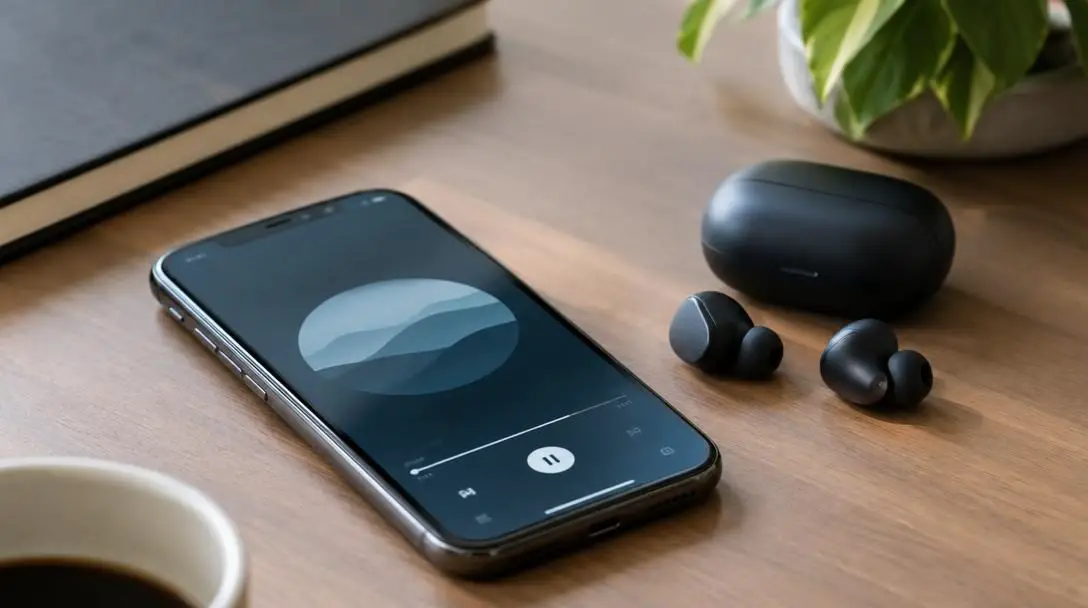
The platform features an extensive library of ambient noise profiles, ranging from natural outdoor settings like forests to simulated public spaces like coffee shops and airport terminals. Users frequently praise MyNoise for its high-fidelity audio quality and its distinct ability to neutralize intrusive ambient interruptions. By shifting sliders across specific frequency bands, you can dial up lower frequencies to mask street construction or boost mid-tones to cover up distracting chatter nearby.
Noisli

- Audio Types: Ambient nature tracks and environmental soundboards
- Core Sound Options: Rain, thunderstorms, forest sounds, and natural ambience
- Interface: Minimalist visual soundboard
Noisli focuses on simplicity and ease of use, providing an uncluttered, peaceful environment tailored for reading, writing, and intense study sessions. The application functions as a customizable soundboard, allowing users to combine different ambient tracks—such as rain, rolling thunderstorms, wind, and woodland noises—into a personalized audio shield. By creating a custom sound bubble, Noisli acts as a dependable buffer against erratic domestic and office environments.
The platform is celebrated for its elegant design, straightforward controls, and reliable sound-masking capabilities. Users can instantly activate curated audio mixes designed to relieve daily stress, clear mental clutter, and promote sustained focus. Its visual minimalism makes Noisli an accessible, low-friction solution when unexpected household or workplace noises threaten to disrupt your concentration.
Brain.fm

- Audio Types: AI-generated synthetic functional music
- Core Modes: Focus, relaxation, and sleep
- Research Backing: Recognized by research institutions for cognitive and ADHD support
Brain.fm takes an innovative approach to sound masking by generating original synthetic music engineered specifically to influence mental performance. Rather than using environmental recordings or raw static hiss, Brain.fm merges functional auditory design with neuroscience and artificial intelligence. The resulting compositions are structured to guide cognitive rhythms, stimulating focus and task engagement without demanding conscious musical attention.
The application organizes its sound library into three core categories: focus, relaxation, and sleep. Within the focus mode, the system serves dynamic audio designed to eliminate distractions and induce deep concentration. Brain.fm has received recognition from research institutions for its demonstrated impact on cognitive output, helping listeners sustain extended attention spans while diminishing the symptoms of ADHD during demanding work routines.
SimplyNoise
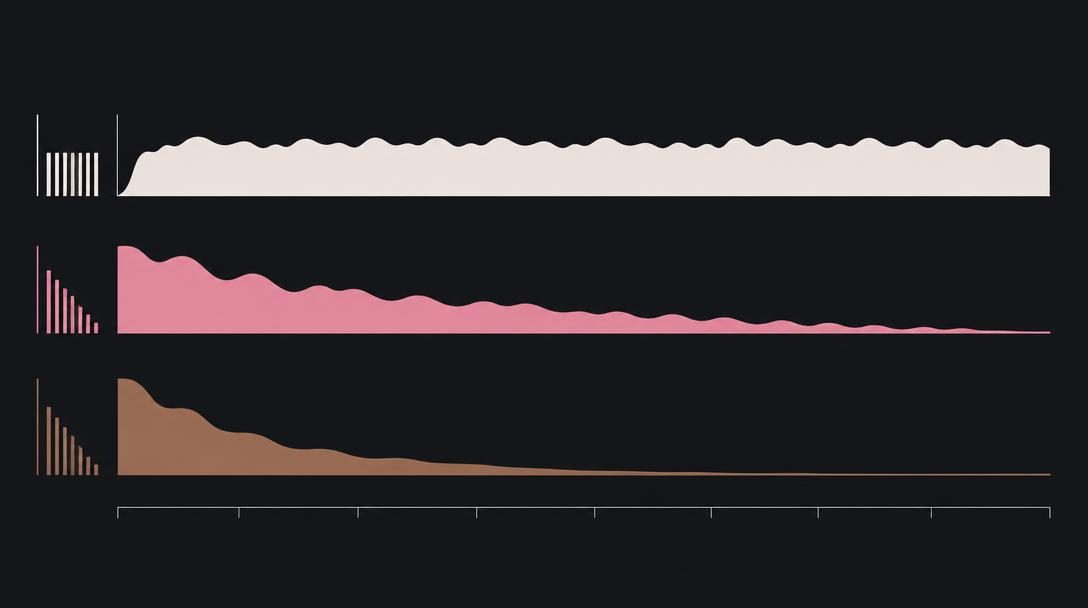
- Audio Types: White, pink, brown, and violet noise
- Control Method: Streamlined one-click generation
- Primary Target: Erratic, sharp environmental spikes
SimplyNoise strips away complexity in favor of direct, functional noise masking. By focusing strictly on color-spectrum noise rather than complex musical arrangements or multi-layered field recordings, SimplyNoise provides a reliable, minimalist utility for blocking out sudden acoustic disturbances. Its simple, one-click interface allows users to initiate sound masking immediately without having to curate playlists or balance audio tracks.
The application offers customizable noise profiles across distinct color spectrums to target different auditory needs. Standard white noise provides an even distribution of frequencies, while pink noise delivers a deeper, more balanced tone. Brown noise introduces a deep, low-frequency rumble that effectively buffers heavy traffic and barking dogs, and violet noise emphasizes crisp, higher frequencies. This straightforward, no-nonsense utility has established SimplyNoise as a practical favorite for maintaining mental clarity in noisy environments.
Rainy Mood

- Audio Types: High-definition rain and thunder soundscapes
- Playback Structure: 30-minute looping environmental audio
- Primary Use: Stress reduction, meditation, and calm focus
Rainy Mood specializes in authentic, high-definition weather audio to drown out jarring domestic or outdoor noises. While it shares soundscape elements with platforms like Noisli and MyNoise, Rainy Mood concentrates entirely on creating an authentic, weather-driven sensory refuge. Its core feature is a continuous 30-minute loop of detailed rain and thunder recordings, providing a comforting, therapeutic acoustic barrier.

The application's straightforward navigation and uncluttered interface make it easy to start a focus session with a single click. Listeners rely on Rainy Mood to reduce stress and maintain an aura of calm amidst fast-paced workdays. The organic, varied cadence of falling rain and distant thunder provides an emotionally soothing soundscape that effectively conceals erratic background interruptions.
Setting Up Your Audio Focus Environment
Achieving the best results from a digital sound-masking app requires a deliberate configuration strategy. Following a systematic process helps you integrate audio masking seamlessly into your daily workflow.
- Assess your acoustic environment: Identify the specific types of noises pulling your attention away, such as low-frequency construction rumbles, passing cars, or high-frequency domestic conversations.
- Select the appropriate audio profile: Choose simple static noise via SimplyNoise for sharp, unpredictable interruptions, ambient nature scenes via Noisli or Rainy Mood for creative tasks, or AI music via Brain.fm for analytical heavy lifting.
- Optimize your playback hardware: Connect a comfortable pair of headphones or position desktop speakers to produce a balanced, even soundstage that does not create physical pressure or strain on your ears.
- Calibrate volume levels carefully: Raise the playback volume gradually until the distracting ambient sounds recede into the background, ensuring the audio never becomes loud enough to cause acoustic discomfort.
- Fine-tune custom parameters: Adjust the multi-band frequency sliders in MyNoise or balance rain and wind volumes in Noisli to match your exact sound preference.
- Align listening sessions with work sprints: Use fixed intervals, like Rainy Mood's 30-minute loop or dedicated focus modes in Brain.fm, to anchor structured, distraction-free productivity periods.
Mistakes to Avoid with Focus Audio
While sound-masking software is simple to adopt, improper habits can result in auditory fatigue, headaches, or diminished productivity. Being mindful of common missteps ensures your focus environment remains helpful and sustainable.
- Setting volume excessively high: Blasting audio to completely obliterate loud external sounds can cause ear strain, physical fatigue, and headaches during extended working sessions.
- Selecting tracks with prominent hooks: Using music or soundscapes that feature sudden volume shifts, melodic loops, or vocal phrases will inevitably draw conscious attention away from your work.
- Ignoring alternative noise spectrums: Sticking strictly to sharp white noise when lower-pitched pink or brown noise would more comfortably disguise low-frequency traffic or construction.
- Running audio continuously without pauses: Leaving ambient sound running all day dulls your sensory sensitivity, eroding the app's calming and focusing impact.
- Relying on low-quality playback hardware: Using degraded speakers or cheap earbuds that distort rain or white noise can transform a soothing background into an irritating, fatiguing hiss.
- Neglecting your physical workspace: Expecting software alone to solve productivity problems without addressing bad lighting, visual clutter, or disorganized priorities.
Expanding Your Productivity Toolkit
Digital sound masking works best when combined with broader physical and organizational adjustments. Supplementing your software with deliberate environmental controls maximizes your ability to stay in a productive flow state throughout the day.
Start by assessing your physical workspace ergonomics. Introducing basic sound-absorbing furnishings—such as heavy floor rugs, thick window curtains, or upholstered desk partitions—can significantly diminish harsh room flutter and echoes. These physical adjustments complement digital tools like SimplyNoise or Rainy Mood, allowing your sound app to operate at a lower, safer volume while delivering superior masking results.
Additionally, monitor how your cognitive energy fluctuates across different types of tasks. Creative writing, brainstorming, and editing may thrive alongside the organic rain textures of Rainy Mood or the breezy outdoor soundscapes of Noisli. In contrast, complex data analysis, coding, or academic research often benefits from the targeted frequency controls of MyNoise or the engineered acoustic architecture of Brain.fm. Periodically refining your auditory tools ensures your working setup continues to match your evolving mental demands.
Frequently asked questions
How does software sound masking differ from hardware active noise canceling?
Hardware active noise canceling uses microphones and electronic circuits to generate inverted sound waves that physically neutralize sound pressure before it reaches your eardrum. Software sound masking, by contrast, plays pleasant, steady audio through standard headphones or speakers to elevate your ambient noise floor, making unpredictable background disturbances much less noticeable to your brain.
What is the difference between white noise, pink noise, and brown noise?
White noise contains equal energy across all audible frequencies, giving it a bright, steady hiss. Pink noise provides a deeper, balanced tone with more energy in lower frequencies, closely mimicking natural rainfall. Brown noise lowers the high end even further to create a deep, rumbling sound that is especially effective for masking low-frequency disturbances like traffic and construction.
Can sound-masking apps help people with ADHD stay focused?
Yes. Platforms like Brain.fm have been recognized by research institutions for generating functional audio tracks that support cognitive performance and help reduce ADHD-related focus drift by delivering structured auditory stimulation that keeps the brain engaged without demanding active attention.
Is it safe to listen to focus-boosting audio apps through headphones all day?
Listening to audio for long stretches is safe provided the volume remains at a moderate, comfortable level. However, playing audio continuously for many hours can induce ear fatigue and desensitize your brain to its focusing benefits. It is best to take regular listening breaks between focused work intervals.
Can I run ambient sound apps through room speakers instead of headphones?
Yes, running apps like MyNoise, Noisli, or Rainy Mood through desktop room speakers can effectively elevate the ambient sound floor of an entire office or room, helping to mask outdoor street sounds or distant household chatter without requiring headphones.
The Bottom Line
Acoustic disruptions are an inevitable reality of modern work and study, but letting them derail your concentration is not. Whether you require the precise frequency sliders of MyNoise, the minimalist nature blends of Noisli, the AI-engineered compositions of Brain.fm, the pure noise spectrums of SimplyNoise, or the comforting weather loops of Rainy Mood, digital focus tools offer a flexible way to reclaim your cognitive bandwidth. By pairing the right audio solution with sensible volume habits and a supportive physical environment, you can build a personal auditory haven that nurtures deep, uninterrupted productivity wherever you work.





