
5 Best Cloud Storage Apps for Secure Collaboration and Accessibility
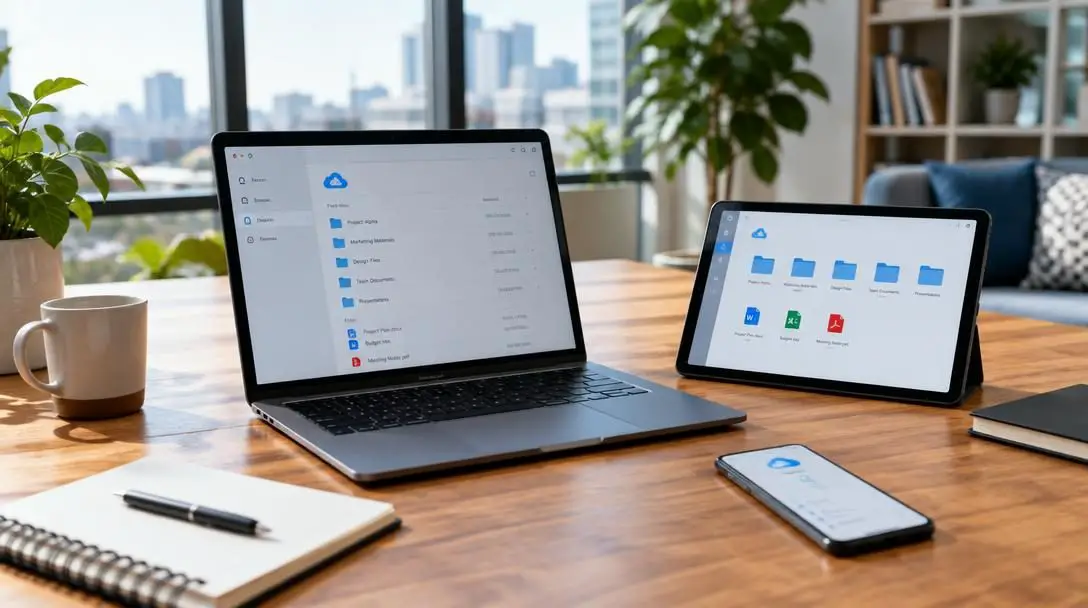
Storing vital business files on local hard drives, portable flash storage, or physical on-premises servers creates severe operational friction. When teams operate across varied locations, physical hardware boundaries obstruct seamless file access and force staff into cumbersome email chains with static attachments, inevitably triggering version confusion and lost work. Modern remote and hybrid workplace models require digital infrastructure where assets remain reachable across any operating system or hardware setup.
Cloud storage platforms resolve this dilemma by hosting digital documents, presentations, spreadsheets, and media libraries across internet-connected remote servers. Rather than passing isolated copies back and forth, distributed teams can simultaneously review assets, make active adjustments, and organize complex projects. Selecting the right platform requires balancing collaboration features, data protection measures, and available storage tiers to support sustainable workflows.
Key takeaways
- Cloud storage eliminates local hardware bottlenecks by syncing centralized digital files across multiple remote devices.
- Google Drive provides the highest complimentary allocation with 15GB of free space and scales up to 30TB on paid plans.
- Dedicated operating system integration makes OneDrive the natural choice for Windows environments and iCloud Drive ideal for Apple hardware.
- Enterprise environments with strict governance and administrative demands benefit most from Box, despite its steeper learning curve.
How Modern Cloud Platforms Power Remote Work and Syncing
At its technical core, cloud storage transfers digital data from a local workstation across an active network connection directly into remote server infrastructure. Instead of isolating an asset on a single office computer or home laptop, the platform retains the document inside an integrated directory that continually monitors for alterations. Whenever a user generates a new file, modifies existing text, or purges an obsolete folder, automated synchronization engines immediately update those changes across every connected interface.
Dynamic collaboration mechanisms build directly upon this real-time synchronization framework. Rather than circulating static attachments that quickly drift out of date, distributed teams gather inside shared online workspaces. Built-in collaboration capabilities—including concurrent multi-user editing, contextual inline commenting, and modular link sharing—ensure that every contributor sees live modifications the moment they occur. This structural transparency eradicates confusion over which file represents the definitive, current draft.
Modern cloud infrastructure transforms traditional document silos into dynamic, accessible workspaces where distributed teams coordinate and protect operational assets simultaneously.
Universal accessibility relies on client software engineered for web browsers, desktop operating systems, and mobile interfaces. Authorized personnel log into centralized directories from virtually anywhere, while service providers enforce protective safeguards such as multi-factor authentication, granular access permissions, and end-to-end encryption to preserve file integrity across the network.
Detailed Overview of the Top 5 Cloud Storage Apps
Finding the right cloud service requires assessing how well each tool handles live co-authoring, file management, and system integrations. The following platforms represent the industry benchmarks for secure collaboration, day-to-day usability, and multi-device accessibility.
Google Drive

- Free Storage Allocation: 15GB
- Maximum Paid Storage: Up to 30TB
- Primary Strength: Industry-leading free tier and user-friendly collaborative editing
Google Drive stands as one of the most widely adopted cloud storage apps across individual, small-business, and enterprise environments. Operating as a comprehensive hub for cloud-based productivity, it allows users to access, organize, and manage files from any device connected to the internet. The platform features an intuitive web dashboard alongside responsive mobile applications, establishing one of the most accessible and user-friendly interfaces on the market today.
Collaborative functionality serves as Google Drive's defining strength. Multiple team members can open documents, spreadsheets, or presentations concurrently, participating in real-time co-authoring, inline commentary, and direct task delegation. To safeguard digital assets during active collaboration and static storage, Google Drive deploys Google's robust security architecture, offering peace of mind to distributed teams managing high volumes of daily deliverables. With a complimentary 15GB entry tier and enterprise expansion up to 30TB, it easily accommodates growing operations.

Dropbox

- Free Storage Allocation: 2GB
- Maximum Paid Storage: Up to 3TB
- Primary Strength: Intuitive navigation and established cross-platform syncing
Dropbox established early industry standards for desktop synchronization and maintains a prominent reputation for effortless file sharing. The platform is engineered around a clean, straightforward interface that minimizes onboarding time for new team members. Whether dragging assets into desktop sync folders or generating download links from a browser, the application keeps administrative hurdles to a minimum.
The platform delivers an expansive suite of collaboration tools, allowing team members to review shared assets, post contextual comments, and perform real-time edits without wrestling with convoluted settings. Dropbox implements top-notch security measures to prevent unauthorized data access, safeguarding confidential business discussions and shared media. While its free tier is limited to 2GB, paid tiers expand capacity up to 3TB, making it a reliable option for teams seeking friction-free file synchronization across diverse operating environments.
OneDrive

- Free Storage Allocation: 10GB
- Maximum Paid Storage: Up to 6TB
- Primary Strength: Deep native integration with Windows and Microsoft office software
Developed by Microsoft, OneDrive functions as the native cloud backbone for the Windows operating system and Microsoft's suite of office productivity tools. For organizations whose daily workflows revolve around standard business documents, spreadsheets, and presentation files, OneDrive supplies a frictionless bridge between desktop installations and web-based storage. Users can open and update assets directly through local desktop software or mobile apps while changes save instantly to the cloud.
Real-time co-authoring, file sharing, and built-in commenting allow distributed team members to contribute simultaneous input without exiting their standard authoring software. On the security front, OneDrive provides advanced protections, incorporating end-to-end encryption and two-factor authentication to shield corporate archives against unauthorized penetration. The platform starts new users with a respectable 10GB free tier and scales up to 6TB on paid subscription plans, offering substantial room for growing operations.
Box
- Free Storage Allocation: 10GB
- Maximum Paid Storage: Up to 5TB
- Primary Strength: Enterprise-level administrative security and regulatory compliance controls
Box is engineered specifically for corporate and institutional environments where regulatory oversight, administrative governance, and information security override pure simplicity. Unlike consumer-oriented storage services, Box focuses heavily on satisfying strict IT security mandates and organizational compliance frameworks. While this extensive administrative feature set produces a slightly steeper learning curve, it equips system administrators with precise oversight across internal and external user groups.
Despite its heavy enterprise orientation, Box provides complete collaborative parity with modern standards, supporting real-time editing, threaded commenting, and multi-user file sharing. These capabilities enable corporate teams to coordinate intricate assignments without bypassing organizational compliance policies. The platform provides a generous 10GB free entry tier, while paid enterprise packages scale up to 5TB of managed cloud capacity, making it a natural choice for security-conscious corporations.
iCloud Drive

- Free Storage Allocation: 2GB
- Maximum Paid Storage: Up to 2TB
- Primary Strength: Seamless ecosystem integration across Macbooks, iPhones, and iPads
iCloud Drive serves as Apple's integrated cloud storage solution, deeply embedded within the operating systems powering Macbooks, iPhones, and iPads. For individual professionals, creative teams, and organizations anchored to Apple hardware, iCloud Drive functions almost invisibly in the background. System preferences, desktop files, photo libraries, and application documents synchronize continuously without demanding complex setup processes or third-party maintenance.

The service provides tailored collaboration tools, permitting users to invite colleagues to review materials, add inline comments, and conduct real-time editing within native Apple productivity software. Protected by Apple's robust security architecture, personal and business assets stay shielded behind multi-layered account controls. iCloud Drive provides a modest 2GB free tier, with paid storage options scaling up to 2TB for users seeking native, configuration-free coordination across their personal Apple devices.
Cloud Storage Features at a Glance
Directly comparing key operational parameters allows businesses and independent professionals to identify the platform that aligns with their storage requirements, budgetary preferences, and technical workflows.
| Cloud Storage App | Free Storage | Maximum Paid Storage | Key Security Strengths | Ideal Operating Ecosystem |
|---|---|---|---|---|
| Google Drive | 15GB | Up to 30TB | Google's robust security measures | Universal web and cross-platform mobile |
| Dropbox | 2GB | Up to 3TB | Top-notch security measures | Cross-platform desktop and mobile teams |
| OneDrive | 10GB | Up to 6TB | End-to-end encryption, two-factor authentication | Windows PCs and Microsoft office software |
| Box | 10GB | Up to 5TB | Enterprise-level security, administrative oversight | Compliance-driven enterprise IT environments |
| iCloud Drive | 2GB | Up to 2TB | Apple's robust security measures | Apple ecosystems (Macbooks, iPhones, iPads) |
Step-by-Step Guide to Deploying a Shared Cloud Workspace
Deploying a shared cloud repository requires careful administrative preparation. Rushing to upload files without established organization leads to version sprawl and security exposures. Follow these progressive steps to launch an accessible, secure cloud workspace for your team:
- Select the right platform: Audit your organization's primary hardware and software dependencies. Teams heavily invested in Windows productivity tools should evaluate OneDrive, while groups relying exclusively on Macbooks, iPhones, and iPads will gain native harmony through iCloud Drive. Workspaces needing universal browser access typically lean toward Google Drive or Dropbox, whereas highly regulated enterprises should evaluate Box.
- Establish account security protocols: Before populating storage folders with proprietary files, mandate security safeguards across all accounts. Activate two-factor authentication on platforms that support it, such as OneDrive, and confirm that all members use strong credentials to prevent unauthorized interference.
- Design a logical folder hierarchy: Establish a structured taxonomy prior to distributing broad folder access. Categorize main directories by department, operational function, or client account. Avoid cluttering root directories with unorganized files, as clean naming conventions expedite internal searches.
- Configure explicit sharing permissions: When inviting team members or external partners to folders, assign the minimum access level necessary. Restrict sensitive financial or executive directories, and designate whether users require full editing rights or simple read-only and commenting privileges.
- Coordinate file synchronization: Download and install the respective desktop and mobile sync clients across all active Windows PCs, Macbooks, iPhones, iPads, and Android devices. Verify that local sync folders are correctly mapped to remote directories to prevent duplicate files and synchronization errors.
Critical Cloud Collaboration Pitfalls to Avoid
Even the most advanced cloud platforms can cause workflow breakdowns if managed without discipline. Distributed teams frequently encounter several avoidable mistakes when collaborating across shared environments:
- Granting excessive editing permissions: A frequent issue in collaborative workspaces is giving full edit access to users who only require viewing or commenting rights. Unrestricted permissions increase the risk of accidental file deletions, unintended formatting changes, and data overwrites.
- Neglecting standardized folder structures: Allowing team members to create ad-hoc root folders leads to disorganized repositories where team members cannot locate authoritative master assets.
- Failing to mandate two-factor authentication: Relying solely on basic passwords leaves cloud accounts exposed to credential breaches. Multi-factor verification must be enforced across all collaborative seats.
- Creating sync conflicts through simultaneous offline edits: When team members modify local desktop copies of files without an active internet connection, reconnecting can trigger duplicate "conflicted copy" files that fragment revisions.
- Leaving inactive external access links open: Distributing public share links without monitoring or revoking them after a project concludes exposes private files to unauthorized access indefinitely.
Frequently asked questions
Which cloud storage app offers the largest free storage tier?
Google Drive provides the highest complimentary allocation among the top platforms, offering 15GB of free space. OneDrive and Box follow with 10GB each, while Dropbox and iCloud Drive offer 2GB on their standard free tiers.
Can multiple users edit the same document simultaneously in these apps?
Yes. Real-time co-authoring and concurrent editing are supported across all five platforms, including Google Drive, Dropbox, OneDrive, Box, and iCloud Drive, allowing colleagues to view live updates and exchange inline comments.
What security measures safeguard files stored on OneDrive?
OneDrive employs robust security measures to protect business and personal records, featuring two-factor authentication for account access and end-to-end encryption to shield stored assets from unauthorized interception.
Why does Box have a steeper learning curve than Dropbox or Google Drive?
Box is engineered primarily for enterprise environments and compliance-driven organizations. Its extensive administrative consoles, detailed permission controls, and governance policies make it slightly more complex to configure than consumer-oriented drag-and-drop platforms.
Which platform works best for teams working exclusively on Apple devices?
iCloud Drive is the premier option for dedicated Apple users because it integrates directly into the operating systems of Macbooks, iPhones, and iPads, synchronizing application data and system files without requiring third-party management tools.
The bottom line
The shift toward remote and hybrid work environments has transformed cloud storage from a simple off-site backup tool into the collaborative foundation of modern business. By hosting documents, spreadsheets, and media inside secure, synchronized online environments, organizations remove physical hardware bottlenecks and protect their workflows against disorganized versioning and accidental data loss.
Whether your organization prioritizes the massive 30TB ceiling and real-time co-authoring of Google Drive, the intuitive cross-platform sharing of Dropbox, the native Windows integration and end-to-end encryption of OneDrive, the enterprise governance of Box, or the seamless Apple ecosystem integration of iCloud Drive, there is an option tailored to your workflow. Assessing your hardware preferences, administrative security requirements, and team storage demands will guide you toward the ideal platform for frictionless, protected collaboration.





