
4 Physical Aspects of Cybersecurity You Need To Get Covered
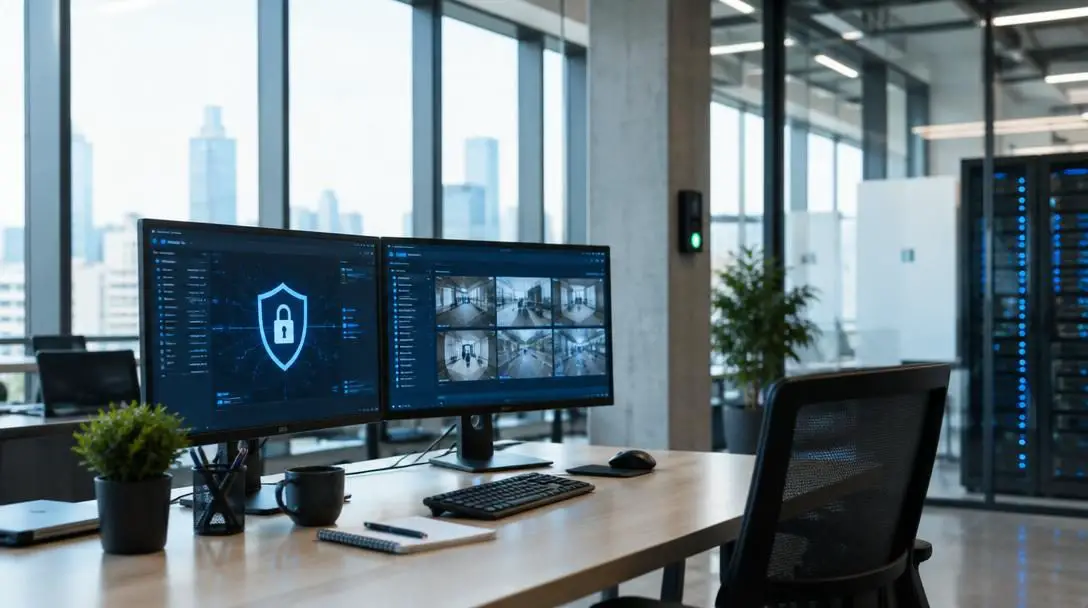
When most people hear the term cybersecurity, they immediately envision lines of complex green code, mysterious hackers operating in darkened rooms, antivirus scanners, and enterprise firewalls. Because of popular media and technical jargon, everyday users frequently assume that protecting private information is an exclusively digital discipline best left to network administrators and software engineers. Yet every computer, monitor, smartphone, and external drive lives in a tangible room, and the data they handle frequently crosses into the physical world as printed documents, screen reflections, and portable hardware.
Physical cybersecurity refers to the concrete, real-world measures taken to protect digital systems, hardware devices, and confidential data from unauthorized physical access, visual observation, tampering, and theft. If a malicious party can simply walk up to an unlocked desk, peer through an exterior window, pick up an idle tablet, or retrieve an intact invoice from a wastebasket, every layer of digital security software you have installed can be instantly bypassed. Securing your personal and professional digital assets requires treating your physical surroundings as your first line of defense.
Key takeaways
- Digital defenses can be entirely undermined if unauthorized individuals gain direct visual or physical access to your hardware.
- Positioning monitors and keyboards away from windows prevents remote snooping via telephoto lenses, binoculars, and keystroke observation.
- Retaining retired phones, laptops, and drives in unlocked spaces creates an open invitation for fast, low-risk data theft.
- Layering visible surveillance cameras with hidden secondary cameras deters intruders and preserves evidence against tampering.
- Shredding all paper documents containing financial, account, or personal records eliminates identity theft stemming from dumpster diving.
The four physical pillars of data protection
Safeguarding your personal data does not demand specialized engineering knowledge. Addressing these four core physical vulnerabilities creates a strong, defensive barrier around your everyday workspace.
| Security Domain | Primary Vulnerability | Physical Countermeasure |
|---|---|---|
| Window Sightlines | Long-range visual snooping and keystroke logging via optics | Interior-facing desks, blinds, and physical privacy dividers |
| Surplus Electronics | Theft of unmonitored devices holding cached credentials | Locked containers, secure drawers, and comprehensive data wiping |
| Workstation Access | Direct tampering, hardware theft, and unmonitored presence | Dual-camera surveillance setups paired with clear warning signage |
| Document Disposal | Identity theft through aggregate data found in trash bins | Cross-cut shredding of all printed and mailed records |
Window sightlines and keystroke observation
If your computer display or your keyboard faces an open window, anyone positioned outside can easily observe, photograph, or record the private activities taking place on your machine. This exposure covers everything from confidential financial spreadsheets and personal email correspondence to login credentials. Many computer users assume they are protected because modern login screens display asterisks, dots, or hidden characters instead of the actual plaintext password. Unfortunately, on-screen visual masking does not prevent keystroke analysis.
An observer with a clean view of your hands and keyboard can track your finger positions, timing, and hand movements to determine your passwords with alarming accuracy. Furthermore, working on an upper floor does not guarantee safety. Individuals stationed in adjacent structures or on distant balconies can deploy binoculars, telephoto camera lenses, or the advanced digital zoom on modern smartphones to read screens and record keystrokes from hundreds of feet away.
Surplus and retired electronic hardware
When upgrading to a new phone, desktop, or tablet, people often wonder what they should do with their retired tech. The quickest path of least resistance is usually to toss the old device into an unlocked desk drawer, place it on a bookshelf, or leave it in an unused corner of an office. While users might consider this acceptable in a private home where they trust family members, it is a perilous habit in office environments, shared coworking spaces, or residential settings where cleaning crews, contractors, and visitors move freely.
An opportunist needs only seconds to slip an idle piece of hardware into a bag. Because the gear is no longer in active use, days, weeks, or even months may pass before anyone realizes it is missing. During that gap, an unauthorized person can connect the device to an external computer, read cached browser passwords, review old emails, and extract financial documents stored on the drive. If you plan to keep retired hardware for sentimental or backup reasons, you must store it inside locked drawers, safes, or lockable cabinets.
Workstation video surveillance
Implementing video surveillance provides both an active deterrent and an indisputable evidentiary trail. In corporate offices and dedicated home workspaces alike, positioning a prominent, highly visible camera facing your workstation forces anyone approaching your desk to reconsider their actions. Displaying prominent warning signage stating that the area is monitored by video surveillance amplifies this psychological barrier, encouraging potential intruders to stay away.
However, relying solely on an obvious camera creates an operational blind spot. An intruder determined to bypass your security can throw an item of clothing over the lens, turn the unit toward a wall, or disconnect its power cable. To counteract this, install a secondary, hidden recording device angled at the same area from an alternate vantage point. If a visitor attempts to tamper with the primary camera, the hidden system records the entire incident without their knowledge.
Discarded paperwork and dumpster diving
Wastebaskets and commercial dumpsters draw a wide range of individuals. While some scour trash bins for aluminum cans or discarded electronics they can refurbish and resell, others search specifically for personal paperwork that unlocks an individual's digital life. These individuals sift through discarded utility bills, bank statements, and printed emails looking for names, birth dates, account numbers, and transaction details.
Physical snoopers do not need complex hacking tools when discarded paper documents provide all the answers required to pass security checks.
Armed with these pieces of data, criminals can contact banks, request account password resets, access online shopping accounts, or open fraudulent credit lines in your name. Eliminating this risk requires integrating a dedicated paper shredding machine into your regular routine. Shred every paper document containing personal or financial information before disposing of it, rendering the paper unreadable and impossible to reconstruct.
How physical security exploits actually work
Physical exploits rarely involve high-tech gadgetry or intricate software exploits. Instead, they capitalize on basic human psychology, physical sightlines, convenience, and routine carelessness. Understanding how these breaches occur clarifies why tangible countermeasures are so necessary.

- Remote optical snooping: Monitors emit considerable light, turning glowing displays into bright beacons that contrast against dark rooms. With unobstructed lines of sight, standard optical magnification bridges the physical gap between office buildings, transforming high-rise windows into open books.
- Keystroke rhythm correlation: Even when a monitor is shielded, keyboard layouts are standardized. Observers watching hands from above or through a window correlate hand shifts and finger taps with QWERTY positions to decipher passwords, pins, and answers to secret security questions.
- Opportunity theft: Equipment left on open surfaces does not immediately trigger alarm bells when taken. Thieves exploit this delayed reaction time, giving them ample runway to extract local data, harvest personal media, or wipe and resell the hardware before tracking measures are initiated.
- Aggregate identity construction: Discarded paperwork rarely reveals an entire identity on a single page. Criminals collect disparate items over time—a utility bill for an address, a credit card notice for an account type, and a work printout for an employer—piecing them together to bypass customer service verification hurdles.
Step-by-step checklist to secure your workstation
Fortifying your physical workspace does not require expensive contractor work or complex installations. You can systematically harden your office and protect your confidential information by working through these actionable steps.
- Audit your desk orientation: Stand at every window, door, and common walkway in your room to evaluate sightlines toward your desk. If your screen or keyboard is visible from outside or from open doorways, reposition your desk so the display faces an interior, solid wall.
- Install protective window treatments: If the room layout prevents you from moving your desk away from a window, install thick blinds, blackout shades, or heavy drapes that remain closed during work hours. You can also place an opaque, freestanding room divider between the desk and the glass.
- Conduct a retired technology sweep: Gather every unused smartphone, laptop, tablet, external hard drive, and USB memory stick across your living and working spaces. Create an inventory list and segregate the items you intend to wipe from those you want to preserve.
- Lock up surplus devices: Place all retained gadgets inside a heavy filing cabinet, safe, or locking desk drawer. Remove the physical key and store it on your personal key ring or inside a separate combination lockbox rather than leaving it inserted in the lock.
- Mount a visible deterrent camera: Install an obvious security camera pointed directly at your primary computer and peripheral gear. Affix a small, legible warning sign on the entrance door or nearby wall informing visitors that the room is under active video surveillance.
- Conceal a secondary backup camera: Position an unobtrusive, compact camera within a bookshelf, between decorative items, or near an ceiling fixture. Ensure this camera covers the primary camera's position and the workstation from an alternate viewing angle.
- Deploy an accessible shredder: Place a cross-cut or micro-cut shredding unit right next to your desk or by the primary trash receptacle. Make it an unbreakable rule to feed every bill, printed correspondence, work draft, and bank summary through the machine immediately.
Common physical security mistakes to avoid
Even individuals who take digital cybersecurity seriously often fall victim to everyday physical oversights. Reviewing these recurring mistakes helps ensure that your tangible defenses do not leave gaps for opportunists to exploit.
- Trusting asterisk password fields: Assuming that obscured password fields keep you safe from observers is a dangerous mistake. Anyone with a clear view of your fingers can transcribe your typing without ever seeing your screen.
- Assuming upper floors are private: Relying on vertical height for privacy creates a false sense of security. If another building sits within line of sight, high-powered digital optics make floor level irrelevant.
- Treating the home as an impenetrable sanctuary: While you may trust your immediate family, service workers, delivery drivers, cleaning professionals, and social guests pass through homes regularly. Leaving active or retired gear lying out in the open invites unnecessary risk.
- Procrastinating on device disposal: Placing old smartphones or laptops in open boxes with the intention of wiping them later often leads to months of exposure. Hardware should be wiped or locked away the day it is decommissioned.
- Tossing intact paperwork in the recycling: Throwing financial printouts, medical receipts, or tax summaries into standard recycling or trash bins provides identity thieves with the exact records they need to impersonate you.
- Relying on a single surveillance camera: A single camera can be easily covered, blocked, or turned toward the wall by someone who knows its position. Without a secondary, concealed camera, you lose visual evidence of tampering.
Connecting physical precautions to broad cyber habits
Physical countermeasures work best when integrated into your wider cybersecurity routine. For example, adopting a strict clean desk policy ensures that every time you leave your workstation, you manually lock your operating system with a shortcut key, stow away physical access badges, and lock notebooks inside a drawer. When your workstation is physically secured and your screen is locked, walk-up access exploits become impossible.
Similarly, device retirement should follow an intentional hardware lifecycle policy. While storing old devices inside locked cabinets prevents physical theft, learning how to perform certified cryptographic erasure or utilizing professional, certified physical drive destruction services ensures that your data is irrecoverable even if the hardware is eventually discarded. Complementing these habits with solid exterior doors, secure entryway locks, and adequate outdoor lighting creates a continuous, unbroken chain of defense extending from the edge of your property directly to your digital files.
Frequently asked questions
Why is typing passwords risky if the screen only displays asterisks?
Even though the screen obscures the password characters, an observer with a clear line of sight to your hands can track the movements of your fingers across standard keyboard layouts. By analyzing which keys you strike and the timing of your keystrokes, an onlooker can deduce your login credentials without seeing the monitor.
What is the best way to handle old smartphones and laptops I no longer use?
The safest approach is to back up any necessary files, perform a certified factory reset to erase all personal data, and securely recycle the hardware. If you prefer to keep retired devices for personal or backup reasons, they should be stored inside a locked drawer, cabinet, or safe rather than left in open office spaces.
Are upper-floor offices safe from window snooping without blinds?
No, upper-floor offices are not immune to observation. Anyone stationed in an adjacent building, a parking structure, or an elevated vantage point within viewing distance can use binoculars, modern smartphones, or telephoto lenses to read computer screens and observe keyboards clearly.
Why is it recommended to install two cameras instead of one?
A single, highly visible camera serves as an effective deterrent, but it can be easily neutralized if an intruder covers the lens, disconnects the power, or rotates the camera away. Placing a secondary, hidden camera ensures that any tampering with the primary unit is captured on video from a separate angle.
What types of paper records need to be shredded?
Any document containing personal, financial, medical, or account information should be shredded. This includes credit card bills, utility invoices, bank statements, tax documents, insurance summaries, and work printouts containing internal company details.
The bottom line
Cybersecurity is not an abstract concept confined to code, algorithms, and firewalls. The hardware that processes your critical information exists in the real world, where it remains vulnerable to simple visual snooping, hardware theft, and document scavenging. By aligning your desk away from windows, locking away unused technology, layering video surveillance, and shredding sensitive paperwork, you close the physical gaps that digital tools can never defend.





