5 Apps To Make Studying A Breeze

Studying is an essential cornerstone of college life, yet many students find themselves overwhelmed by the sheer monotony and physical friction of traditional academic routines. Spending hours bent over dense printed textbooks, flipping through scattered spiral notebooks, and untangling contradictory assignment sheets can trigger cognitive fatigue and administrative chaos. Whether you are enrolled at a physical university campus or pursuing a degree through a remote online program, sustaining academic momentum demands discipline, structured time management, and a unified organizational system.
Modern productivity software offers a practical solution to these perennial academic hurdles. Rather than keeping track of crucial deadlines on easily misplaced paper agendas, handwriting repetitive summaries, or hauling heavy library books across campus, students can deploy dedicated digital applications to streamline their semester. By consolidating disparate research, automating deadline notifications, and providing adaptable formats for active review, the right digital toolkit makes studying a seamless, manageable routine.
Key takeaways
- Assembling a cohesive digital study system bridges the gap between daily scheduling, source capture, visual ideation, and active test preparation.
- Dedicated academic tools like My Study Life resolve scheduling friction by handling irregular lecture rotations and notifying you of exam conflicts.
- Combining optical document scanners with cloud-enabled note repositories enables quick retrieval of physical library materials without carrying heavy books.
- Iterative review methods such as active recall flashcards and visual concept matrices prevent passive, ineffective cramming.
At a glance: comparing the top study tools
Each application addresses a specific phase of the academic learning cycle, from initial time blocking to exam revision. The following table highlights the core capabilities and platform availability of each tool based on the academic workflow it supports.
| Application | Primary Academic Role | Supported Platforms | Standout Feature |
|---|---|---|---|
| Evernote | Centralized digital binder and note repository | Desktop and mobile platforms | Supports audio, checklists, attachments, and offline desktop access |
| My Study Life | Academic schedule and deadline planner | Android, iPhone, Windows 8, Windows Phone, Web | Cloud-synchronized tracking of class rotations and exam conflict alerts |
| XMind | Visual concept mapping and brainstorming | Desktop and mobile operating systems | Structural matrices, logic templates, and direct export to Evernote |
| Scanner Pro | Document digitization and mobile scanning | iPad and iPhone | Automated workflow creation and searchable text recognition in images |
| Chegg Prep | Active recall and flashcard revision | Apple App Store and Google Play | Image-supported custom cards and access to thousands of peer-created decks |
Detailed breakdown of the five essential study apps
While general productivity utilities exist, dedicated academic tools are tailored to the distinct cycles of college coursework. Below is an in-depth examination of the features, system configurations, and practical advantages offered by each application.
Evernote
- Core function: Multimedia note-taking and notebook organization
- Free allowance: 60 MB of uploads per month across two synchronized devices
- Paid features: Email forwarding, PDF annotation, and single-click presentation
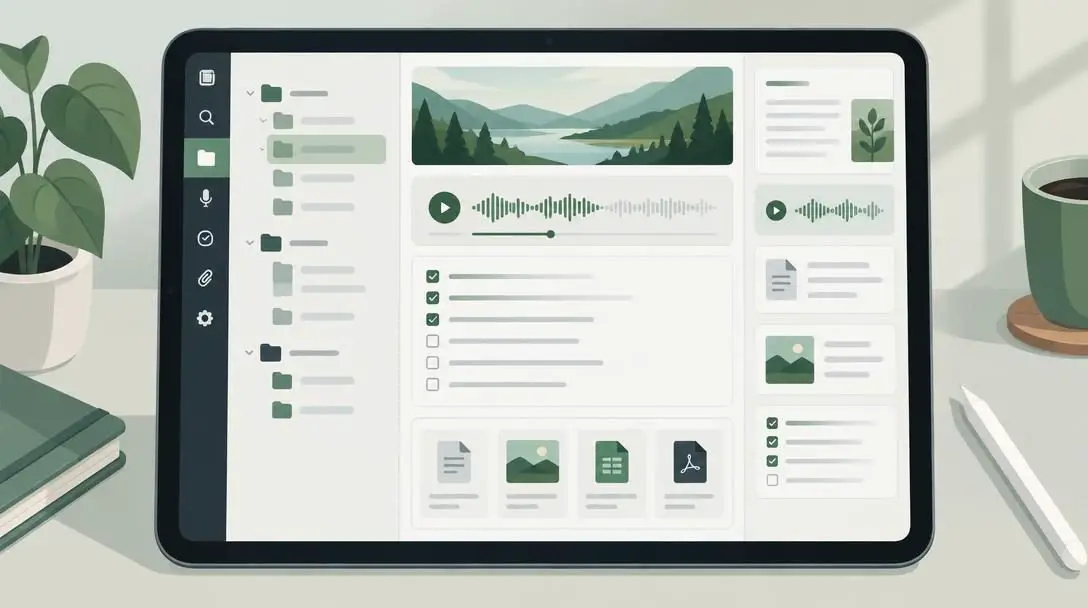
Evernote functions as a comprehensive digital archive capable of organizing every text excerpt, syllabus, and assignment checklist generated throughout a college term. Unlike basic text editors, the application allows students to embed interactive checklists, external hyperlinks, file attachments, and direct audio recordings into single note entries. This versatility makes it easy to capture live lecture commentary alongside typed outlines and slide handouts.
Under the free tier, students receive a monthly data upload allotment of 60 MB and can synchronize their account across two distinct devices. A critical advantage of this structure is offline desktop access: students working in remote lecture halls, campus basements, or transit hubs with intermittent internet connectivity can still open, review, and edit their stored notebooks. For those who require deeper integration, upgrading to the paid tier unlocks single-click note presentation, direct email forwarding into notebooks, and native PDF annotation tools that make grading rubrics and peer reviews straightforward to process.
My Study Life

- Core function: Academic scheduling, exam logging, and assignment tracking
- Availability: Free across Android, iPhone, Windows 8, Windows Phone, and Web
- Key integration: Cloud synchronization with offline device access
Traditional paper day-planners frequently break down when tasked with modern college schedules, which often feature alternating weekly rotations, scattered lab times, and non-standard exam slots. My Study Life is designed specifically to overcome these academic scheduling issues. Operating as an entirely free service across Android, iOS, Windows platforms, and standard web browsers, it tracks your academic obligations in the cloud while maintaining a synchronized local copy on your device.

Because the app updates locally, students retain total access to their class timetables and task lists even if campus Wi-Fi drops out entirely. The software monitors overlapping lecture dates, due dates, and test sessions, alerting you to direct scheduling conflicts before they derail your week. Rather than flipping through paper margins, you can view incomplete homework alongside approaching exam dates on a unified dashboard that organizes your responsibilities chronologically.
XMind

- Core function: Visual idea mapping and non-linear brainstorming
- Primary feature: Structural matrices and customizable visual templates
- Export compatibility: Direct integration with Evernote
When drafting comprehensive research papers, mapping complex scientific frameworks, or planning long-term group projects, linear outlines can stifle conceptual connections. XMind provides a visual mapping workspace where thoughts, sub-arguments, and reference points can expand freely in multiple directions. This format mirrors how the human brain connects concepts, helping students uncover unexpected themes and arguments before writing begins.
To help organize visual brainstorms into practical study tools, XMind provides diverse templates alongside a structured matrix tool that lets you reorganize the logic of your topics. Once you have arranged your ideas, XMind allows you to export your finished mind maps directly into Evernote. This bridge ensures that creative brainstorming sessions integrate directly into your primary subject notebooks without manual transcription.
Scanner Pro

- Core function: Portable physical document scanning and text recognition
- Platform: iPhone and iPad
- Advanced capability: Customizable automated workflows and optical character search
College research frequently requires working with physical materials, such as non-circulating reference books, printed lecture packets, course syllabi, and hand-annotated worksheets. Scanner Pro converts an iPhone or iPad into an efficient mobile scanner, allowing you to capture high-definition scans of library pages without waiting in line at heavy copy machines or checking out fragile volumes.
The application includes an automated workflow builder, enabling you to digitize a document and route it directly to designated cloud folders with a single tap. Furthermore, Scanner Pro features optical text recognition that identifies text inside scanned images. This allows you to run keyword searches across your digitized handouts, finding exact passages or terms instantly instead of manually skimming through dozens of scanned pages.
Chegg Prep

- Core function: Active recall review and digital flashcard management
- Availability: Free on Apple App Store and Google Play
- Learning support: Image-capable custom cards and a public library of shared decks
Reading textbooks and highlighting notes can create a false impression of mastery, leaving students unprepared for demanding exams. Chegg Prep leverages active recall by offering a simple, responsive flashcard system available on iOS and Google Play. Students can construct tailored card decks for any topic, embedding their own images and diagrams to reinforce visual memory for subjects like biology, architecture, or art history.

The platform helps manage your review time through deck customization. As you test your recall and master individual concepts, you can remove learned cards from the active rotation, keeping your focus on difficult material. If time constraints prevent you from creating study sets from scratch, Chegg Prep also provides access to thousands of pre-made flashcard decks published by other students across diverse academic disciplines.
Centralizing research, scheduling, and revision into a unified digital toolkit transforms chaotic academic workloads into a manageable routine.
How these apps work together in a unified study system
While every app discussed here resolves a specific academic challenge, their full value emerges when they operate as an interconnected digital workflow. Rather than treating studying as a single task, top students break their routines down into five distinct phases, using each tool to handle a specific stage:
- Phase 1: Time blocking and scheduling: My Study Life sits at the front of your routine, mapping lectures, recurring assignment deadlines, and exam times while monitoring for conflicting dates.
- Phase 2: Source collection: Scanner Pro captures physical reference books, paper handouts, and library resources, digitizing them into searchable files.
- Phase 3: Centralized document storage: Evernote serves as your master binder, housing digitized research scans, audio recordings, lecture notes, and assignment checklists.
- Phase 4: Brainstorming and structuring: XMind provides a visual canvas to organize complex paper topics and concepts, which can then be exported into Evernote to sit alongside standard course notes.
- Phase 5: Active revision: Chegg Prep transforms key terms and diagrams into active recall flashcards, letting you test your retention and eliminate mastered cards before test day.
Practical steps to set up your digital study routine
Adopting several new software tools in the middle of a busy semester can be disorienting. Setting up your digital workspace systematically before major deadlines hit guarantees a smooth, reliable transition.
- Audit your hardware ecosystem: Catalog the devices you rely on each day, such as a desktop PC, laptop, iPhone, iPad, or Android phone. Identify where your course files currently live and pinpoint the specific tasks where your current workflow breaks down.
- Configure your academic calendar: Install My Study Life across your mobile devices and web browser. Input your complete class schedule, including alternating weekly cycles, official exam blocks, and weekly assignment due dates, and confirm that conflict notifications are turned on.
- Establish your notebook hierarchy: Download Evernote to your primary desktop and secondary mobile device. Create separate notebooks for every enrolled class, keeping in mind the free tier's two-device sync limit and 60 MB monthly data ceiling.
- Digitize physical printouts: Install Scanner Pro on your iOS device and scan all physical materials, including print syllabi, library excerpts, and paper handouts. Verify that the image text recognition is functional and configure automated upload workflows to your cloud storage.
- Construct your visual project maps: Open XMind when tackling a complex paper topic or difficult chapter. Choose a suitable logic matrix or brainstorming template, organize your key arguments, and export the completed map into your corresponding Evernote course notebook.
- Build your active recall decks: Launch Chegg Prep on your mobile device. Create custom flashcards with embedded text and diagrams for your hardest subjects, or browse the community database to download existing decks created by peers. Practice daily, setting aside mastered cards to narrow your focus.
Common mistakes to avoid when using study apps
Even the most sophisticated software tools can become distractions if used without clear intention. Watching out for these common missteps will keep your study sessions productive and focused on learning:
- Exceeding monthly upload limits unexpectedly: Evernote's free plan provides 60 MB of uploads per month. Attaching large audio files or uncompressed images to multiple notes can quickly exhaust this data allowance before the month ends.
- Failing to confirm offline availability: Both Evernote and My Study Life allow you to access data offline, but your materials must be synchronized while an active internet connection is present. Waiting until you are seated in an offline lecture hall to sync will leave you without your notes.
- Over-engineering visual mind maps: XMind offers extensive visual customization, but spending hours fine-tuning color schemes, connector branches, and icons can turn into productive procrastination. Prioritize conceptual clarity over design aesthetics.
- Reviewing flashcards passively: Flipping through cards in Chegg Prep without actively trying to recall the answer undermines the benefits of active recall. Additionally, failing to remove cards you already know clutters your review sessions with redundant information.
- Overlooking OCR search capabilities: Scanner Pro's optical character recognition indexes text within scanned images, but students often forget to use this tool. Instead of manually scanning multi-page documents for a quote, use the in-app search function to locate the term in seconds.
Frequently asked questions
Can I use these study apps if my campus internet connection is unreliable?
Yes. Both Evernote and My Study Life support offline access, allowing you to view and edit your course notes, schedules, and assignment lists without an active internet connection. However, you must synchronize your devices while connected to Wi-Fi beforehand so all data caches properly to your local hardware.
Do I need to pay for Evernote to make it useful for college coursework?
No. Evernote's free subscription includes access to essential organizational features, including audio attachments, checklists, external links, and offline desktop access, alongside 60 MB of monthly data uploads across two synchronized devices. Paid tiers are only necessary if you require specialized tools like direct PDF annotation, note presentations, or email-to-notebook forwarding.
What makes My Study Life different from a standard smartphone calendar?
Standard smartphone calendars are designed for standard business appointments and often struggle with rotating class schedules, alternating lab weeks, and academic assignments. My Study Life is built specifically for academic environments, tracking course rotations, homework completion percentages, and scheduling conflicts between classes and exams.
How does XMind connect with my everyday note-taking workflow?
XMind allows you to export your completed mind maps, concept branches, and organizational matrices directly into Evernote. This lets you brainstorm non-linearly while keeping your final outlines organized alongside your primary course notes, reading summaries, and assignment checklists.
Is Scanner Pro available on Android devices?
No. Scanner Pro is developed specifically for Apple iOS and iPadOS devices. Android users who need to organize their schedules and review materials can still use cross-platform tools like My Study Life, Evernote, and Chegg Prep.
The bottom line
Modern college coursework requires balancing extensive reading lists, irregular class timetables, and continuous exam preparation. Trying to manage these responsibilities with disorganized paper binders, manual planners, and passive study habits often leads to unnecessary stress and academic burnout. Adopting a coordinated suite of digital tools allows you to work more efficiently, automate mundane scheduling tasks, and spend more time truly understanding course material.
By using My Study Life to prevent scheduling conflicts, Scanner Pro to digitize physical resources, Evernote to maintain an organized home for your research, XMind to structure complex ideas, and Chegg Prep to reinforce memory through active recall, you can establish an adaptable academic workflow. Periodically evaluate your tools as your coursework becomes more specialized, archive finished terms, and let these applications turn demanding study routines into a manageable breeze.