
5 Best Accessories for Microsoft Flight Simulator
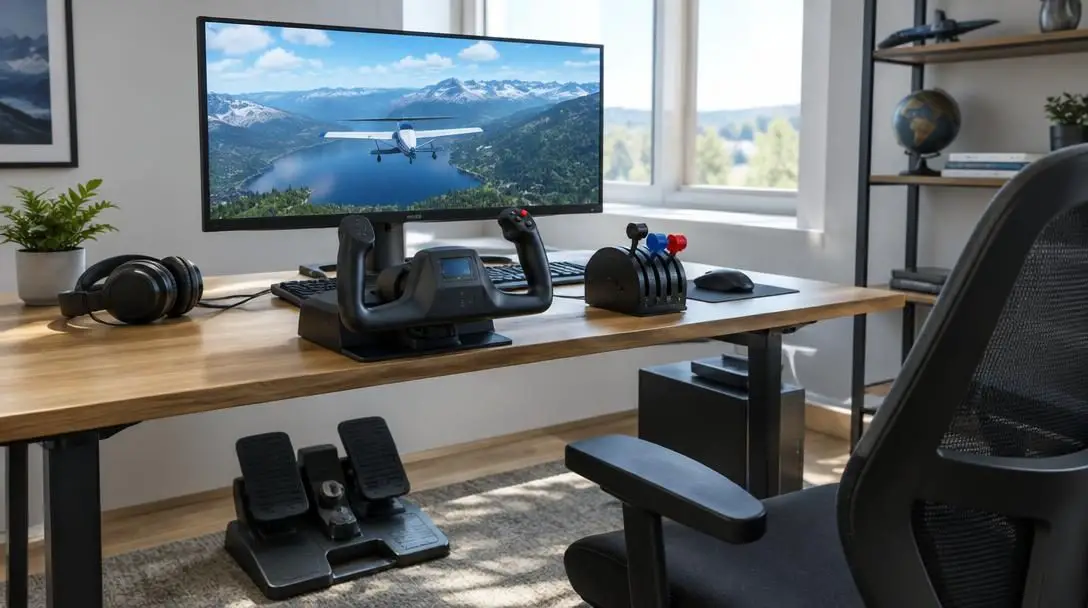
Ever since its original release in 1982, Microsoft Flight Simulator has served as the benchmark for consumer-grade aviation simulation. Over the ensuing decades, each progressive edition has pushed personal computing to its absolute limits, transforming ordinary desktop workstations into realistic virtual cockpits. The franchise experienced a massive surge of new enthusiasts when it launched on Xbox consoles through the Xbox Game Pass subscription, exposing an entirely fresh generation of virtual aviators to the intricate demands of piloting aircraft.
While taking flight is entirely possible using a standard handheld controller or a mouse and keyboard, hardcore enthusiasts quickly turn to dedicated hardware to match the simulator's staggering fidelity. Real-world aviation demands nuanced control authority—ranging from micro-adjustments to the throttle and pitch trim to balancing crosswinds on the rudder pedals. Purpose-built simulation accessories replicate the mechanical feel, ergonomics, and communication channels of actual flight decks, bridging the gap between digital software and physical aviation.
Key takeaways
- Dedicated simulation accessories bridge the gap between virtual physics and operational flight deck mechanics.
- High-end yokes and rudders offer authentic mechanical adjustments, such as swappable quadrant levers and pendular suspension.
- Platform compatibility varies significantly between PC-only hardware and accessories built to support Xbox consoles.
- Visual and acoustic immersion relies heavily on curved display technology and aviation-grade headsets tailored for long flights.
At a glance: Top Microsoft Flight Simulator hardware
Selecting the right simulation peripherals involves balancing build materials, mechanical actuation, platform compatibility, and budget. The table below outlines how the leading flight simulator accessories compare across essential categories.
| Accessory | Hardware type | Platform compatibility | Key design features | Retail price |
|---|---|---|---|---|
| Thrustmaster TCA Yoke Pack Boeing Edition | Flight yoke and throttle quadrant | Xbox One, Xbox Series X|S, PC | 1:1 scale replica, metal frame, adjustable springs, Boeing autopilot | $499.99 |
| Thrustmaster T Flight US Air Force Edition | Aviation headset | PC, Xbox, PlayStation | Officially licensed by USAF, interchangeable faceplates, padded earcups | $119.99 |
| Samsung CRG Curved Gaming Monitor | Curved display panel | PC, console inputs | Ultrawide panoramic curvature, ergonomic eye comfort for long sessions | Varies by retailer |
| TPR: Thrustmaster Pendular Rudder | Floor rudder pedals | PC only | PENDUL_R suspension technology, all-metal mechanism, high-precision sensors | $600.00 |
| Honeycomb Alpha Flight Controls | Yoke and switch panel | PC | Compact desk footprint, 8-way hat switch, dual rocker switches, 2-year warranty | $279.99 |
Top accessories for Microsoft Flight Simulator
The marketplace offers hundreds of input devices, yet five specific peripherals have distinguished themselves among civilian aviators and simulation enthusiasts. From 1:1 scale flight deck replicas to specialized pendular rudder mechanisms, these components provide unmatched authenticity for modern flight simulation.
Thrustmaster TCA Yoke Pack Boeing Edition
- Price: $499.99 new (cheaper used)
- Compatibility: Xbox One, Xbox Series X|S, PC
- Scale: Full 1:1 commercial replica
- Key mechanism: Internal metal frame with adjustable spring tension
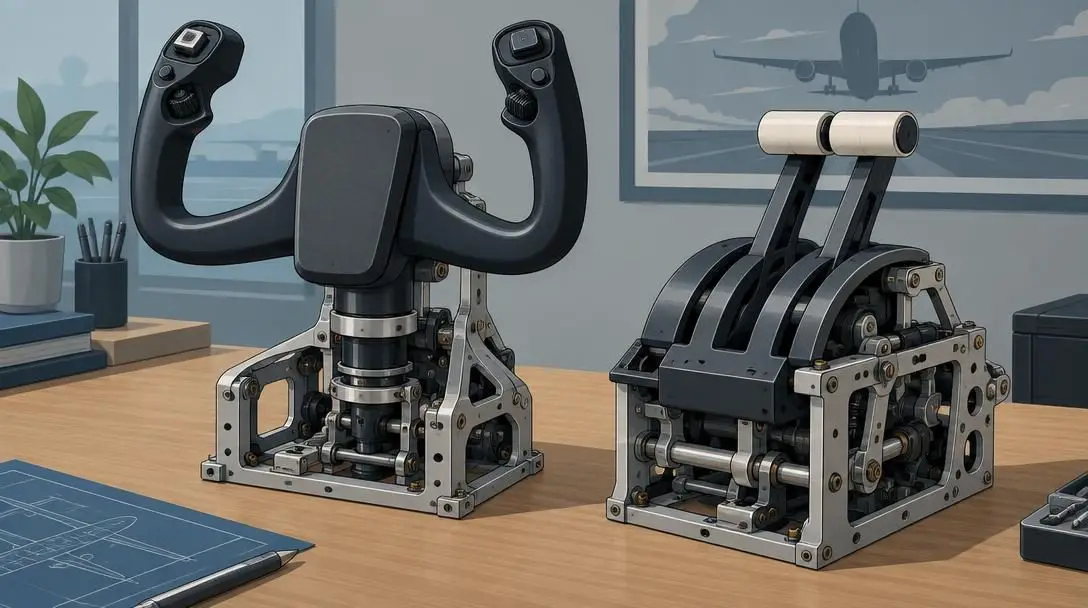
If your ultimate goal is piloting commercial airliners with uncompromising fidelity, the Thrustmaster TCA Yoke Pack Boeing Edition stands in a class of its own. Developed in close partnership with Boeing, this controller carries the aircraft manufacturer's official branding and represents the first peripheral of its kind to bring authentic commercial airliner kinematics to home setups. Built with a solid internal metal frame, it reproduces the pendular movement characteristic of Boeing cockpits, particularly mirroring the tactile feel of flying a Boeing 787 Dreamliner.
Beyond its realistic physical scale, the system delivers remarkable customization. Pilots can swap internal springs to stiffen or loosen the pitch axis resistance, adjusting the control column to reflect specific aircraft weights and personal preferences. The accompanying throttle quadrant features swappable levers that can be arranged for twin-engine or four-engine commercial operations, alongside an integrated Boeing-designed autopilot control module. While its $499.99 retail price requires a substantial financial commitment, its dual compatibility across modern Xbox consoles and PC makes it a premier cornerstone for airliner enthusiasts.
Thrustmaster T Flight US Air Force Edition Headset
- Price: $119.99
- Compatibility: PC, Xbox, PlayStation
- Licensing: Officially licensed by the United States Air Force
- Design: Aviation-style aesthetic with interchangeable faceplates
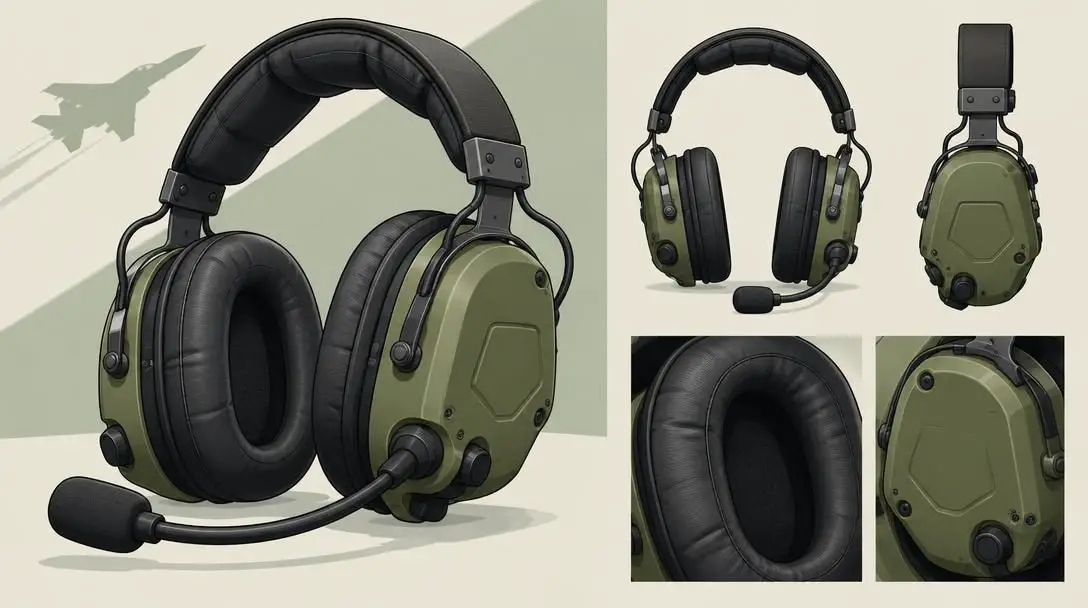
Clear communication remains a cornerstone of realistic aviation, whether navigating crowded virtual airspace on online networks or checking in with built-in air traffic control. The Thrustmaster T Flight US Air Force Edition headset provides pilots with an acoustic solution modeled directly after real-world aviation headsets worn by military and civilian aviators. Officially licensed by the United States Air Force, these headphones display official USAF insignias on their swappable exterior ear cup faceplates, blending practical functionality with military styling.
Comfort during cross-country navigation is paramount, and the T Flight USAF Edition features thick ear cushions designed to minimize pressure points during multi-hour flight legs. The integrated microphone provides crisp voice transmission to ensure your readbacks and altimeter settings are heard clearly over the roar of virtual turbofans or piston engines. Priced at $119.99, its broad cross-platform compatibility across PC, Xbox, and PlayStation ensures it can effortlessly transition between simulator flights and standard gaming sessions.
Samsung CRG Curved Gaming Monitor

- Manufacturer: Samsung
- Design: Ultrawide panoramic curved display
- Ergonomics: Built-in eye comfort features for long flight sessions
- Alternative model: Samsung CHG (budget-friendly alternative)
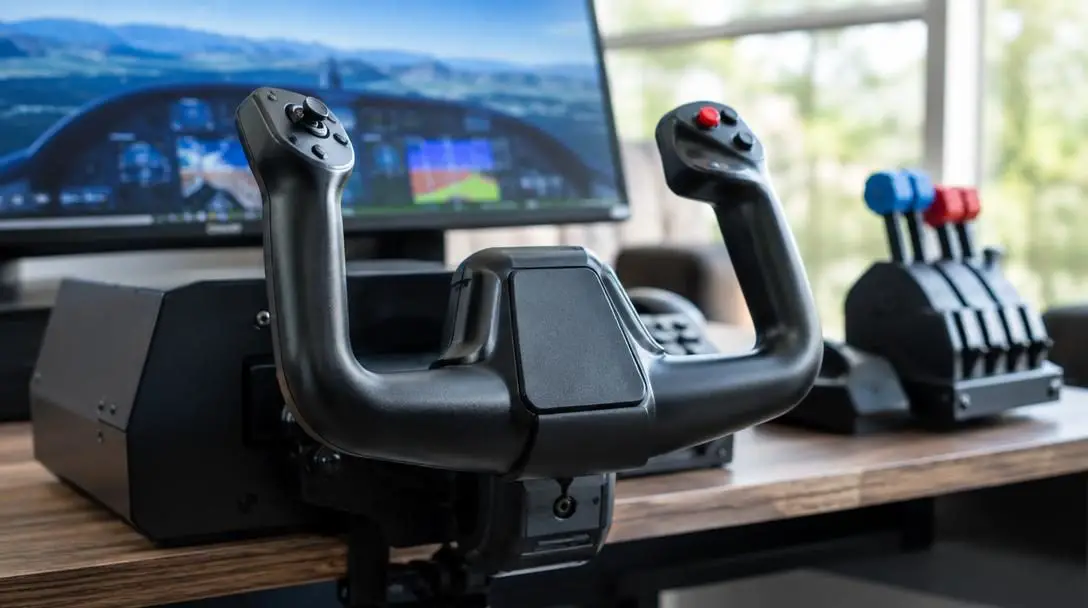
A pilot's view out of the windscreen sets the tone for the entire virtual flight experience. The Samsung CRG Curved Gaming Monitor creates a sweeping visual field that curves around your peripheral vision, closely replicating the wraparound glass cockpit windows found in modern jets and general aviation aircraft. By matching the natural curvature of the human eye, the display allows you to scan instrument clusters and ground terrain with minimal head movement, enhancing situational awareness during critical phases of flight such as instrument approaches and crosswind landings.
Extended simulator sessions routinely involve hours of scanning flight directors, navigation logs, and horizon lines. The CRG is designed to prevent eye strain during these marathon flights, delivering sharp contrast and dedicated eye comfort engineering. For enthusiasts who want the panoramic benefits of Samsung's curved display portfolio at a lower entry price, the manufacturer also produces the CHG series, which delivers exceptional visual immersion for flight sim cockpits on a more modest budget.
Dedicated hardware elevates virtual aviation by mirroring the genuine mechanical resistance and visual geometry found in operational cockpits.
TPR: Thrustmaster Pendular Rudder
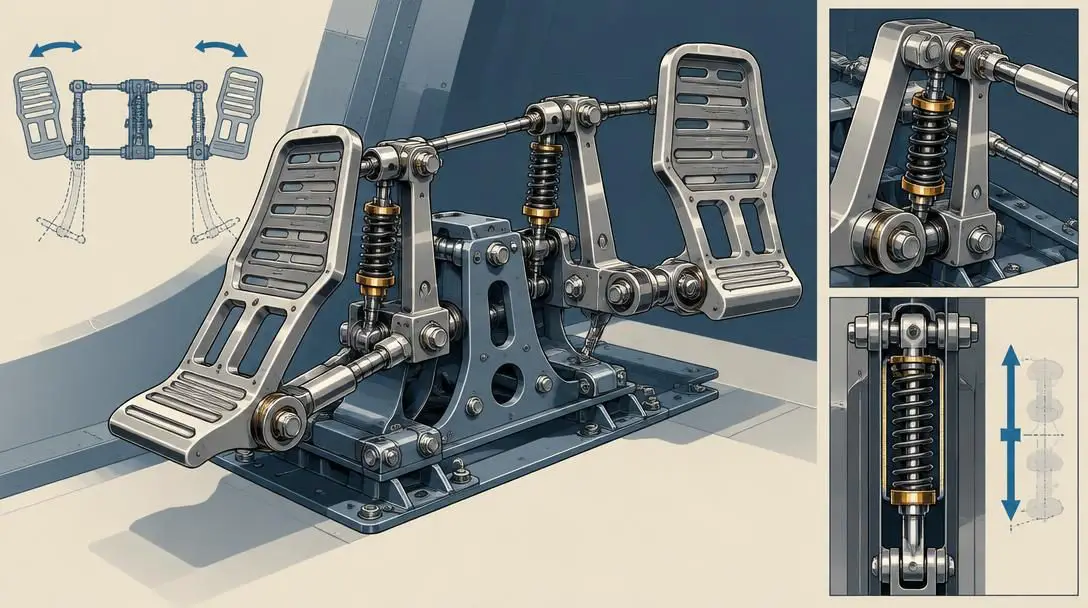
- Price: $600.00
- Compatibility: PC only
- Mechanism: PENDUL_R suspended mechanical system
- Software support: Compatible with all major flight simulator games
Accurate yaw control and ground handling require specialized equipment under the desk, and the TPR: Thrustmaster Pendular Rudder represents the pinnacle of consumer rudder technology. Traditional budget rudder pedals slide forward and backward along flat guide rails, creating friction that can disrupt smooth micro-adjustments. The TPR bypasses this limitation entirely through its proprietary PENDUL_R technology, a suspended pendular mechanism that swings smoothly along a natural arc, simulating the physical rudder linkage found inside heavy commercial aircraft and high-performance military jets.
Constructed entirely of metal, the TPR provides rock-solid stability during aggressive taxi maneuvers, rudder-assisted turns, and challenging crosswind flare-outs. Every major axis utilizes ultra-precise magnetic sensors to track pedal travel without mechanical wear. While its $600 price point and strictly PC-only architecture make it an advanced enthusiast investment, serious simulator pilots consider its butter-smooth kinematic response and custom spring adjustments well worth the premium.
Honeycomb Alpha Flight Controls
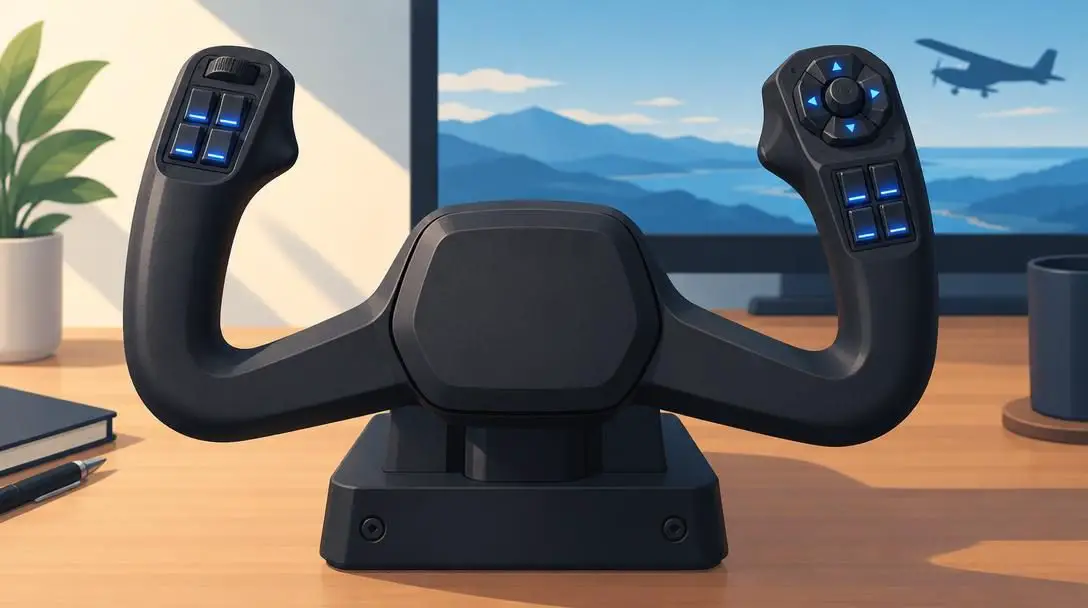
- Price: $279.99
- Compatibility: PC
- Control features: 8-way hat switch, two vertical rocker switches, push-to-talk button
- Warranty: 2-year manufacturer warranty
For flight sim enthusiasts seeking an authentic general aviation yoke that fits comfortably on a standard office desk, the Honeycomb Alpha Flight Controls represents the gold standard of desktop balance. Priced at $279.99, the Alpha packs comprehensive cockpit functionality into a compact, space-conscious chassis. Its ergonomic yoke handle rotates through a realistic 180 degrees of travel with smooth, centered spring tension that avoids the dead zones often found in entry-level peripherals.
The unit features a robust array of functional inputs, including an eight-way hat switch for camera panning, two vertical two-way rocker switches for avionics and master power, and a tactile push-to-talk button for radio communication. Integrated switch backlighting can be fully adjusted to match nighttime cockpit lighting conditions, significantly heightening immersion during dusk and nighttime approaches. Highly regarded throughout the flight simulation community for its rugged construction and dependability, the Honeycomb Alpha includes a two-year manufacturer warranty for lasting peace of mind.
Step-by-step setup guide for flight simulation hardware
Properly integrating dedicated flight accessories into your workspace requires careful planning to ensure mechanical stability, clean cable routing, and reliable software mapping. Follow these practical steps to configure your virtual cockpit.
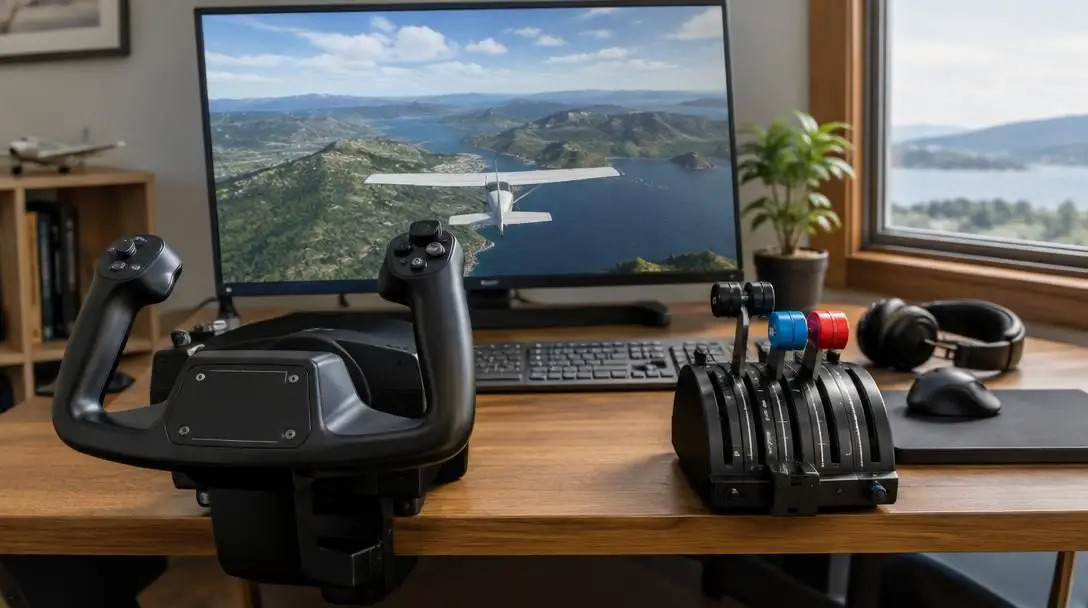
- Evaluate available desk space: Measure your desk surface and depth. Hardware like the Honeycomb Alpha is engineered to clamp securely to standard computer desks, while heavy units like the Thrustmaster TCA Boeing Edition feature deep metal frames requiring substantial desktop clearance.
- Position floor accessories: If you are using floor peripherals like the TPR Thrustmaster Pendular Rudder, ensure the footwell provides adequate clearance so the pendular swinging mechanism can operate through its entire range of motion without striking walls or cables.
- Connect and verify platform compatibility: Confirm your peripheral matches your gaming platform. The Thrustmaster Boeing Edition connects to Xbox One, Xbox Series X|S, or PC; the T Flight US Air Force headset interfaces with PC, Xbox, and PlayStation; the Honeycomb Alpha connects to PC desk setups; and the TPR connects exclusively to PC.
- Set up display viewing distance: Place your Samsung CRG curved monitor directly in front of your seated eye line, positioning the curve to wrap evenly across your peripheral vision to maximize cockpit sightlines during manual flight.
- Adjust physical hardware components: Make physical mechanical adjustments before starting the software. Adjust the internal springs on the Thrustmaster Boeing Edition, arrange its swappable levers into your desired throttle layout, and calibrate pedal angles on the TPR rudder.
- Map control axes and switches: Launch Microsoft Flight Simulator and enter the control options menu. Confirm your axis bindings for pitch, roll, and yaw. Map the push-to-talk button, the eight-way hat switch, and the vertical two-way rocker switches on the Honeycomb Alpha, along with the Boeing-designed autopilot mode controls on the Boeing Edition.
- Adjust lighting and audio: Configure the onboard switch lighting on the Honeycomb Alpha to match your ambient cockpit illumination. Plug in the T Flight US Air Force Edition headset and balance in-game engine audio against communication volume levels to ensure clear radio interaction.
Common mistakes when buying flight sim gear
Building a modular simulation cockpit is an exciting endeavor, but common pitfalls can lead to wasted money and setup headaches. Keep these missteps in mind before making major hardware purchases.
- Ignoring platform limitations: Assuming all simulation gear works interchangeably across consoles and computers is a frequent mistake. Premium hardware such as the TPR Thrustmaster Pendular Rudder is restricted to PC, leaving console pilots unable to utilize its mechanical features.
- Overlooking physical desk constraints: Robust flight simulation gear often uses heavy metal components and extensive clamp systems. Buying bulky flight controls without measuring desk thickness and clearance can make mounting impossible without specialized secondary brackets.
- Skipping mechanical customization: Many top-tier controllers offer physical tuning options, such as the adjustable spring tension and swappable quadrant levers on the Thrustmaster Boeing Edition. Leaving these at default factory settings often leads to an unnatural control feel that conflicts with your preferred aircraft category.
- Neglecting audio and visual ergonomic balance: Long-distance cross-country routes require hardware designed for sustained comfort. Neglecting display curvature or wearing rigid headsets causes rapid fatigue. Curved monitors like the Samsung CRG and cushioned headsets like the T Flight USAF Edition are tailored specifically to alleviate physical strain during extended flights.
- Mismanaging input assignments: Complex peripherals like the Honeycomb Alpha feature dozens of distinct switches and buttons. Assigning multiple commands to the same switch or failing to clear default profiles can cause critical system conflicts and autopilot disconnects mid-flight.
Planning your cockpit: Synergy, platforms, and budget
Once you have identified individual accessories, the next phase is assembling a harmonious flight deck environment tailored to your operational goals, platform choice, and budget.
System synergy requires matching your input controls with your visual display and audio setup. If you invest in high-fidelity control hardware like the Honeycomb Alpha or the Thrustmaster Boeing Edition, pairing them with the wide visual perspective of the Samsung CRG curved monitor ensures that subtle physical control inputs correspond accurately with the horizon lines on screen. Adding the T Flight USAF Edition headset completes the triangle by isolating engine acoustics and radio calls.
Platform selection determines your ultimate hardware roadmap. Pilots using Xbox Series X|S or Xbox One consoles can establish a remarkably deep airliner setup using the versatile Thrustmaster TCA Boeing Edition and the T Flight US Air Force headset. However, if your long-term goal includes operating specialized floor controls like the PC-only Thrustmaster TPR rudder, you will need to plan your simulator journey around a dedicated PC architecture.
Finally, virtual pilots must navigate budget considerations. Outfitting a cockpit with flagship controllers can represent a substantial investment: a new Boeing Edition yoke costs $499.99, while the TPR rudder commands $600. Enthusiasts can optimize their expenditures by seeking out used units of high-end hardware, choosing value-oriented curved panels like the Samsung CHG instead of the flagship CRG, or investing in the Honeycomb Alpha, which provides dependable, durable construction backed by a two-year warranty for $279.99.
Frequently asked questions
Can I use the Thrustmaster TCA Boeing Edition on both PC and Xbox?
Yes. The Thrustmaster TCA Yoke Pack Boeing Edition is fully compatible with PC as well as Xbox One and Xbox Series X|S consoles, allowing pilots to transition seamlessly between platforms.
Does the TPR Thrustmaster Pendular Rudder work with Xbox consoles?
No. The TPR Thrustmaster Pendular Rudder is engineered exclusively for PC systems and does not support Xbox consoles or other home gaming systems.
What makes curved monitors like the Samsung CRG beneficial for flight simulation?
Curved monitors like the Samsung CRG wrap visual scenery across your peripheral field of view, closely mimicking the panoramic perspective of real cockpit windshields while reducing eye strain during lengthy flight sessions.
Is the Honeycomb Alpha Flight Controls yoke suitable for standard computer desks?
Yes. The Honeycomb Alpha Flight Controls features a compact footprint engineered specifically to fit onto standard office desks while integrating switch panels, an eight-way hat switch, and dual rocker switches.
What warranty is included with the Honeycomb Alpha Flight Controls?
The Honeycomb Alpha Flight Controls comes with a two-year manufacturer warranty covering hardware defects and durability issues.
The bottom line
Microsoft Flight Simulator offers an extraordinary recreation of the skies, but standard keyboard keys and plastic thumbsticks can only take virtual aviators so far. Upgrading to dedicated aviation hardware—whether through the authentic airliner mechanics of the Thrustmaster TCA Boeing Edition, the pendular precision of the TPR rudder pedals, or the wraparound immersion of a Samsung curved monitor—fundamentally transforms the experience. By aligning your peripheral choices with your gaming platform, desk space, and flight ambitions, you can build a virtual flight deck that delivers the genuine feel of real aviation every time you take the runway.





