
5 Key Tips For Microsoft Flight Simulator

For decades, Microsoft Flight Simulator occupied a deeply dedicated but relatively narrow corner of personal computing. Historically, desktop aviation simulations catered to hardcore hobbyists who were eager to study dense operating manuals, navigate intricate cockpit avionics, and master unforgiving flight dynamics. Today, that dynamic has changed entirely. Through a fusion of satellite imagery, cloud computing, and real-time atmospheric modeling, the software recreates the entire globe, turning the experience into a visual marvel accessible to mainstream audiences.
The simulator's availability across personal computers, the Xbox Series X|S, and Xbox One, paired with its day-one presence on Microsoft Game Pass, has opened the virtual skies to millions of newcomers. Yet, unlike conventional arcade flight games, this platform offers an uncompromising aerodynamic simulation. Beginners hopping into the cockpit often find themselves immediately overwhelmed by an intimidating array of dials, switches, radio frequencies, and aerodynamic forces. Without a structured roadmap, the learning curve can quickly sour an aspiring pilot's enthusiasm.
Key takeaways
- Virtual flight demands procedural discipline, making interactive tutorials and flight checklists essential for early progress.
- Starting in small, single-engine aircraft allows you to learn hands-on energy management without being overwhelmed by automation.
- Sticking to a single airframe builds the muscle memory necessary to judge speeds, trim, and landing profiles accurately.
- Hardware peripherals like dedicated flight sticks or yoke systems provide the precise control travel needed for steady handling.
- Departing from local airports and touring familiar landmarks reinforces spatial orientation while keeping your early flights fun.
The Aerodynamic Engine: How the Simulation Computes Flight
To succeed in Microsoft Flight Simulator, it helps to understand that the software treats your aircraft not as a floating camera with physics attached, but as a rigid body reacting to mathematical air masses. While traditional flight games rely on simplified, scripted behaviors, this platform continuously computes the real-time interaction between air currents, weather systems, momentum, and every physical surface of the aircraft. Four competing forces dictate your survival in the air: lift, drag, gravity, and thrust. Flaps alter wing camber to produce extra lift at lower speeds at the cost of additional drag, while the rudder and ailerons deflect moving air to induce yaw and roll.
Atmospheric factors play an equally dynamic role. When barometric pressure drops or sudden wind gusts hit the fuselage, the simulator forces you to make tiny, intuitive micro-adjustments to hold your course. Furthermore, the world beneath your wings is rendered using worldwide topographical datasets, spanning everything from massive international hubs with multiple crossing runways to unpaved wilderness strips. Behind the scenes, the aircraft models simulate electrical buses, fuel flow, hydraulic pressures, and navigation computers, turning every flight into an authentic exercise in systems management.
True mastery of flight simulation comes not from rushing into the captain seat of a jumbo jet, but from understanding the delicate dance between lift, drag, and human patience in a single-engine cockpit.
The 5 Essential Tips for Beginner Aviators
Overcoming the initial barrier to entry requires patience and a structured approach. Applying these five fundamental strategies will prevent burnout and help you build genuine aviation competence.
1. Tutorials Are Key
In standard video games, players routinely skip the opening tutorials by tapping through dialogue boxes to jump straight into the action. While that approach works in fast-paced action games with familiar control layouts, it fails completely in a flight simulator. Aviation is fundamentally procedural; it requires strict checklists, proper instrument cross-checks, and coordinated control inputs. Skipping basic instruction leaves you guessing about why your engine cuts out during a climb or why your plane enters a stall during a gentle turn. Take the time to work through the native flight school modules, absorb the instructor's feedback, and consider keeping a printed or digital PDF copy of flight checklists beside your seat to consult just as a real student pilot would.
2. Start Small
The temptation for nearly every beginner is to open the hangar menu, select an iconic long-haul airliner like the Boeing 747, and schedule a cross-oceanic flight between major international hubs. In practice, piloting heavy commercial airliners without a working knowledge of aerodynamic inertia, energy management, and approach speeds leads directly to failed takeoffs and catastrophic crashes. Instead, set your sights on a light single-engine trainer. Smaller aircraft fly slower, respond more predictably to control inputs, and give you the reaction time needed to understand cause and effect. Completing a clean twenty-minute flight from engine startup to touchdown delivers far more genuine satisfaction than engaging an airliner's autopilot and walking away from the screen.
3. Stick With One Plane at First
Because the platform offers dozens of meticulously modeled airframes out of the box, novices frequently rotate between different planes on every flight. However, hopping between a taildragger, a complex turboprop, and an airliner prevents your brain from building essential muscle memory. Every aircraft features a distinct stall speed, unique throttle response times, and specific flap limitations. By committing to a single airframe for your first dozen hours, you learn how that specific machine behaves in crosswinds, how much backpressure it requires during landing flare, and where to look on the instrument panel without searching. Once you have truly mastered one aircraft, branching out to multi-engine planes becomes substantially easier.
4. Get Some Peripherals
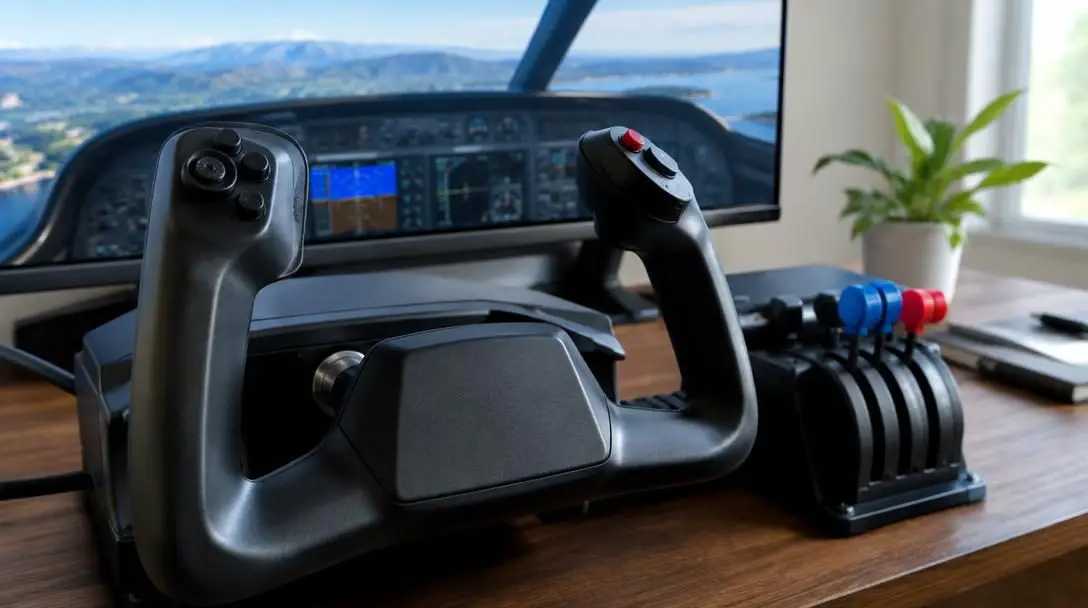
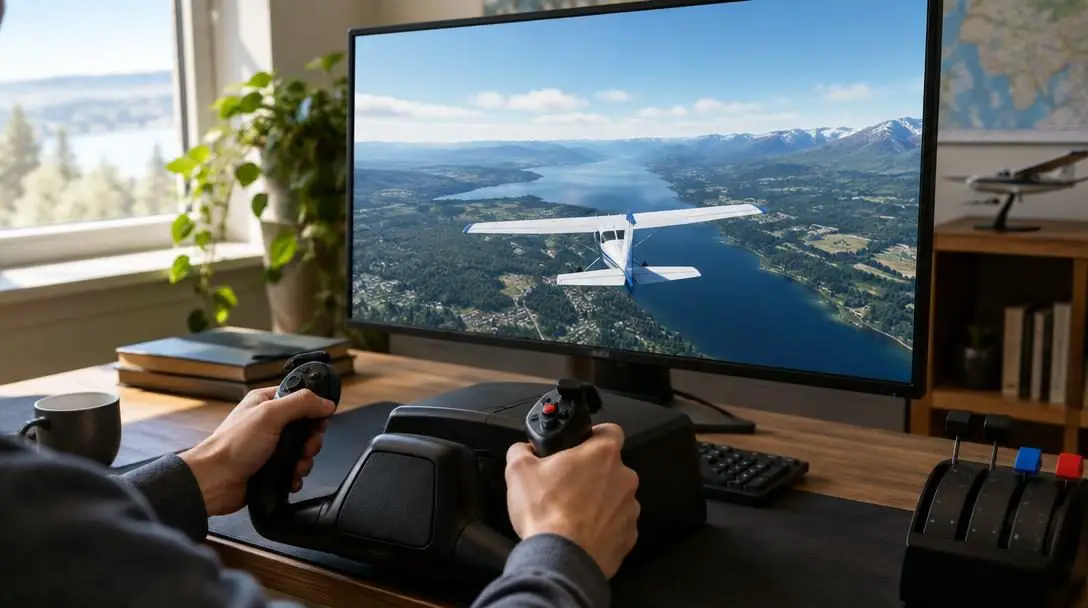
A primary reason many beginners give up on desktop aviation is the frustration of using suboptimal input methods. Attempting to maneuver an aircraft with a mouse and keyboard or the short analog thumbsticks of a standard game controller makes subtle, nuanced control difficult. These input tools lack the long physical travel required to smoothly trim the elevator, hold steady rudder deflection, or set precise throttle percentages. Investing in an entry-level flight stick or a dedicated yoke system transforms the entire experience. If budget is a concern, consider looking for used hardware on secondary markets, or leverage the cost savings from Microsoft Game Pass to purchase a compatible flight peripheral for PC or console.
5. Pick Familiar Sites
One of the most remarkable technical feats of modern simulation is the 1:1 recreation of the Earth's surface. When choosing your early flight paths, resist the urge to immediately tackle difficult mountainous approaches or dense foreign airspaces. Instead, locate the airfield nearest to your hometown and fly over your own neighborhood, schools, and local landmarks. Alternatively, fly low over iconic tourist sights like the Las Vegas Strip or the grand waterways of Venice. Navigating by real-world visual landmarks—known in aviation as visual flight rules (VFR)—not only makes navigation intuitive, but it also delivers immediate visual gratification that keeps you motivated to improve your piloting skills.
At a Glance: Beginner Flying Strategy Matrix
The following overview breaks down the practical applications, key benefits, and major challenges associated with each fundamental simulation tip.
| Strategy Tip | Primary Focus | Direct Flying Benefit | Common Beginner Pitfall |
|---|---|---|---|
| Tutorial Completion | Aviation fundamentals & checklists | Builds foundational procedural discipline | Rushing ahead without understanding instrument indicators |
| Starting Small | Single-engine trainers | Slow airspeeds grant ample time to correct errors | Jumping straight into complex, high-inertia airliners |
| Single-Airframe Focus | Flight characteristics & speeds | Develops intuitive control habits and muscle memory | Constantly swapping planes and resetting learning progress |
| Dedicated Peripherals | Hardware yokes & flight sticks | Provides long physical travel for fine trim and pitch inputs | Using twitchy, short-travel thumbsticks that cause over-correction |
| Familiar Flight Paths | Local landmarks & VFR navigation | Simplifies orientation through recognizable ground references | Getting disoriented over unfamiliar, featureless terrain |
How to Plan and Execute Your First Successful Flight
Transforming general advice into actual piloting ability requires a repeatable workflow. By approaching your first unguided excursion systematically, you eliminate the confusion that often plagues novice virtual aviators.
- Finish the Core Training Syllabus: Load into the simulator's built-in flight academy. Work through the basic handling, takeoff, traffic pattern, and landing challenges until you achieve passing grades without relying on visual assistance markers.
- Select a Stable High-Wing Trainer: Open the hangar and pick a standard single-engine trainer, such as a high-wing propeller aircraft. High-wing models offer superior downward visibility for ground tracking and inherit natural lateral stability that smooths out minor piloting errors.
- Calibrate and Verify Input Axes: Enter the control settings menu before starting the engine. Verify that your elevator, aileron, throttle, and rudder axes move smoothly without abrupt spikes, and set small dead zones if your hardware exhibits center-stick drift.
- Design a Short Daylight Route: Chart a direct flight path between two regional airfields separated by roughly twenty to thirty nautical miles. Set the simulator's weather to clear skies and choose a flight time in mid-morning or early afternoon to ensure sharp shadows and high visibility.
- Fly the Full Circuit from Startup to Shutdown: Complete your engine startup, taxi to the active runway, perform a smooth takeoff run, and level off at a safe altitude. Track highways or rivers to your destination, establish a stabilized final approach, touch down, and taxi to parking for a complete flight cycle.
Critical Rookie Mistakes to Avoid
Because the software provides complete sandbox freedom, newcomers often adopt counterproductive habits that hinder their skill progression. Staying mindful of these common missteps will accelerate your path toward confident piloting.
- Over-relying on automated flight systems: Engaging the autopilot immediately after wheels leave the runway eliminates the opportunity to develop natural hand-flying instincts and feel the aircraft's center of gravity.
- Aggressive, jerky control inputs: Virtual aircraft require smooth, measured pressures. Rapidly snapping the control stick back and forth creates severe aerodynamic oscillations, ruins passenger comfort, and risks structural overstress.
- Fixating entirely on external views: While the exterior camera showcases stunning graphics, serious flying demands steady instrument scanning. Neglecting your airspeed indicator, altimeter, and artificial horizon invites unintended descents and stall conditions.
- Neglecting pre-flight planning: Taking off without verifying runway lengths, field elevations, or prevailing wind directions frequently turns a routine landing into an emergency runway overrun.
- Ignoring aerodynamic trim: Attempting to maintain altitude by physically holding forward or back pressure on the stick causes hand fatigue and erratic flying; adjusting the elevator trim relieves control pressure for level flight.
Advanced Horizons: Taking Your Simulation Further
Once you are comfortably departing, navigating by eye, and safely landing a single-engine plane, a vast ecosystem of advanced simulation avenues opens up. You can transition from basic Visual Flight Rules (VFR) to Instrument Flight Rules (IFR), learning how to fly through heavy cloud decks, manage navigation radios, and track automated Instrument Landing System (ILS) approaches down to minimum decision heights.
From there, you can step into multi-engine turboprops and complex commercial airliners, tackling authentic flight management computers (FMC), cold-and-dark cockpit startups, and fuel-planning calculations. You can also expand your physical desktop cockpit by adding dedicated rudder pedals, multi-lever throttle quadrants, and head-tracking hardware. For the ultimate test of operational realism, online enthusiast networks like VATSIM integrate live, human air traffic controllers who guide virtual pilots across real airspace using authentic radio phraseology.
Frequently asked questions
Can I enjoy Microsoft Flight Simulator using just an Xbox controller or keyboard?
While the simulator is fully playable with a standard controller or keyboard, doing so makes fine, precise maneuvers challenging. Standard gamepads have very short stick travel, which makes subtle pitch adjustments and rudder control difficult. Dedicated flight peripherals or flight sticks offer significantly greater control precision.
Why does my plane constantly bank or drift to one side during takeoff?
Propeller-driven aircraft experience natural rotational forces, including P-factor, slipstream swirl, and engine torque, which pull the nose to the left during high-power, low-speed ground rolls. You must apply gentle right rudder pressure to keep the aircraft centered on the runway centerline.
Do I have to purchase the full game if I have an active Game Pass subscription?
No. Microsoft Flight Simulator is included in the Microsoft Game Pass library for both personal computers and Xbox consoles, allowing subscribers to download and play the standard edition without purchasing the standalone software.
What is the best camera view to use when learning how to land?
The internal cockpit view is best for learning landings. While an external chase camera offers dramatic cinematic views, it distorts your perspective of the runway centerline and hides your airspeed indicator, making it difficult to judge flare timing and glide path angle accurately.
How can I tell if my aircraft is about to enter an aerodynamic stall?
A stall occurs when the wing's angle of attack becomes too steep for smooth airflow, causing a sudden loss of lift. Warning signs include decaying airspeed, sluggish control authority, buffeting vibrations, and the sounding of the cockpit stall warning horn. Lowering the nose restores airflow and recovers lift.
The bottom line
Microsoft Flight Simulator is far more than a typical recreational game; it is an authentic digital recreation of global aviation that rewards patience, curiosity, and disciplined practice. By treating the software as an educational journey rather than an arcade title, you unlock an immensely satisfying pastime. Take the time to work through the native flight lessons, resist the urge to jump directly into heavy commercial airliners, and spend your early hours mastering a single light trainer over familiar territory. With smooth control inputs, appropriate hardware, and respect for aerodynamic fundamentals, you will soon navigate the virtual skies with genuine skill and confidence.





