
5 Best Android Apps To Get More Out of Life

For millions of people around the world, reaching for a smartphone has evolved into an involuntary habit. Throughout the day, devices are unlocked during morning commutes, pauses between work tasks, and quiet evenings at home. Most of this accumulated screen time is channeled into routine text exchanges and scrolling across major social networking feeds like Facebook and Twitter. While these platforms were originally engineered to keep friends and family connected, lingering on them for hours often brings diminishing returns for overall personal well-being.
Studies indicate that excessive social media consumption can take a noticeable toll on both physical and mental health. Constant exposure to urgent notifications, hyper-curated lifestyle updates, and endless information streams tends to elevate daily anxiety rather than offer true recuperation. Fortunately, smartphones remain versatile computing machines capable of supporting healthier routines. The Google Play store offers an extensive catalog of software created to enrich, protect, and calm your daily life. Reclaiming your digital environment begins with choosing intentional applications that solve everyday problems rather than consuming your mental energy.
Key takeaways
- Swapping passive social media browsing for purposeful utility apps transforms your smartphone from an anxiety source into a daily asset.
- Dedicated privacy and navigation platforms like Signal and Waze deliver practical real-time benefits without commercial data exploitation.
- Holistic wellness tools such as MyFitnessPal and Calm bring structure to physical nutrition and mental recuperation.
- Low-stress simulation games like Stardew Valley provide restorative offline entertainment without the agitation of hyper-competitive titles.
Top Android apps at a glance
Each of these five standout Android applications serves a distinct, functional purpose. By tackling a specific friction point in your daily schedule—whether navigating gridlock, securing messages, logging meals, unwinding at night, or enjoying peaceful downtime—they help you get the most out of your device.
| Application | Primary Category | Key Specialty | Pricing Model |
|---|---|---|---|
| Waze | Navigation and Travel | Community-driven real-time traffic updates and custom voice routing | Free |
| Signal | Private Communication | Nonprofit end-to-end encrypted messaging, calls, and file transfers | Free |
| MyFitnessPal | Health and Nutrition | Barcode food logging, macronutrient tracking, and device syncing | Freemium |
| Calm | Mental Wellness and Sleep | Guided daytime meditation and ambient celebrity-narrated Sleep Stories | Free tier with premium features |
| Stardew Valley | Mindful Gaming | Low-pressure farming, fishing, and rural community life simulation | Paid premium download |
The 5 best Android apps to elevate your everyday routine
Stepping away from endless digital feeds becomes much easier when you replace unproductive habits with dependable utilities. These five platforms offer genuine practical utility, data security, and mindful relaxation.
Waze

- Developer: Waze Mobile (Israel)
- Core function: Community-powered turn-by-turn navigation
- Customization: Celebrity voices and user-recorded prompts
- Cost: Free
Waze provides a dynamic, community-driven alternative to static municipal mapping tools and pre-loaded GPS software. Developed by the Israel-based organization Waze Mobile, the platform relies on active participation from everyday drivers on the road. Rather than depending strictly on historic transit models, Waze gathers real-time data submitted directly by motorists encountering live conditions.
When drivers encounter sudden slowdowns, accidents, lane closures, or unexpected road hazards, their updates feed directly into the routing algorithm. As you travel, Waze continuously calculates the most efficient route available. If an obstacle arises ahead, the software reroutes your journey dynamically to save valuable travel time during daily commutes and weekend road trips.
Beyond its dependable logistical utility, Waze offers lighthearted personalization options. Drivers can swap standard robotic navigation instructions for a wide collection of celebrity voice prompts. For drivers who want a completely personalized cockpit, the application allows users to record their own voices to speak driving directions.
Signal

- Developer: Signal Foundation (California nonprofit)
- Founders: Moxie Marlinspike and Brian Acton
- User base: Over 105 million downloads; 40+ million active users
- Launch year: 2018
Digital privacy has become a major concern for anyone communicating online, as commercial networks increasingly track personal data for advertising. Signal was established specifically to solve these vulnerabilities by safeguarding private correspondence against unauthorized surveillance and corporate tracking.
Launched in 2018 by the California-based nonprofit Signal Foundation—founded by Moxie Marlinspike and Brian Acton—Signal has recorded more than 105 million downloads and supports an active community of over 40 million users. The service provides airtight end-to-end encryption for voice calls, video chats, text messages, pictures, documents, and media files.
Unlike standard text messaging protocols that transmit data in readable formats across telecommunication networks, Signal encrypts content before it departs the sender's handset. Decryption only takes place once the transmission reaches the verified recipient's screen. Because the platform operates under an independent foundation rather than an advertising conglomerate, its operational priority remains fixed on strict digital privacy and user data protection.
MyFitnessPal

- Model: Freemium (free standard tier, optional premium subscription)
- Tracking features: Integrated barcode scanner, macro/micronutrient breakdown
- Key utilities: Goal customization, recipe suggestions, device integration
- Focus: Diet, exercise, and nutritional awareness
Establishing a balanced lifestyle demands consistent attention to nutrition and exercise, yet remembering every snack, meal, and workout without help is challenging. MyFitnessPal addresses this friction by functioning as an organized, intuitive digital journal for your physical health.
Operating on a freemium model with a capable free tier alongside an advanced premium upgrade, the platform begins by asking for your baseline personal targets. Whether your intention is weight loss, weight gain, or general physical maintenance, MyFitnessPal generates customized nutritional benchmarks and activity recommendations based on your goals.
Daily logging is quick and straightforward thanks to an integrated barcode scanner that reads packaged grocery items to populate portion sizes and nutritional values automatically. Beyond simple calorie counts, the software provides an in-depth nutrition map of essential macronutrients and micronutrients, suggests balanced recipes, and syncs seamlessly with companion fitness hardware and Android health services to keep all your wellness data in one central hub.
Calm

- Core focus: Sleep aid, anxiety reduction, and mindfulness meditation
- Audio library: Sleep Stories, ambient nature soundscapes, music
- Talent: Celebrity narrators and ASMR creators
- Format: Short guided daytime sessions and extended evening audio
Hectic professional schedules and constant digital connectivity frequently generate lingering mental tension, chaotic thoughts, and emotional exhaustion. Without an intentional outlet to unpack this mental load, sleep quality and concentration suffer. Calm was developed specifically to deliver accessible stress relief, regular meditation practice, and restorative sleep support.
For users who toss and turn at night, Calm features an extensive collection of Sleep Stories. These soothing spoken-word recordings pair gentle literary narration with calming atmospheric soundscapes engineered to help listeners drift off naturally. The narrative roster features well-known celebrity voices and specialized ASMR artists chosen for their relaxing vocal deliveries.
During daylight hours, Calm serves as a grounding companion. The platform delivers brief, guided meditation sessions designed to slot neatly into short work breaks. These structured exercises help you clear away mental clutter, refocus your attention, and maintain an even, relaxed demeanor throughout stressful workdays.
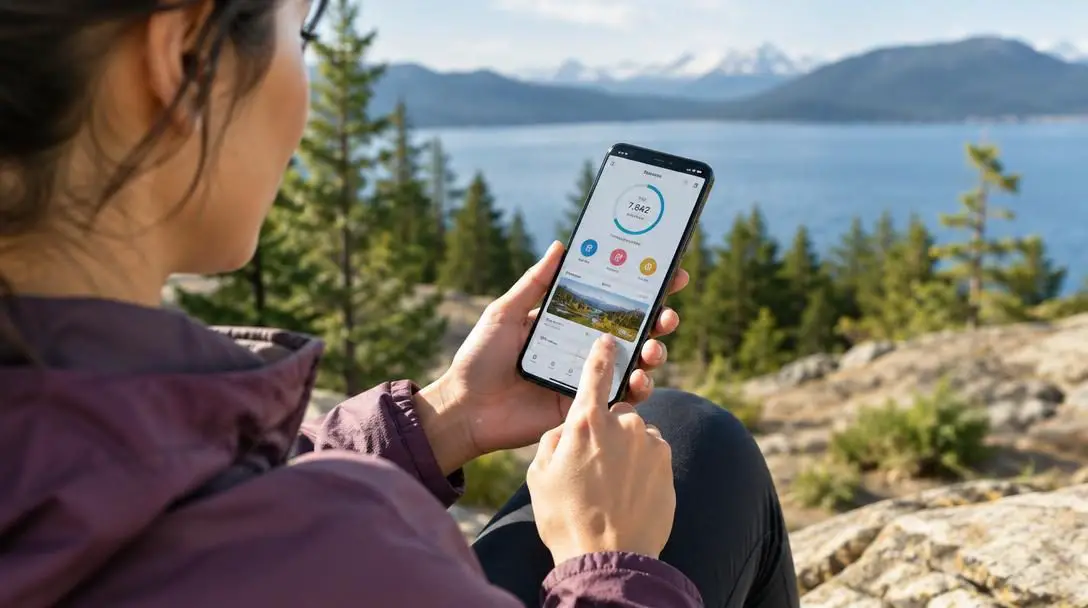
Reclaiming the smartphone experience requires choosing tools that serve your everyday needs rather than draining your mental energy.
Stardew Valley

- Genre: Farming and rural life simulation
- Platform: Android (mobile adaptation of the acclaimed title)
- Pacing: Open-ended, non-competitive, low-stress
- Offline access: Fully playable without an active internet connection
When you want to relax with your phone or tablet, high-intensity action titles and endless social media feeds often produce more stimulation than rest. Stardew Valley delivers an engaging alternative in the form of a slow-paced farming simulation game that runs directly on Android devices.
The game begins by placing your character in charge of a neglected, overgrown plot of farmland inherited from your late grandfather. From there, you are invited to restore the acreage entirely at your own pace. Players clear fields, sow seasonal crops, manage harvest schedules, fish in nearby streams, cook meals, and raise farm animals.
Beyond agricultural work, Stardew Valley includes a vibrant village filled with unique townspeople. You can participate in seasonal community celebrations, forge lasting friendships, and even start a virtual family. Its low-pressure design, cheerful pixel art style, and gentle soundtrack make it an ideal digital haven when you need an offline mental break.
How these apps fit into a productive daily routine
Getting the greatest benefit from these five tools involves understanding their distinct roles throughout your daily schedule. Instead of competing aggressively for your attention like social media platforms, these applications serve as targeted utilities built for specific moments of your day.
- Morning transit and errand runs: Launch Waze before pulling out of the driveway to monitor upcoming road conditions and skirt traffic jams before you get trapped.
- Ongoing personal messaging: Rely on Signal as your primary messaging channel, giving you peace of mind that communications with friends, family, and colleagues remain secure.
- Meal times and fitness check-ins: Take 30 seconds before or after meals to scan items into MyFitnessPal, keeping your nutrition habits aligned with your fitness targets.
- Midday breathing breaks and bedtime wind-down: Open Calm during an afternoon slump for a three-minute mental reset, then activate a soothing Sleep Story when turning off the lights.
- Intentional evening leisure: Pick up Stardew Valley instead of scrolling through social media feeds when you want low-stakes, creative relaxation before sleep.
Step-by-step setup guide for a better digital lifestyle
Transforming your Android device from a source of endless distraction into a supportive daily toolkit is a manageable process. Follow these structured steps to configure your device for mindful productivity.
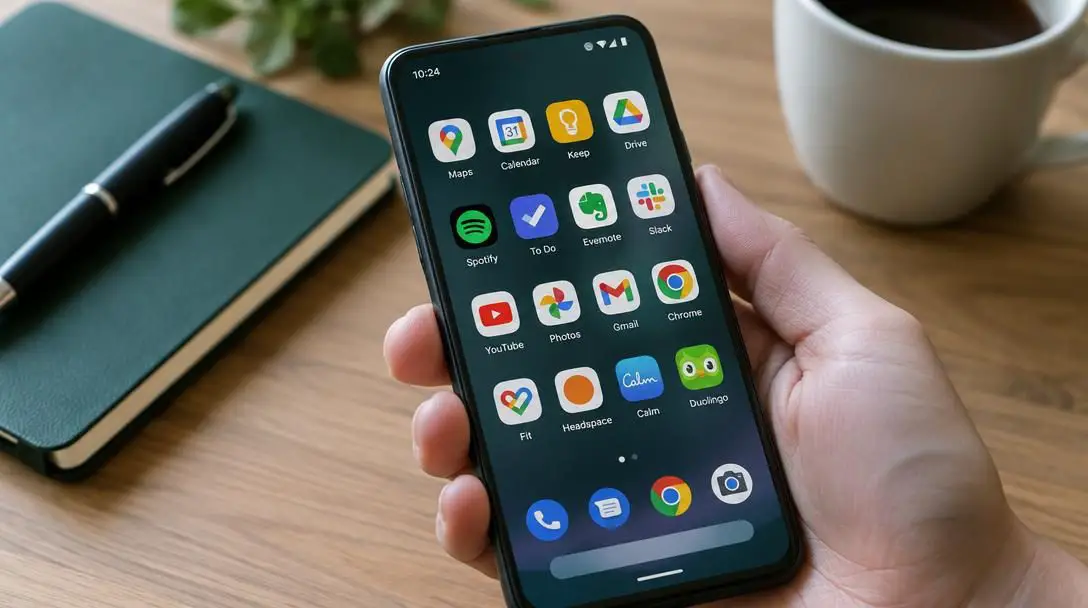
- Rearrange your Android home screen: Move time-sink social apps off your primary display or tuck them into secondary folders. Place icons for Waze, Signal, MyFitnessPal, Calm, and Stardew Valley on your main screen for intentional access.
- Configure Waze navigation preferences: Open Waze, save your daily commute addresses, and explore the voice settings menu to pick an enjoyable celebrity navigator or record your own custom driving alerts.
- Build your secure messaging circle on Signal: Install Signal, complete the SMS phone number verification, and invite close friends, relatives, and professional collaborators onto the encrypted network.
- Calibrate your fitness goals in MyFitnessPal: Launch the app, enter your current weight and physical targets, pair any connected health wearables, and scan a few pantry items to practice barcode logging.
- Queue your mindfulness and sleep routines in Calm: Browse the daytime meditation catalog to pick short starter exercises, then pre-download two or three Sleep Stories to your device storage for offline evening listening.
- Establish your farmstead in Stardew Valley: Start your new farm, clear out initial plots of land at a comfortable pace, and use the title as a restful, offline gaming break whenever you need to recharge.
Common mistakes to avoid with utility and lifestyle apps
Adopting new digital software can introduce a few common pitfalls. Staying mindful of these missteps ensures you extract maximum benefit from each application without adding unnecessary friction to your life.
- Obsessing over exact logging metrics: When using MyFitnessPal, avoid stressing over every single gram or spice. The purpose is fostering healthy nutritional awareness, not cultivating anxiety over slight numerical variances.
- Overlooking essential Android permissions: If Signal is unable to send voice notes or photo attachments, check your application settings to confirm that storage, microphone, and camera access are enabled.
- Neglecting offline downloads: Streaming relaxing audio on Calm or attempting online tasks in rural areas can lead to buffering. Download audio tracks and rely on offline titles like Stardew Valley when traveling or in areas with poor cellular service.
- Leaving high-accuracy GPS running continuously: Waze relies on active screen brightness and location hardware. Remember to close the route as soon as you arrive to prevent your battery from draining prematurely.
- Attempting an overnight digital overhaul: Trying to master advanced nutrition tracking, daily meditation, new navigation habits, and a farming simulation all on the same day can feel daunting. Introduce one or two apps first, build steady habits, and add the remaining tools gradually.
Frequently asked questions
Is Signal really more private than standard text messaging?
Yes. Standard SMS messages are transmitted in clear text across mobile networks, where they can be intercepted, logged, or reviewed by carriers. Signal uses end-to-end encryption, meaning only the sender and the intended recipient have the cryptographic keys to read messages, view media, or listen to calls.
Can I use MyFitnessPal effectively without purchasing the premium upgrade?
Yes. The free tier of MyFitnessPal provides access to its core calorie calculations, daily health goal setting, food database, and the integrated barcode scanner for logging meals and tracking physical progress.
Does Waze require an internet connection while driving?
Waze needs an active data connection to receive live incident reports, road hazard alerts, and real-time community traffic updates. While it can guide you along an already calculated route if you lose signal temporarily, it cannot fetch live rerouting data without cellular access.
Can Stardew Valley on Android be played completely offline?
Yes. Stardew Valley is a self-contained simulation game that does not require an active Wi-Fi or mobile data connection to play, making it suitable for flights, commutes, and off-grid relaxation.
How much time each day does Calm require to show benefits?
Calm offers short guided meditation sessions that last just a few minutes, making it easy to incorporate into brief breaks during your workday, alongside optional full-length Sleep Stories designed for your regular bedtime routine.
The bottom line
Smartphones are only as beneficial or exhausting as the software running on them. Continuing to dedicate hours each day to passive social media browsing often results in elevated stress, fractured focus, and lost personal time. By replacing hyper-stimulating feeds with purpose-driven Android applications like Waze, Signal, MyFitnessPal, Calm, and Stardew Valley, you can transform your mobile device into an empowering utility that supports your physical health, safeguards your personal data, streamlines daily transit, and fosters genuine mental peace.





