
How Much RAM Does Your Laptop Need?
Short for Random Access Memory, RAM may not always be the headline specification computer shoppers scrutinize first, but it is one of the most critical components determining how a laptop feels in daily use. Every time you power on your machine, open a browser window, switch between active applications, or stream music in the background, system memory actively dictates how smoothly those operations execute. When memory capacity falls short, even a cutting-edge processor can grind to a halt, leaving users facing lag, frozen windows, and system unresponsiveness.
Determining the right capacity requires taking a close look at your daily digital habits, your favorite programs, and your expectations for the future. Laptops are long-term investments, and selecting an appropriate memory configuration ensures your machine continues to handle emerging software updates and expanding workloads without premature slowdowns.
Key takeaways
- Random Access Memory provides fast, temporary workspace for active programs and open files rather than long-term file storage.
- An 8GB configuration serves as the modern standard baseline for everyday productivity, casual web browsing, and general computing tasks.
- Users spending $500 or more generally find their sweet spot between 8GB and 16GB, accommodating heavier multitasking and moderate gaming.
- Creative professionals, 3D animators, architects, and power users require 16GB or more to prevent software crashes and workflow bottlenecks.
- Assessing whether a laptop features upgradeable memory slots or soldered RAM is essential before making a purchase.
Background: What Is RAM and How Does It Work?
To choose the correct hardware, it is essential to understand what system memory actually does. Laptops rely on RAM as a high-speed temporary workspace that holds data required for immediate user access. When you launch a program, load an operating system utility, or open a website, the laptop transfers the corresponding assets from your permanent storage drive directly into system memory.
A frequent point of confusion among computer buyers is the fundamental difference between system memory and permanent storage drives, such as an older mechanical hard disk drive (HDD) or a modern solid-state drive (SSD). Permanent storage is designed to retain your operating system files, installed software, documents, photos, and video libraries indefinitely, preserving them safely even when the machine is shut down. However, retrieving information directly from an SSD or HDD takes substantially longer than pulling it from physical memory.
System memory delivers the real-time responsiveness users expect from modern hardware. Because the central processor can read and write data stored in RAM almost instantaneously, you can type inside a word processor without perceptible input delay, switch seamlessly between multiple open windows, and interact with complex web pages without stuttering. However, this workspace is strictly volatile: the moment you shut down or reboot your laptop, everything stored in RAM vanishes.
Without a suitable amount of memory, even a laptop with an advanced processor can feel sluggish and unresponsive during ordinary tasks.
Evaluating Laptop RAM Tiers: Which Capacity Fits Your Lifestyle?
Laptops are sold across a spectrum of memory configurations tailored to different price points, form factors, and computing tasks. Evaluating the strengths and limitations of each bracket will help you match your budget to your operational needs.
2GB RAM or Less: Obsolete for Modern Computing
In today's digital landscape, configurations with 2GB of RAM or less are essentially obsolete. While very low memory capacities were standard over a decade ago, modern operating systems like Windows and macOS require considerable memory overhead simply to boot and maintain background system services. As a result, few reputable computer brands continue to manufacture or support laptops with 2GB of RAM or less.
Machines operating with this severe memory constraint frequently become overwhelmed by low-intensity programs. Even opening a handful of browser tabs can cause significant system freezing and unresponsive scripts. Modern websites feature dynamic video embeds, script-heavy trackers, and complex layouts that demand far more memory than a 2GB pool can accommodate. Purchasing a machine at this level is impractical for modern digital life.
4GB RAM: Tight Budget Computing
Laptops equipped with 4GB of RAM represent the lowest viable tier for modern personal computing, typically found on budget-friendly machines designed for cost-conscious shoppers. A 4GB configuration can successfully handle straightforward assignments, including basic internet surfing, drafting documents in simple word processors, checking email, and streaming video content through dedicated apps.
However, 4GB provides very little breathing room for contemporary workflows. If you tend to keep dozens of browser tabs open simultaneously, run music applications alongside office suites, or let system utilities accumulate in your background tray, the computer will quickly exhaust its available RAM. Once memory fills up, system responsiveness slows noticeably. While 4GB can serve light secondary use cases, it leaves virtually no capacity for growth.
8GB RAM: The Everyday Baseline
For the average laptop buyer shopping with a moderate budget, 8GB of RAM is generally sufficient and represents the standard baseline configuration offered on most high-quality consumer laptops today. This tier easily satisfies the requirements of standard office productivity suites, video conferencing calls, media consumption, and general multitasking.
With 8GB of memory installed, everyday users can comfortably run multiple applications concurrently without encountering system slowdowns. You can operate an email client, a document editor, and a browser with several tabs open simultaneously without facing severe performance drops. While resource-heavy tasks like editing massive Photoshop files or playing modern graphically demanding games will push an 8GB system to its limits, it remains the most practical starting point for general users.
16GB RAM: The Sweet Spot for Multitaskers and Gamers
Average computer users who are willing and able to spend at least $500 on a new laptop are generally happiest stepping up to between 8GB and 16GB of RAM. The 16GB threshold has emerged as the definitive sweet spot for mid-range and high-performance consumer laptops, successfully balancing hardware costs with fluid responsiveness and future longevity.
This tier is particularly vital for PC gamers and intense multitaskers. Modern video games demand extensive system memory to load vast virtual environments, uncompressed audio assets, high-definition textures, and physics calculations. Casual gamers and mainstream players alike can maintain a smooth, stutter-free gaming experience with 16GB. Furthermore, opting for double-digit memory provides an effective hedge against expanding requirements, ensuring your computer remains responsive as simple spreadsheets evolve into massive financial workbooks containing interconnected data tables.
More Than 16GB RAM: Power Users and Creative Professionals
For power users, content creators handling massive media files, and individuals who routinely keep dozens of tabs active across multiple browser windows, configurations exceeding 16GB are essential. System memory in this bracket is no longer a luxury; it is a critical productivity asset that prevents costly downtime.

Creative and technical professionals—including architects, 3D animators, video editors, visual designers, and software engineers—routinely rely on memory configurations of 32GB, 64GB, or higher. Professional workloads such as multi-layered graphic design, high-resolution visual rendering, complex CAD drafting, and virtual machine simulation generate massive temporary datasets. When workstation hardware runs out of memory mid-render, applications crash and unsaved work is lost. Investing in substantial RAM capacity slashes rendering times and guarantees stability under heavy computational pressure.
Laptop RAM Tiers at a Glance
The following table outlines how standard RAM capacities align with hardware budgets, common use cases, and multitasking headroom.
| RAM Capacity | Typical Budget Range | Primary Target User | Recommended Workloads | Multitasking Capability |
|---|---|---|---|---|
| 2GB or Less | Ultra-budget / Legacy | Rarely sold new | Light text editing only | Extremely limited; prone to freezing |
| 4GB | Under $500 | Strict budget shoppers | Basic web browsing, email, word processing | Minimal; slows with multiple apps open |
| 8GB | Around $500 and moderate budgets | Everyday mainstream users | Productivity suites, streaming, moderate browsing | Comfortable for standard daily tasks |
| 16GB | $500 and above | Gamers and heavy multitaskers | PC gaming, complex spreadsheets, multi-tab browsing | High; seamless switching between heavy apps |
| More than 16GB | High-end / Premium | Creative and technical professionals | 3D modeling, CAD, 4K rendering, animation | Maximum; supports large simultaneous workflows |
Practical Steps to Choose the Right Amount of RAM
Selecting the ideal memory capacity requires looking closely at your current software habits, anticipating your digital needs over the next few years, and reviewing your financial constraints. Follow these four practical steps before finalizing your laptop configuration:
- Audit your daily computing habits. Compile an honest list of the programs you open during a typical workday. Take note of whether you prefer closing applications immediately after use or tend to leave web browsers, instant messaging platforms, and streaming music software open all day long.
- Check specialized software specifications. If your work or hobbies involve specialized software for video production, 3D modeling, engineering design, or modern PC gaming, consult the developer guidelines. Focus on the recommended hardware requirements rather than the bare minimum requirements to ensure smooth operation.
- Evaluate your hardware budget. Laptop prices correlate closely with onboard specifications. If your purchasing budget falls under $500, you will primarily encounter laptops with 4GB or baseline 8GB configurations. If you can spend $500 or more, make 8GB to 16GB your minimum target to protect your investment over time.
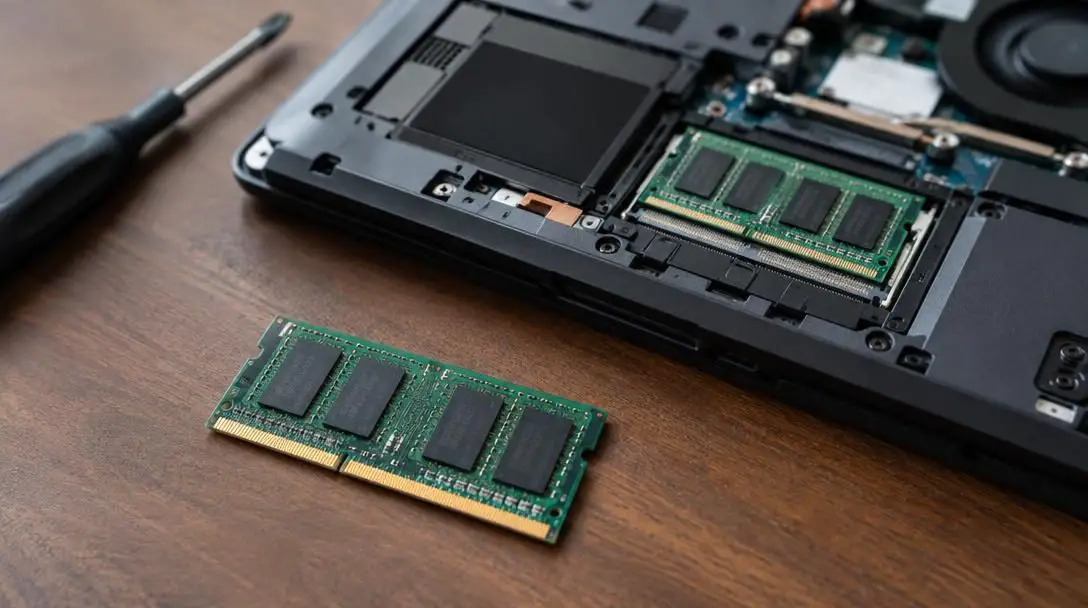
- Assess laptop upgrade options. Investigate the physical design of the laptop chassis prior to purchasing. Check manufacturer documentation to determine whether the machine uses soldered memory chips that cannot be altered or modular SO-DIMM slots that permit adding extra RAM sticks in the future.
Common Mistakes When Evaluating Laptop Memory
Hardware specifications can be intimidating, leading many prospective buyers to fall into predictable traps. Avoiding these common mistakes will save you money and prevent frustrating operational hurdles:
- Confusing storage with system memory: One of the most widespread errors among laptop buyers is confusing hard disk or solid-state drive capacity with RAM. Purchasing a laptop with a spacious 512GB or 1TB SSD gives you abundant room to save files, but it does not expand your active working memory or prevent slowdowns when juggling dozens of programs.
- Underestimating modern web browser consumption: Modern web browsing is significantly more demanding than it was years ago. Modern web browsers assign individual processes to separate tabs, extensions, and web applications. Users who keep dozens of dynamic tabs open across several browser windows can quickly overwhelm an entry-level computer.
- Settling for bare minimum gaming specifications: Gamers who try to cut corners by purchasing hardware that barely satisfies minimum system requirements frequently suffer from dropped frame rates, severe micro-stuttering, and unexpected software crashes during complex gaming scenes.
- Ignoring future software demands: Operating system updates, office tools, and web applications consistently increase their resource demands over time. Buying a machine that barely meets your requirements today leaves you with an underpowered system within just a year or two.
Hardware Synergy and Long-Term Value
System memory does not operate in a vacuum. To extract the greatest performance and longevity from your laptop, RAM must work in close coordination with your central processing unit (CPU), graphics processing unit (GPU), and storage drive. A machine equipped with an abundance of RAM can still feel sluggish if paired with an outdated processor or a slow mechanical drive, just as an exceptional processor will be hamstrung by inadequate memory.
When planning your next laptop purchase, prioritize a balanced architecture. Weighing the upfront cost of additional memory against the financial and productive expense of premature hardware replacement will help you secure a laptop that remains nimble, capable, and reliable for years to come.
Frequently asked questions
Is 8GB of RAM enough for a modern laptop?
Yes, 8GB of RAM is generally sufficient for everyday users. It serves as the standard baseline configuration on most high-quality modern laptops, easily handling standard office tasks, web browsing, streaming media, and typical multitasking without system lag.
Can I upgrade the RAM in my laptop after buying it?
Many laptops of any age and existing RAM capacity can be upgraded with additional memory modules as needed. However, some thin and lightweight modern models use memory chips soldered directly onto the motherboard, which cannot be replaced or expanded. You should verify your laptop's upgrade capabilities before purchasing.
How much RAM do I need for PC gaming?
Mainstream and casual gamers generally achieve smooth, responsive performance with between 8GB and 16GB of RAM. Modern games require significant memory to render expansive virtual environments, high-resolution textures, and complex audio files, making 16GB the ideal sweet spot for gaming stability.
What is the difference between RAM and SSD storage?
RAM is temporary, ultra-fast memory used to hold active applications and open files currently in use by the processor. An SSD is permanent storage designed to keep your operating system, installed software, and personal documents saved safely even when the computer is turned off.
Who actually needs 32GB of RAM or more?
Configurations of 16GB or higher are designed for power users, including architects, 3D animators, video editors, and engineers working on large rendering projects, complex visual designs, and multi-layered CAD files where running out of memory could cause program crashes.
The bottom line
Choosing the right amount of laptop RAM comes down to matching your hardware capacity to your everyday computing patterns and long-term plans. For casual users on a strict budget, 4GB can manage fundamental web surfing and document drafting, while 8GB serves as the reliable modern baseline for everyday productivity. Buyers willing to invest $500 or more will find that stepping up to 16GB provides the optimal blend of multitasking responsiveness, gaming capability, and futureproofing. For dedicated creative professionals and technical specialists, investing in 16GB or more prevents crashes and keeps intensive projects moving smoothly. By assessing your workflow, checking software requirements, and verifying upgrade options, you can select a laptop that delivers consistent performance across its entire operational lifespan.





