
The Importance of User-Centered Design in Computing

In the early decades of the technology industry, software and hardware development was dictated almost entirely by engineering feasibility, processor power, and machine logic. Systems were constructed around what computers could calculate and store rather than how human beings naturally process information, solve problems, or communicate. As a result, early computer interaction demanded steep learning curves, rigorous memorization of machine commands, and specialized training that forced people to warp their working habits around rigid machine architectures.
Today, computing is woven into the infrastructure of daily life, used by billions of people across diverse backgrounds, ages, technical abilities, and cognitive needs. This shift has elevated User-Centered Design (UCD) from a niche human-factors discipline into a core foundation of modern computing. Rather than treating users as afterthoughts who must adapt to a completed system, user-centered design mandates that the needs, physical contexts, and limitations of end-users direct the software lifecycle from initial concept through ongoing maintenance.
Key takeaways
- User-Centered Design prioritizes human capabilities, workflows, and limitations throughout every phase of the engineering lifecycle.
- Developing with real users early prevents expensive architectural rework caused by discovering usability flaws after code deployment.
- Accessibility and inclusivity serve as core design pillars rather than late-stage compliance checkboxes.
- Methods like usability testing, journey mapping, and prototyping replace developer assumptions with observable behavioral data.
The Evolution of Computing Interfaces
To grasp why user-centered methodologies are essential today, it helps to trace how human-computer interaction has developed over time. The earliest computing platforms relied on mechanical punch cards and dense command-line interfaces. Operators interacted with machines through rigid alphanumeric syntax, where a single missing bracket or mistyped character caused an entire batch run to fail. While this model offered raw computational efficiency for mathematicians and computer scientists, it presented a massive barrier to entry for the general public.
The development of graphical user interfaces (GUIs), pointing devices, and eventually capacitive touchscreens dramatically lowered the threshold for interacting with software. Visual metaphors such as desktop folders, trash bins, and clickable buttons mapped digital operations to familiar real-world concepts. Yet, the existence of visual elements does not guarantee an intuitive user experience. As commercial software exploded in feature density, digital products frequently suffered from cluttered navigation, inconsistent terminology, and disjointed user flows.
Rather than treating usability as a superficial layer added at the conclusion of a project, user-centered design positions the human user as the primary reference point throughout the entire lifecycle.
Engineers and product managers routinely added capabilities without validating whether typical operators could locate or execute them successfully. Recognizing that technological capability alone does not produce effective tools, academic researchers and software practitioners established User-Centered Design. By shifting focus toward the user's mental model—how a person thinks a system works—computing transitioned from machine-centric logic to human-centric interaction.
Core Benefits of User-Centered Design in Computing
Applying user-centered principles yields direct practical advantages for both the creators of technology and the people who rely on it daily. When systems match real human workflows, computing delivers superior outcomes across several dimensions:
- Enhanced user satisfaction and adoption: Systems built around genuine user goals reduce friction, confusion, and cognitive fatigue. When people find software straightforward and empowering, user adoption rates rise and engagement becomes sustainable over time.
- Proactive accessibility and inclusion: Considering diverse sensory, physical, and cognitive profiles ensures that digital tools remain usable for people with disabilities, aging populations, or temporary situational impairments.
- Substantial cost reduction and reduced rework: Modifying a design during wireframing or prototyping requires minimal time. In contrast, altering relational database schemas, application programming interfaces, or front-end code after product release is financially costly and labor-intensive.
- Iterative product flexibility: Structured feedback loops allow development teams to react effectively to evolving user expectations, emerging hardware form factors, and changing environmental contexts.
Key Principles Guiding User-Centered Systems
Modern user-centered design is sustained by several core tenets that guide technical teams throughout the design and software architecture processes:
User empathy and understanding: Designers and software engineers must step outside their personal technical fluency. Everyday end-users do not view systems through the lens of code architecture or database tables. Empathy requires examining the physical, environmental, and emotional context in which a user interacts with the system.
Active user involvement: Effective design cannot proceed on assumptions made in isolation inside an office. Representative users must participate throughout the development lifecycle via interviews, observational field studies, and task-based evaluations.
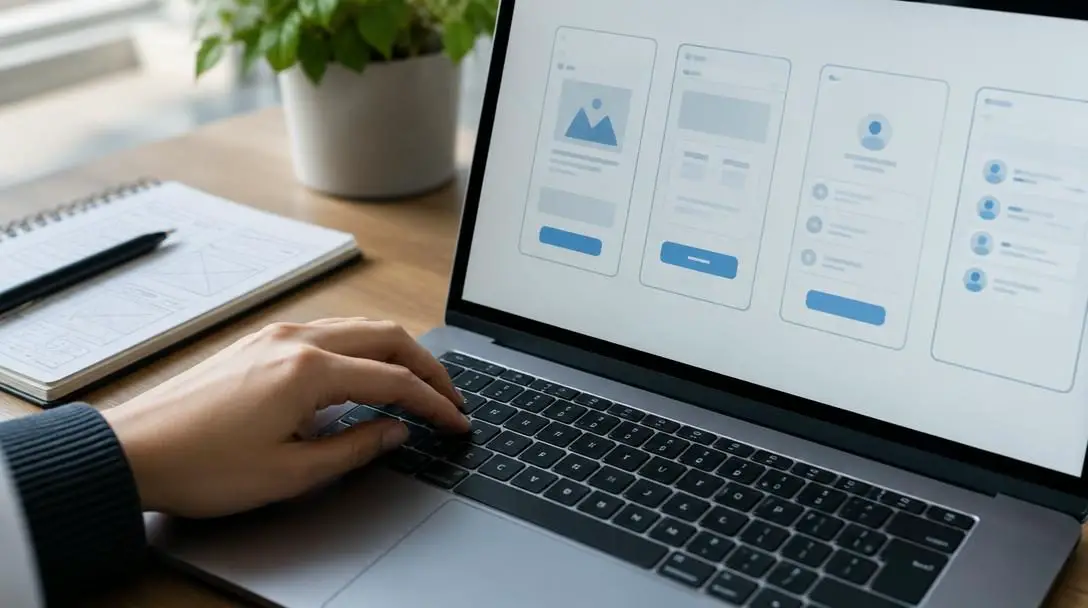
Iterative evaluation: Design is not an assembly line that moves in an unbroken straight path from specification to final rollout. It functions as an ongoing feedback loop of creating concepts, testing them with users, analyzing the results, and refining the interface.
Universal accessibility: Computing interfaces should be universally accessible regardless of an individual's physical abilities, hardware constraints, or network connectivity. Inclusive design accounts for screen readers, keyboard navigation, high-contrast modes, and clear linguistic choices.
Flexibility and scalability: Software environments are never completely static. Computing platforms must gracefully accommodate both novice users who require guided assistance and experienced power users who benefit from shortcuts and streamlined workflows.
Essential Methods and Techniques in UCD
User-centered design translates its conceptual philosophy into concrete engineering outcomes using established research and diagnostic techniques. Each method extracts actionable behavioral data to guide interface structure and system logic.
User Research and Analysis
User research forms the bedrock of the entire UCD process. Rather than relying on assumptions or marketing generalities, researchers gather qualitative and quantitative data through one-on-one interviews, contextual inquiries, and field observations. By observing people inside their actual operating environments, teams discover unarticulated pain points, workarounds, and environmental interruptions that formal specifications overlook.
Persona Development
Personas are composite, research-backed representations of distinct user segments within a system's target demographic. Unlike abstract demographic profiles, effective personas capture operational goals, technical competencies, daily frustrations, and the primary tasks a user must execute. When software engineers debate how to architect a workflow, personas provide an objective, shared point of reference.
User Journey Mapping
A user journey map visualizes the sequential steps an individual takes to achieve an outcome within an application. This path charts their actions alongside their emotional state, pain points, and technical touchpoints. Mapping user journeys exposes points of friction, dead ends in navigation, and instances where the software demands unnecessary input, allowing designers to streamline system logic.
Card Sorting
Card sorting evaluates and organizes information architecture. In a card-sorting session, participants organize topical labels, menu items, or feature names into categories that make logical sense to them. The resulting groupings guide the structuring of website hierarchies, dashboard menus, and settings panels according to human mental models rather than internal database schemas.

Prototyping
Prototyping allows teams to test interactive concepts without writing full production code. Depending on the project stage, prototypes range from low-fidelity paper sketches and black-and-white wireframes to high-fidelity, clickable digital simulations. Prototypes provide an inexpensive medium for experimentation, enabling stakeholders to validate interaction patterns before implementation begins.
Usability Testing
In a formal usability test, researchers observe representative users attempting to complete predefined tasks using a prototype or existing software interface. Test moderators note completion times, error rates, hesitation points, and qualitative feedback as users articulate their thought processes. The resulting behavioral evidence highlights precisely where system logic diverges from user expectations.
| UCD Technique | Primary Purpose | Typical Development Phase | Key Deliverable |
|---|---|---|---|
| User Research | Identify needs, workflows, and pain points | Discovery and Concept | Field notes, transcripts, observation logs |
| Persona Development | Establish shared human benchmarks for decisions | Analysis and Planning | Archetypal user profiles and goal sheets |
| Journey Mapping | Identify cross-platform friction and bottlenecks | Concept and Architecture | Visual timeline of user actions and emotions |
| Card Sorting | Structure intuitive navigation and taxonomies | Information Architecture | Dendrograms and categorized menu structures |
| Prototyping | Simulate interactions without writing production code | Interaction Design | Clickable mockups and interactive wireframes |
| Usability Testing | Observe task success rates and user confusion | Evaluation and Refinement | Error reports, task completion metrics |
The Step-by-Step Implementation Lifecycle
Implementing user-centered design requires integrating structured usability practices into software development frameworks, whether teams operate in traditional or agile workflows. The standard lifecycle advances through six coordinated phases:
- Understand and specify the context of use: Identify the target population, their technological proficiency, the tasks they must complete, and the environmental conditions—such as bright sunlight, noisy factory floors, or high-stress emergency settings—under which the system operates.
- Specify user and organizational requirements: Formulate explicit user goals, functional priorities, system constraints, accessibility standards, and usability criteria that must be satisfied for the product to be considered successful.
- Produce design solutions: Progress incrementally from basic conceptual sketches and information architecture models to detailed wireframes and interactive prototypes that address the specified requirements.
- Evaluate designs against usability criteria: Subject prototypes to rigorous usability testing with representative end-users, recording operational errors, completion bottlenecks, and qualitative feedback to gauge performance against baseline metrics.
- Implement and refine the production system: Translate validated design prototypes into functional production code, maintaining ongoing testing to verify that technical trade-offs do not degrade usability.
- Conduct post-deployment reviews: Monitor real-world operational logs, gather continuous user feedback, track task drop-off rates, and use these production metrics to drive subsequent maintenance cycles and software updates.
Common Mistakes to Avoid in User-Centered Computing
Even organizations committed to human-centered methodologies frequently fall into traps that compromise product quality. Computing teams must stay vigilant against several pervasive pitfalls:
- Assuming the designer represents the end-user: Highly trained software engineers and interaction designers possess advanced digital literacy and deep familiarity with the internal system architecture. Assuming that general users think the same way invariably produces overly complex, unintuitive software.
- Treating accessibility as an optional late-stage checklist: Waiting until right before software delivery to address color contrast, keyboard-only focus states, and screen reader compatibility results in fragile, bolted-on fixes. Accessibility must be integrated into structural layout decisions from the start.
- Confusing functional bug testing with usability evaluation: Quality assurance (QA) ensures that code runs without throwing uncaught exceptions or crashing the server. However, an application can execute flawlessly from an engineering standpoint while remaining completely unusable to its target audience.
- Restricting user involvement to post-launch demos: Bringing real users into the conversation only after the software is fully programmed transforms usability into a public relations exercise. At that late stage, major structural revisions are cost-prohibitive.
- Relying exclusively on quantitative telemetry: Analytics dashboards can indicate where users drop off in a multi-step checkout or registration funnel, but numbers cannot reveal why they abandoned the task. Qualitative user interviews and observation provide the context behind the data.
Organizational Challenges and Technical Constraints
While the benefits of user-centered design are established, putting it into daily practice brings real-world trade-offs. The most prevalent obstacle is resource management. Conducting observational field research, recruiting representative testing cohorts, and managing multi-stage prototype iterations require dedicated budget, specialized staff, and project time. In organizations facing aggressive release schedules, project leads are often tempted to bypass user research to hit immediate delivery dates.
A second challenge involves balancing contradictory feedback from divergent user groups. In complex enterprise platforms, advanced power users frequently demand high-density dashboards, extensive configuration settings, and rapid command-line shortkeys. Concurrently, casual or entry-level operators require minimal visual clutter, clear labeling, and step-by-step onboarding sequences. Attempting to fulfill every individual preference simultaneously leads to bloated, unfocused software. Designers must prioritize core system tasks while building configurable workflows that accommodate both groups.
Finally, engineering teams frequently confront legacy software constraints, hardware limitations, network latency boundaries, and strict regulatory compliance requirements. An idealized design concept may demand real-time data synchronization that existing enterprise architectures cannot support. Effective user-centered design operates as an ongoing dialogue between human aspirations and engineering reality, delivering solutions that are both intuitive for people and technically viable to build and maintain.
Frequently asked questions
How does User-Centered Design differ from User Interface (UI) design?
User Interface (UI) design focuses primarily on visual and interactive elements—such as buttons, color palettes, typography, and visual layout. User-Centered Design (UCD) is a comprehensive philosophy and overarching methodology that governs the entire product lifecycle, encompassing user research, system architecture, task flows, usability testing, and accessibility.
Can teams practice User-Centered Design within Agile frameworks?
Yes. Many modern software teams practice UCD within Agile by working one sprint ahead of the engineering team. In this model, design researchers test concepts and validate wireframes with end-users in Sprint N, ensuring that validated specifications and tested user stories are ready for software engineers to build in Sprint N+1.
How many participants are required for effective usability testing?
In qualitative usability testing aimed at identifying critical design flaws, testing with five to eight representative participants per distinct user group typically uncovers the vast majority of usability issues. Testing in smaller, frequent batches yields better results than conducting a single massive test at the end of a project.
Why is accessibility an integral part of UCD?
Accessibility ensures that computing systems do not exclude individuals on the basis of physical, sensory, or cognitive differences. Because UCD aims to make systems usable and effective for the full spectrum of actual users, designing for accessibility broadens usability for everyone, including those using assistive tech or facing temporary situational impairments.
What is the difference between low-fidelity and high-fidelity prototyping?
Low-fidelity prototypes consist of simple paper sketches or rough digital wireframes used to quickly map information architecture and basic user flows without distraction from visual styling. High-fidelity prototypes closely simulate the finished software's aesthetic appearance, clickable interactions, and visual polish, making them ideal for detailed user testing before engineering handoff.
The bottom line
Computing systems have long surpassed the era where technology could succeed on raw computational strength alone. As software continues to power vital aspects of society—from healthcare and financial networks to communication and public infrastructure—systems must be designed to reflect human cognitive habits, physical needs, and diverse operational environments. Implementing User-Centered Design bridges the gap between machine logic and human behavior, delivering digital tools that are intuitive, accessible, and durable over time.





